How to Remind a Caregiver to Complete a Survey in Zingage
Last updated: January 22, 2026
If you’ve sent out a caregiver survey but some recipients haven’t completed it yet, you can easily send a reminder directly from the Zingage dashboard. These steps will only work for surveys that are still active and not yet closed. Here's how:
✅ Step-by-Step Instructions
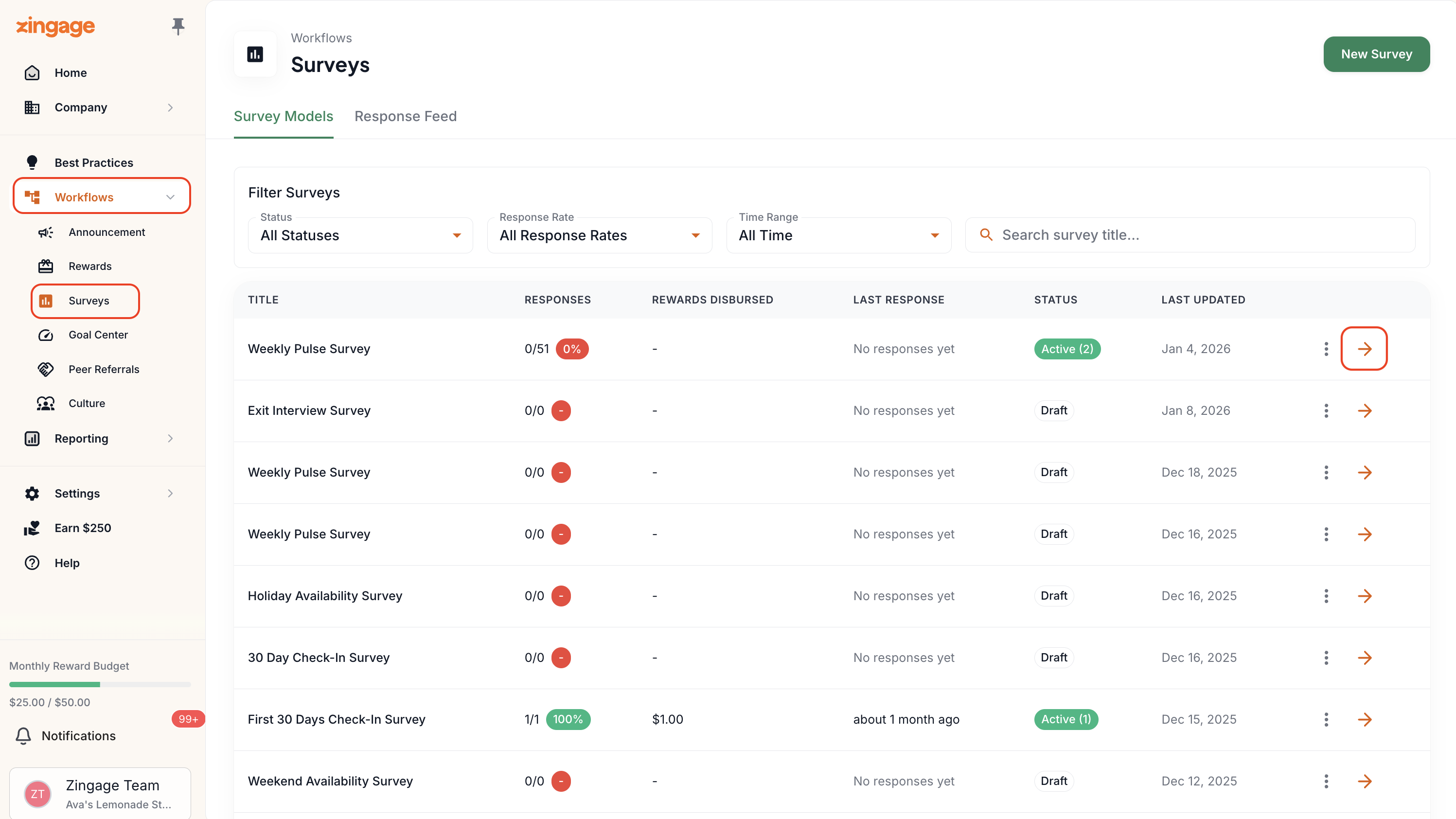
Hover over the left navigation pane and click on Workflows
Select Surveys
Click the Survey you'd like to send a reminder for.
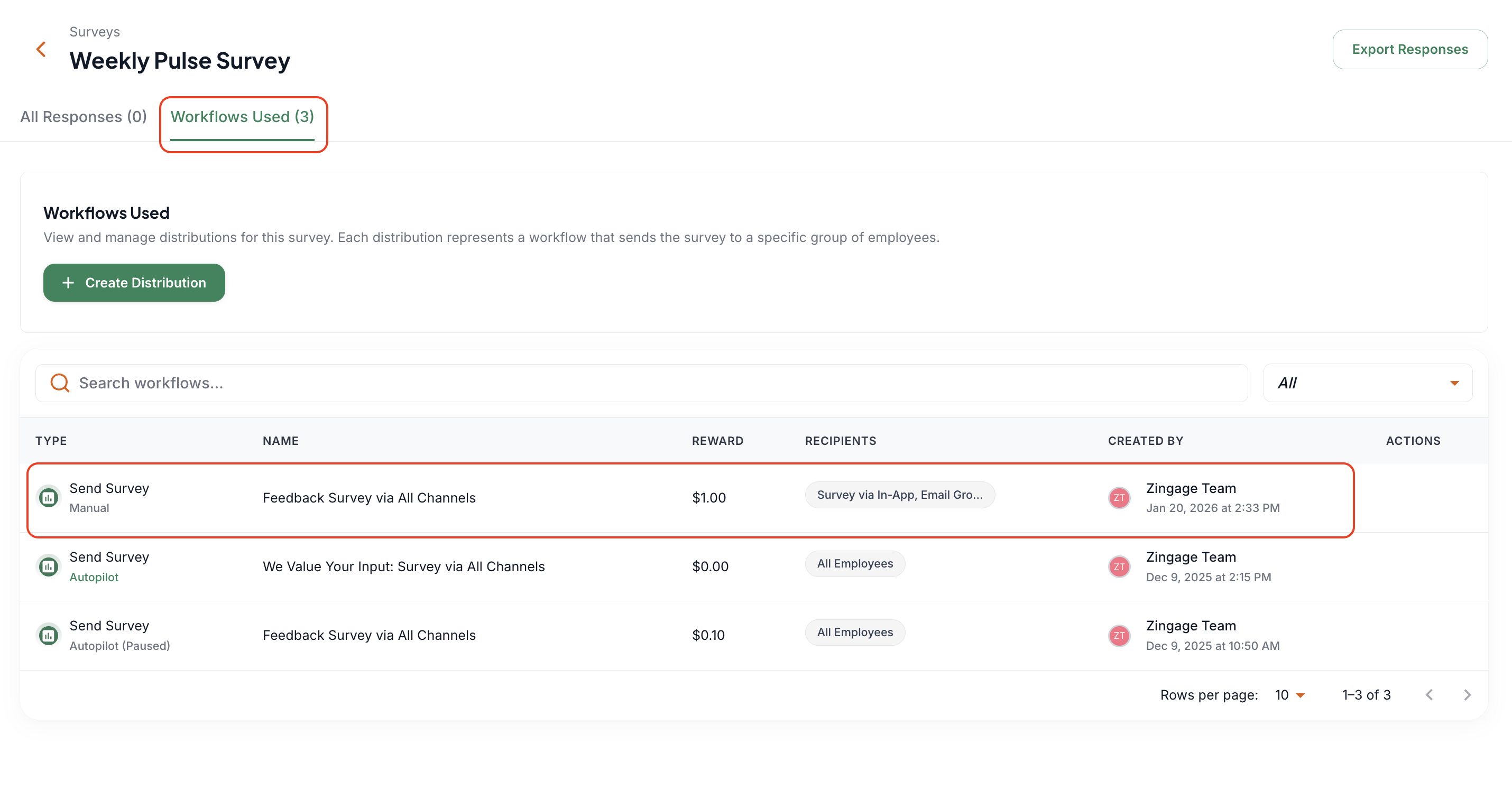
Then, go to the Workflows Used section to see which workflow is active. Click into the active workflow.
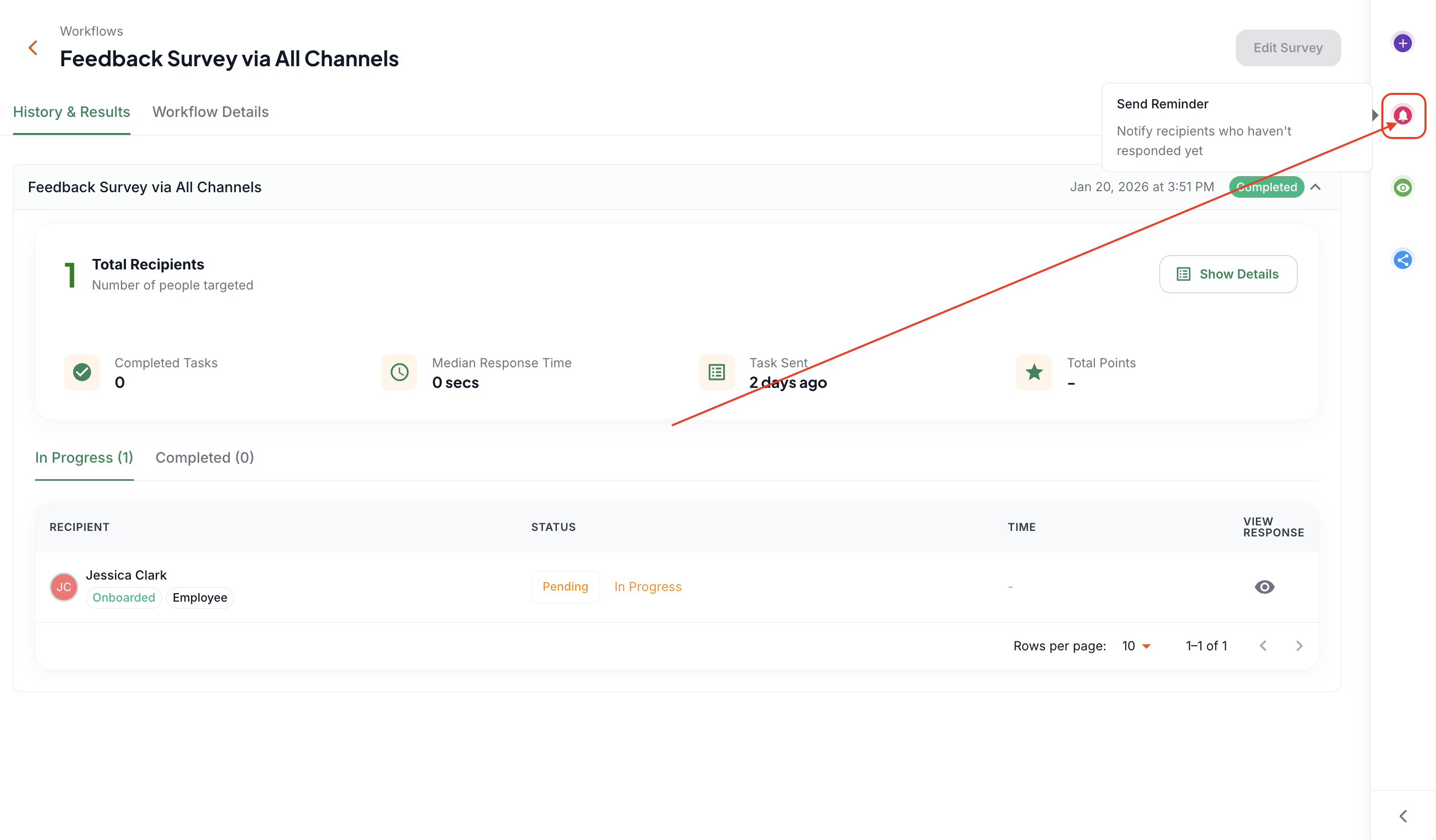
In the right navigation pane, click the pink bell icon labeled Send Reminder.
A list of all pending recipients who haven’t completed the survey will appear.
Click Remind All to notify everyone at once. Reminders can only be sent to everyone all at once.
And that’s it! You’ve successfully sent out a survey reminder.
But the survey is closed...
If the survey is closed, you really want a specific caregiver to complete it, but they can no longer access or complete the survey, you'd need to send that caregiver the survey again, for just them to complete it.
You can create a distribution of the survey and select just that caregiver for the recipient. This article shows you how!
This is NOT the same as sending an invitation reminder to a caregiver to onboard to Zingage. Please see this article to know how to do that!