How to Set Up Auto Spot Rewards with WellSky Activity Tags
Last updated: November 19, 2025
Auto Spot rewards automatically issue spot rewards to caregivers when they're tagged with specific activity tags in WellSky.
What You'll Need
Admin access to your Zingage account
WellSky integration already connected
Activity tags configured in WellSky system
Step-by-Step Setup
1. Navigate to Auto Spot Rewards
From your Zingage dashboard, hover over the left navigation pane
Click Workflows
Select Rewards
Click Workflows and Automation
Scroll down to WellSky Activity Rewards
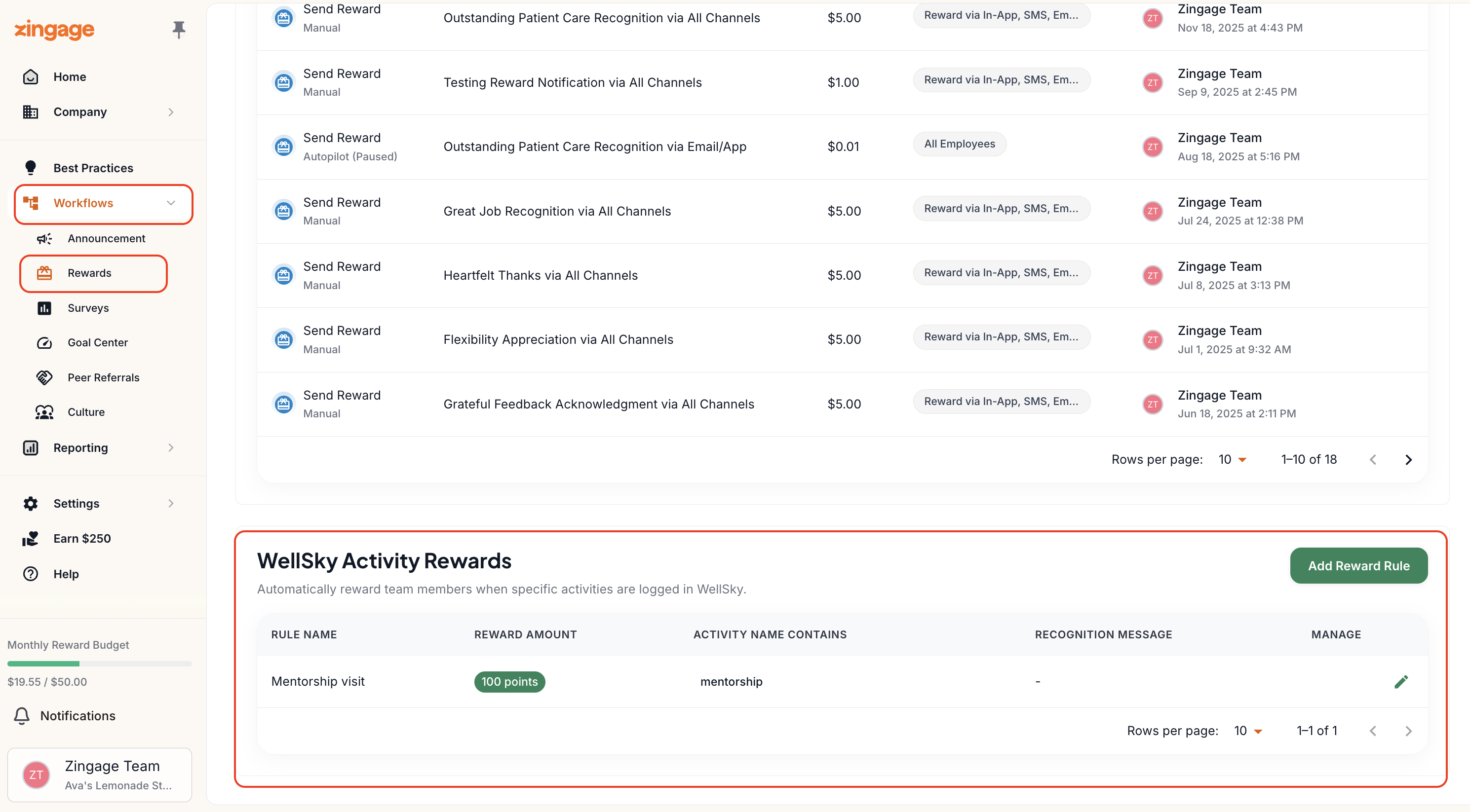
2. Create a New Reward Rule
Click Add Reward Rule
Complete the following fields:
Reward Name: Enter a descriptive name for the spot reward
Message: Write the message recipients will see when they receive the reward
Dollar Amount: Set the monetary value for the spot reward
Activity Tag: Enter the exact activity tag as it appears in WellSky
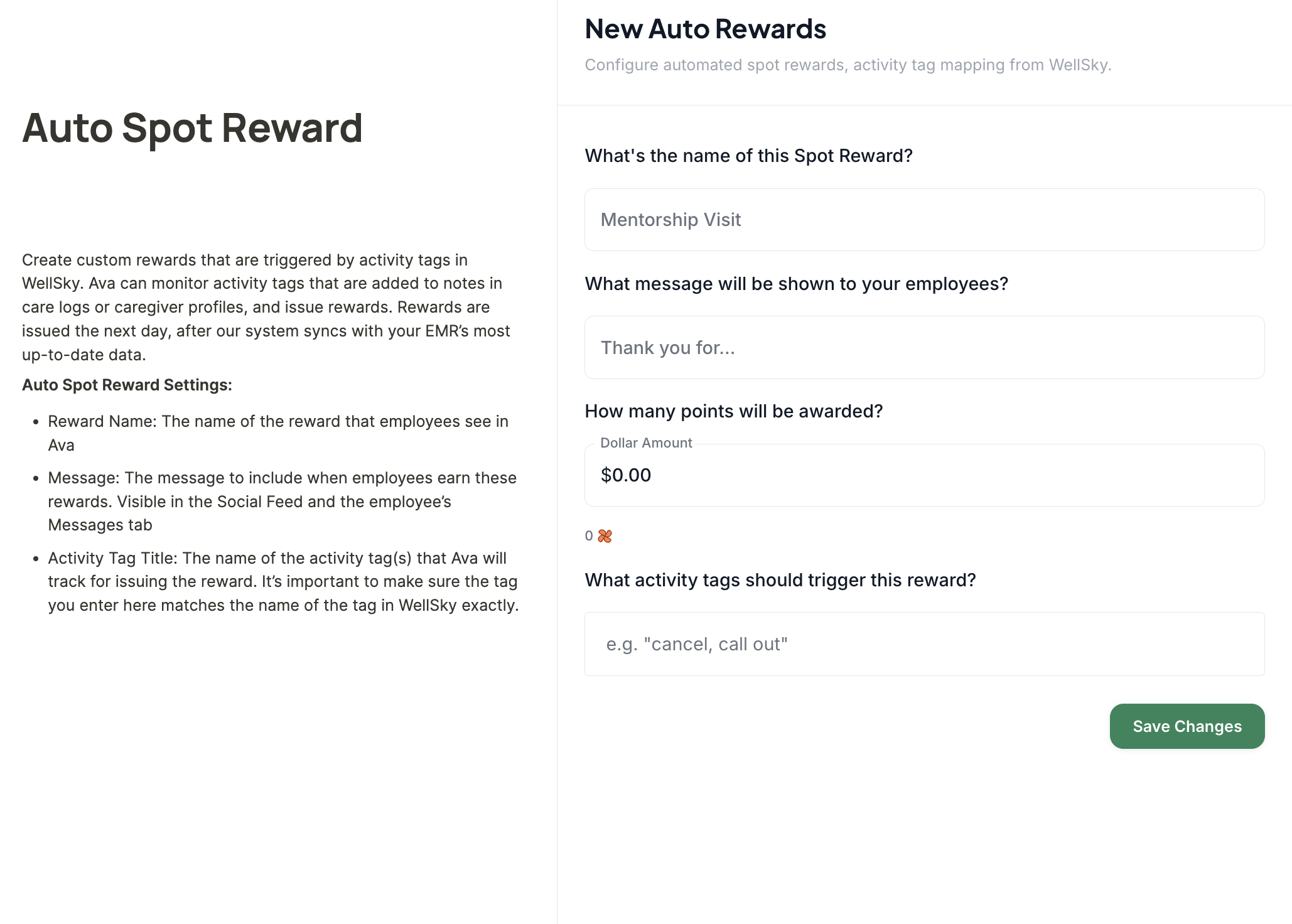
3. Ensure Tag Accuracy
Critical Step: To avoid errors, copy the activity tag directly from WellSky and paste it into the Activity Tag field. Tags are case-sensitive and must match exactly.
4. Save and Activate
Click Save Changes
Your new Auto Spot reward rule will appear in the list
The rule is now active and will automatically trigger rewards
How It Works
When you tag a caregiver with the specified activity tag in WellSky, Zingage automatically detects this action
The system issues a spot reward 24-48 hours after the tag is applied
The caregiver receives the reward with your custom message
No manual intervention required once the rule is set up
Multiple Rules
You can create multiple Auto Spot reward rules for different scenarios:
Perfect attendance bonuses
Exceptional patient care recognition
Going above and beyond
Holiday or overtime work
Controlling When Rewards Are Sent
If you want to personally contact caregivers before they receive their reward, the best approach is to apply the WellSky tag only after you've spoken with them. This way, the reward will be triggered only after your call, typically within 1–2 days.
To stop Auto Spot Rewards entirely, you would need to either:
Remove the Auto Spot Rewards configuration from Zingage, or
Stop using the specific activity tag in WellSky
Handling Past Awards
Zingage does not award Auto Spot Rewards retroactively. If you're tagging previous Caregivers of the Month for earlier dates this year (before Auto Spot Rewards was set up), you'll need to send those rewards manually using either:
A workflow spot reward
A manual spot reward