Connect Your EMR and Configure Activity Tags
Last updated: July 30, 2026
This article explains how to connect employee data to Zingage and configure activity tags so caregiver rewards are based on accurate visit and attendance information.
🎥 Walkthrough: Onboarding, EMR Setup, Configuring Activity Tags
Related Articles and Resources:
Before you begin
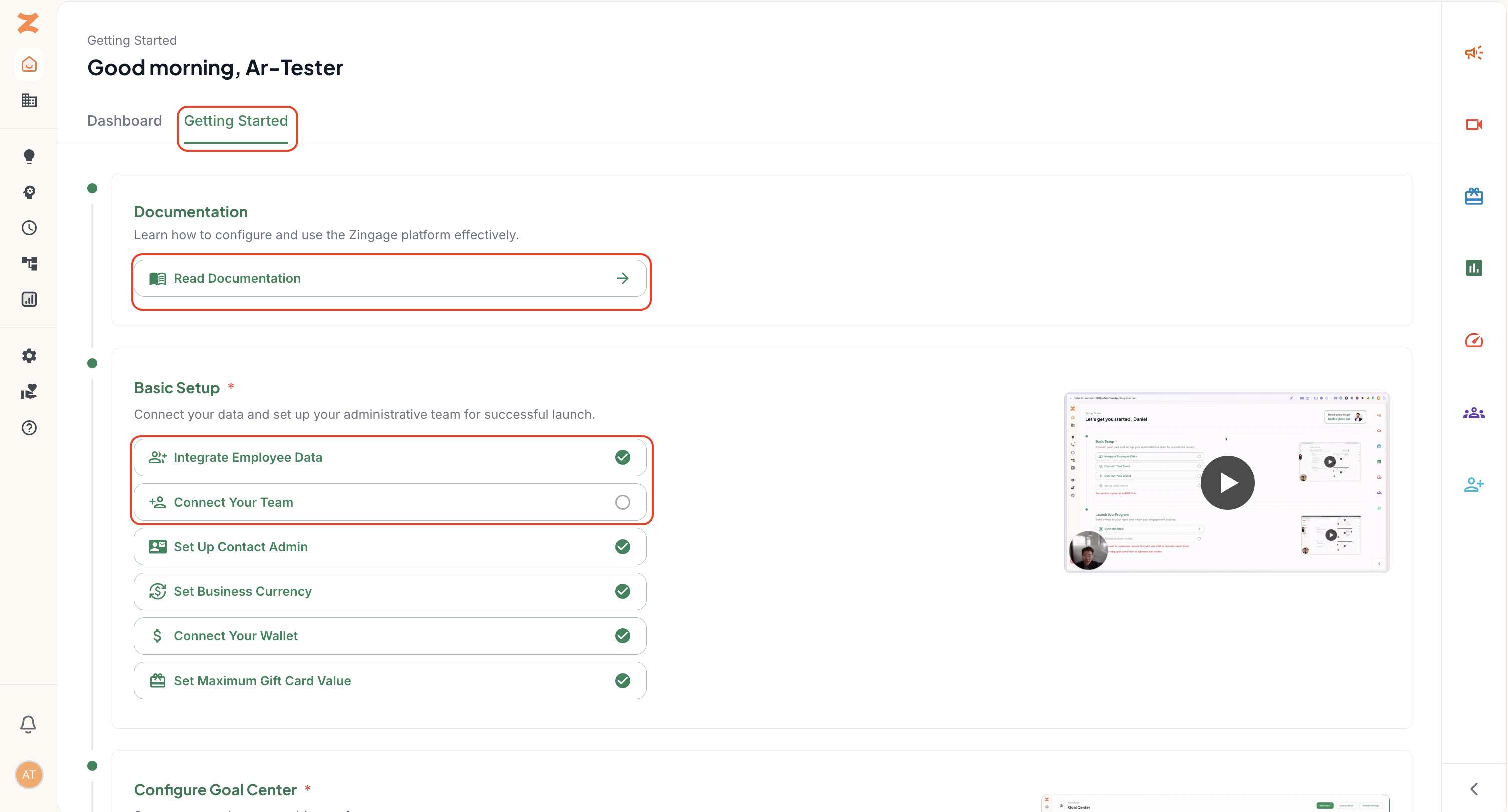
Log in to Zingage and open the Getting Started tab.
Select Documentation to review the full setup guide. Set Up Guide found here.
Confirm which EMR your agency uses. WellSky employee data syncs automatically; other EMRs may require an additional integration step.
Connect your EMR
For WellSky agencies, employee data begins syncing automatically after the account profile is set up. Initial data may take approximately one day to appear.
For other EMRs, follow the integration tutorial available in the setup guide to connect employee data.
Once the integration is complete, the setup step will display a checkmark.
Configure WellSky activity tags
Open Configure WellSky from the Basic Setup checklist.
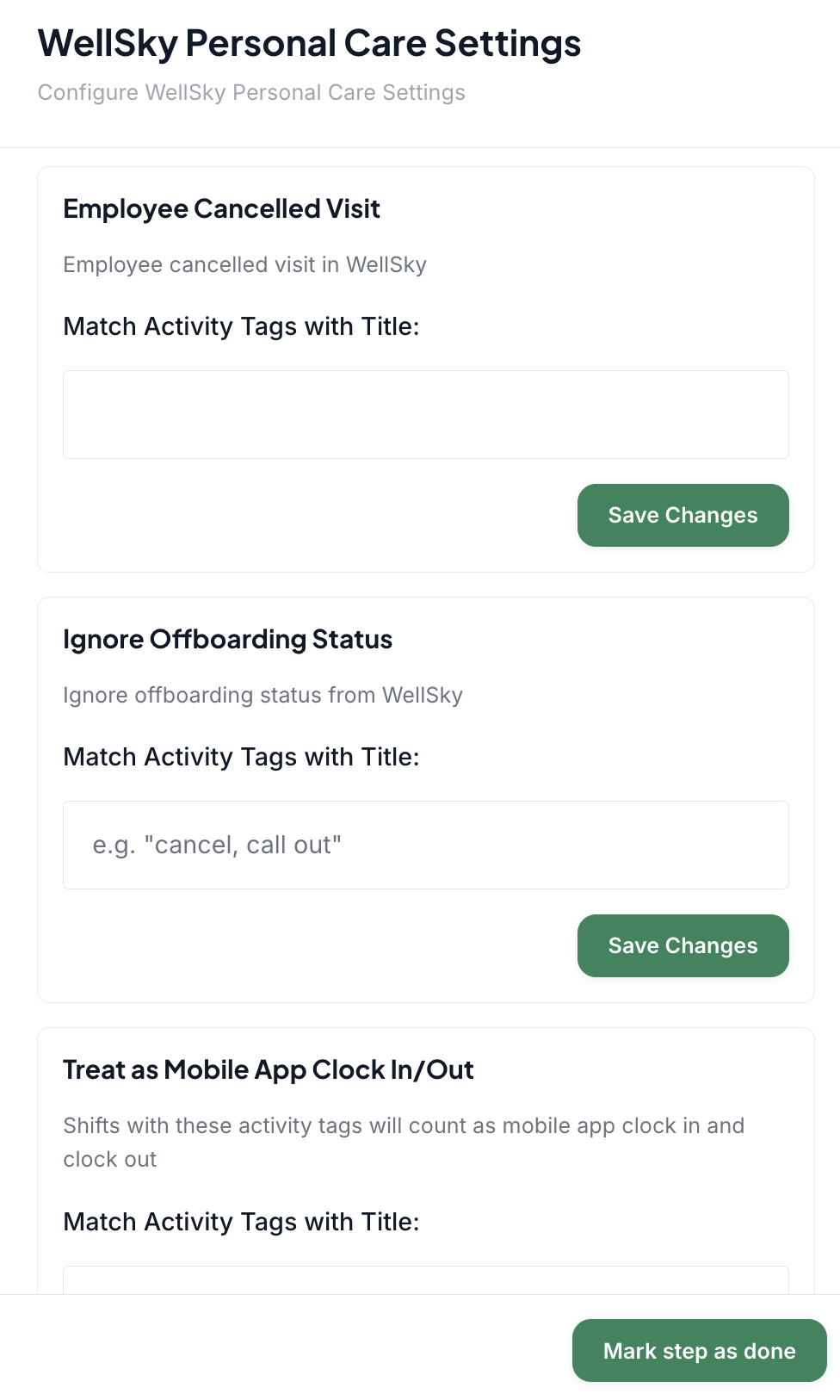
Copy each activity tag exactly as it appears in WellSky and paste it into the matching Zingage field.
Activity tags are case-sensitive, so capitalization and spelling must match exactly.
Select Save after adding or updating tags.
Common activity tag uses
Employee canceled visit: Tracks callouts, caregiver cancellations, or no-call/no-show events. This is especially important for attendance goals because a callout may break an attendance streak.Ignore offboarding status: Keeps a caregiver active in Zingage even if they are temporarily inactive in the EMR, such as during an approved leave. Use this only when the caregiver should continue accessing rewards, surveys, and announcements.Treat as mobile clock-in or clock-out: Prevents a caregiver from being penalized when an approved circumstance prevents mobile clocking, such as poor cellular service.Treat as timely clock-in or clock-out: Allows an approved late arrival or early departure to count toward timeliness goals.
Note: The activity tags must exactly match what is in WellSky case for case and punctuation. For example, if the WellSky tag is Employee-Called-Out, the tag must be Employee-Called-Out. Variations like employee-called-out, employee-calledout, Employee-call-out will not configure accurately.
Best practices
Use a clear and consistent naming convention in WellSky.
Copy and paste tags rather than retyping them.
At minimum, configure the tag used for caregiver callouts because it directly affects attendance rewards.
Allow up to 24 hours for EMR changes and tags to be reflected in Zingage.