Configure the Goal Center
Last updated: July 28, 2026
The Goal Center controls which caregiver behaviors and milestones earn rewards. Goals can be enabled, disabled, customized, and assigned to specific employee groups.
🎥Walkthrough: Configuring The Goal Center
Related Articles and Resources:
Open the Goal Center
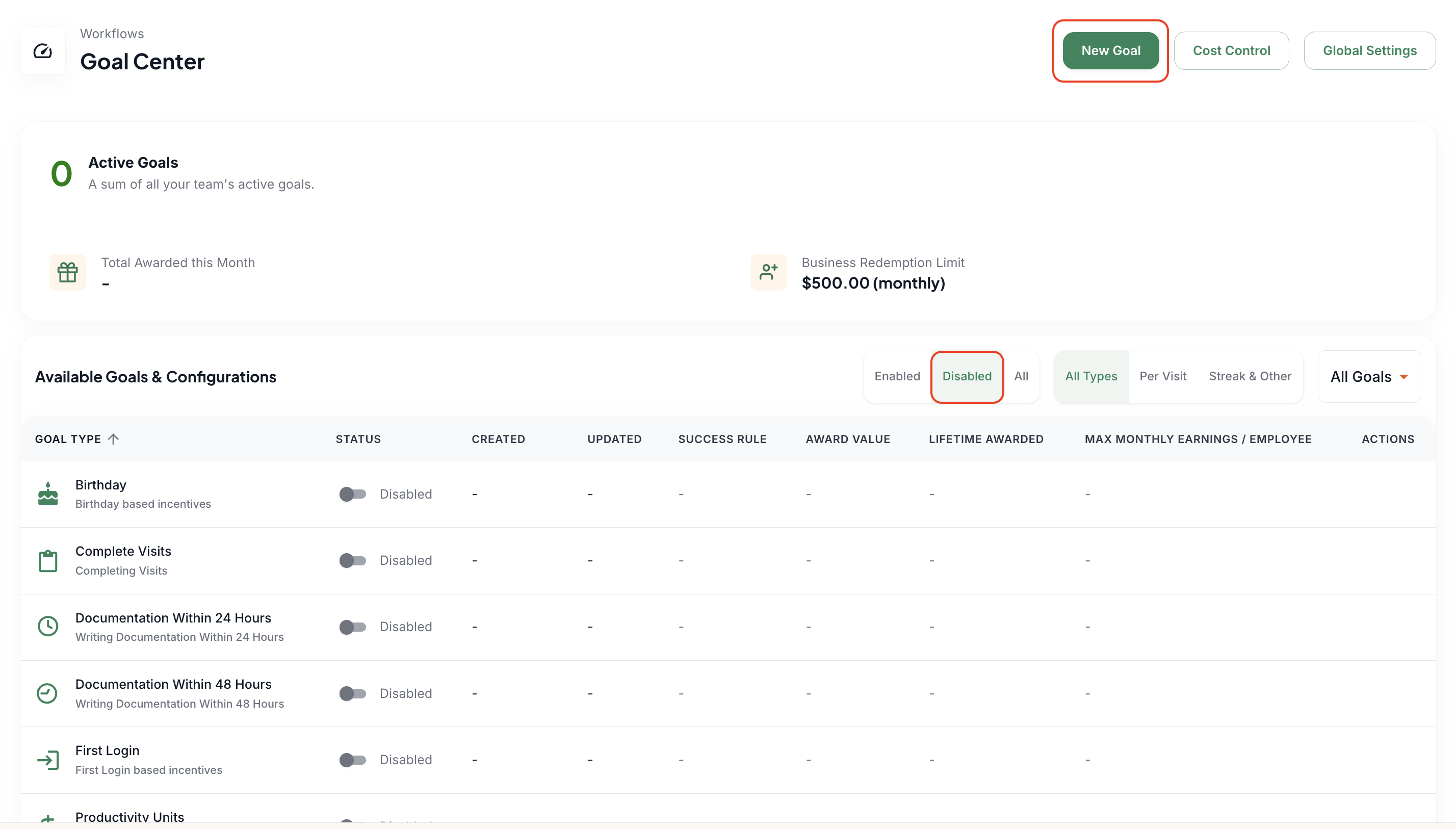
Select Setup Goal Center from Getting Started, or go to Workflows > Goal Center.
Review the Disabled tab.
Toggle the goal on and use the pencil icon to edit an existing goal or select New Goal to add an available goal type.
Understand success rules
Streak: The caregiver must complete the required behavior a set number of times in a row before earning the reward.
Per Visit: The caregiver earns a reward each time the qualifying behavior occurs.
Set the reward amount, streak length or threshold, and maximum monthly earnings for each goal.
Common goals and awards
Attendance: Rewards consecutive shifts without a callout. A matching callout activity tag can break the streak.
Birthday: Automatically rewards a caregiver on the birthday stored in the profile.
First Login: A one-time reward for completing initial Zingage onboarding.
Mobile Clock In and Mobile Clock Out: Rewards use of the mobile method, regardless of timeliness.
Timely Clock In and Timely Clock Out: Rewards clocking within the configured tolerance window.
Work Anniversary: Rewards a specific tenure milestone, such as one, three, or five years.
Short Visits: Rewards visits at or below a configured maximum length.
Care Log Tasks and General Comments: WellSky-specific goals tied to task completion or comments that meet a minimum character requirement.
Total Hours Worked: Rewards caregivers who reach a configured daily, weekly, or monthly hours threshold.
This article Goals on Zingage is a caregiver information article but goes into detail about how each goal works.
Configure timeliness windows
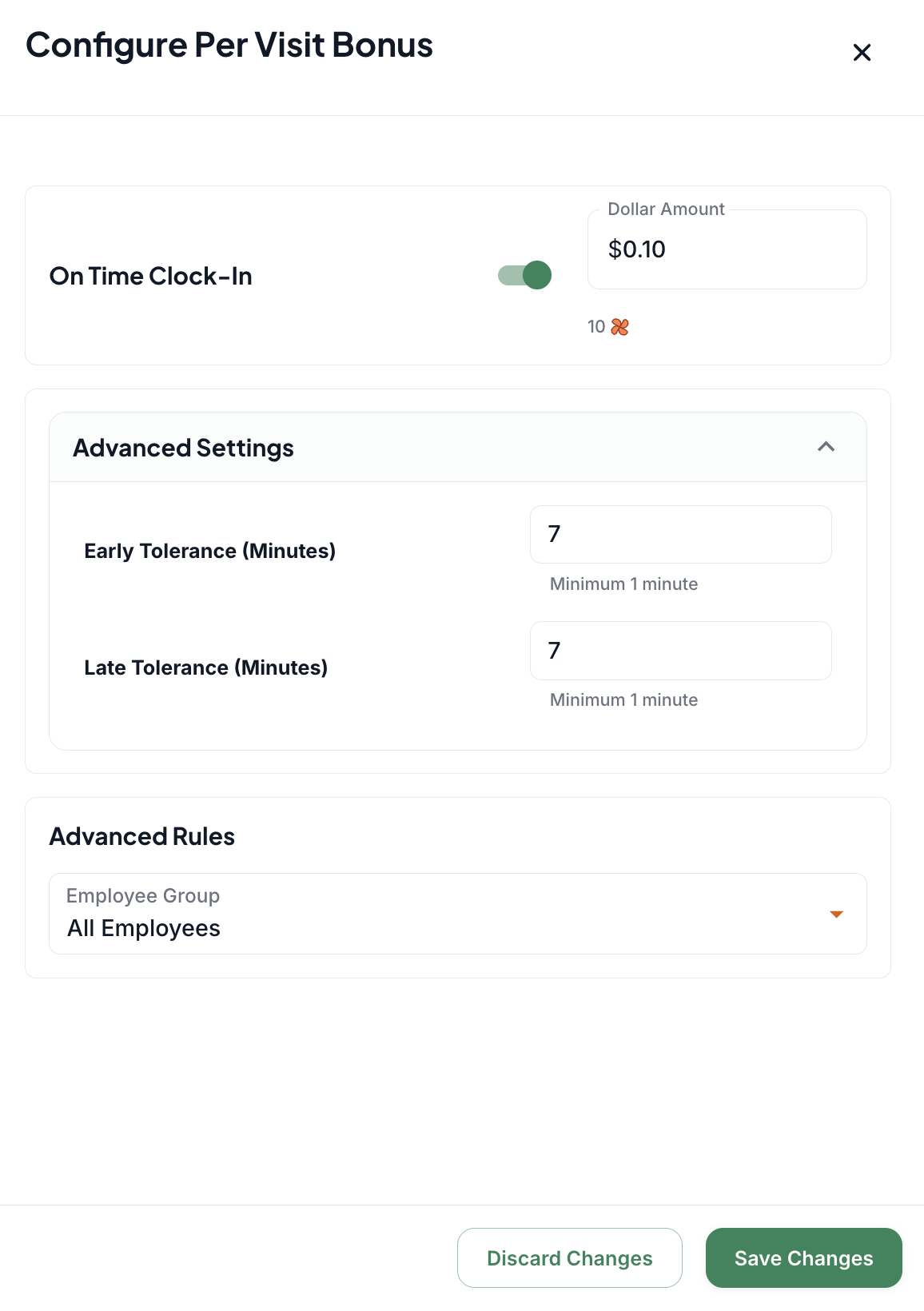
Open the goal's Advanced Settings.
Set the permitted number of minutes before and after the scheduled time.
A one-minute window is usually too restrictive; many agencies use a broader window based on their policies. The default used by most agencies is 7 minutes early and late
Clock-in and clock-out windows can be configured differently.
Configure anniversaries
Anniversary goals apply only to the exact milestone entered. This means that if the award is for the 1-year anniversary, it will only award on the 1-year anniversary. It will not repeat every 1 year.
To reward multiple anniversaries, create separate goals for each milestone.
You may create annual milestones or selected milestones such as years 1, 3, 5, 8, and 10.
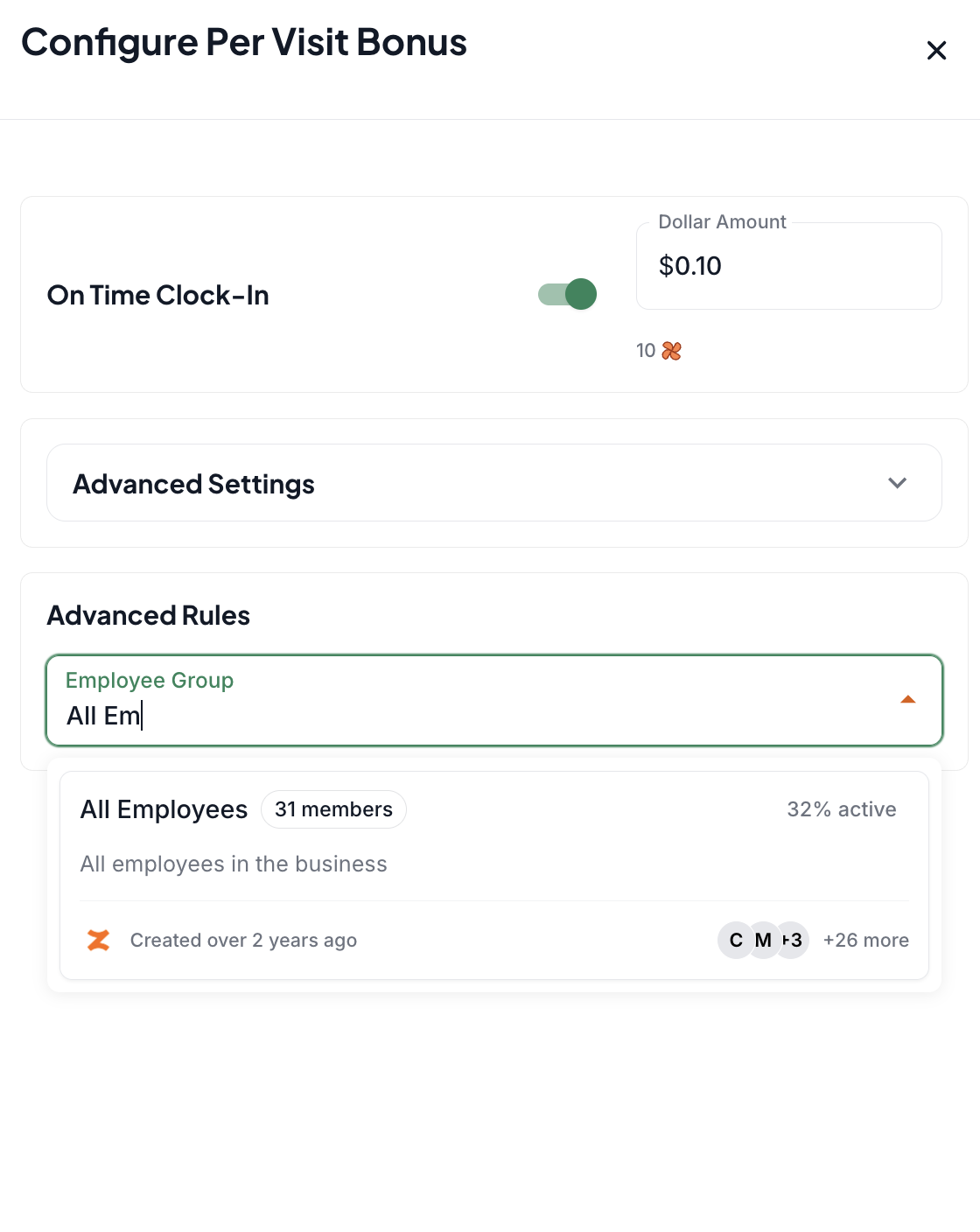
Assign employee groups
When Employee Group is blank, the goal applies to all caregivers.
Administrative staff is not automatically included because their visit data does not sync from the EMR.
Create separate birthday or anniversary goals for an Administrators group when needed.
Budgeting recommendations
Start conservatively, especially for per-visit rewards, because small amounts can accumulate quickly.
It is usually easier to increase rewards later than to reduce an amount caregivers have already become accustomed to.
Review maximum monthly earnings to keep the program within budget.
Consider our recommendations: Goal Center Recommendations for a cheat sheet on how most agencies budget