Set Up the Contact Admin Email and Business Currency
Last updated: July 28, 2026
The Contact Admin setting gives caregivers a clear way to reach your agency for payroll, scheduling, PTO, and other agency-specific questions. You can also confirm the currency used for rewards.
🎥Walkthrough: Setting Up Contact Admin Email & Business Currency
Set up Contact Admin
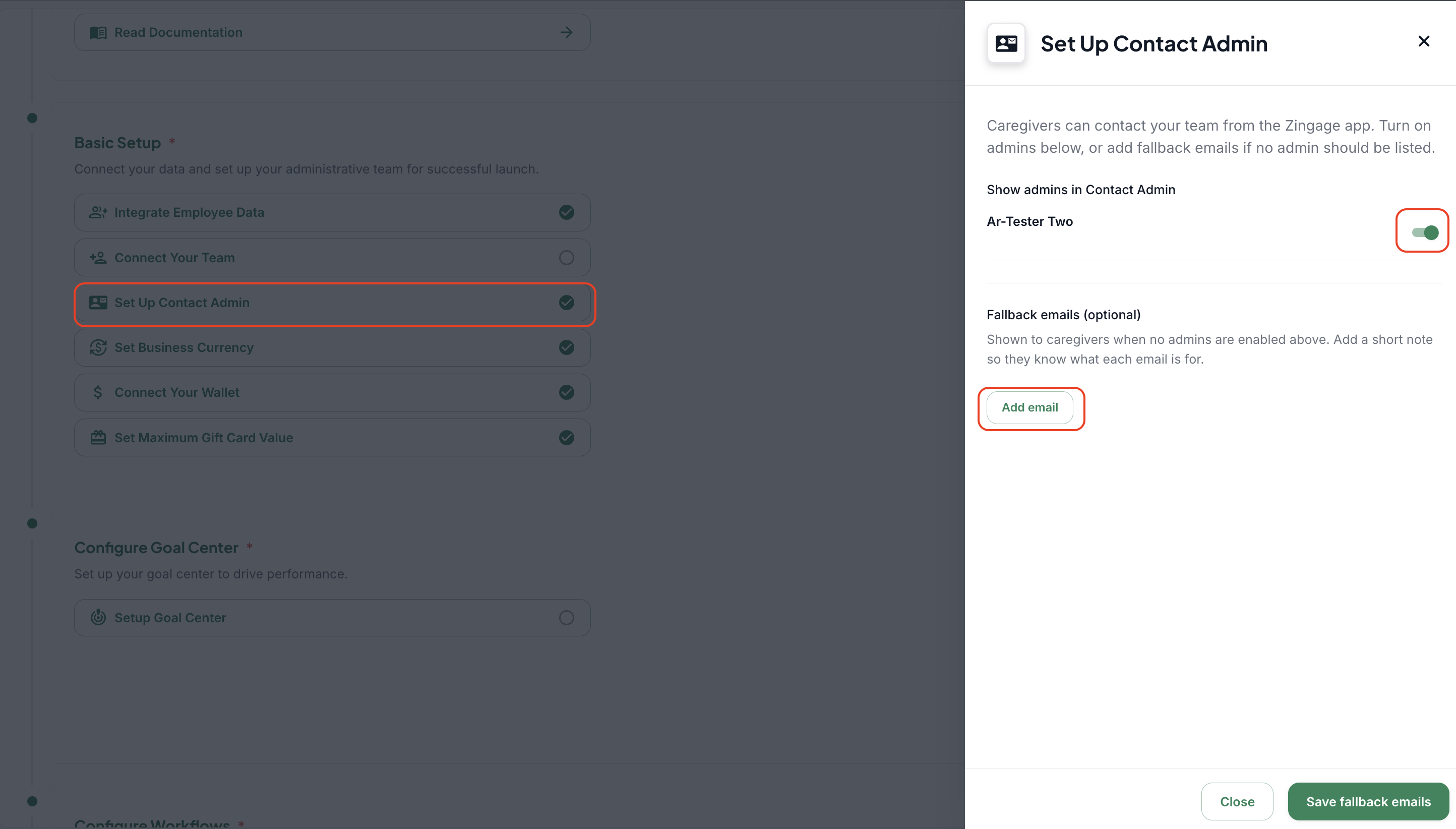
Open Set Up Contact Admin from the Getting Started checklist.
Review the administrators who have been invited and onboarded.
Turn on the toggle beside any administrator who should appear as a caregiver contact.
Select Save.
Add fallback emails
Use fallback emails when inquiries should go to a shared inbox rather than one person.
Examples include support@agencyname.com for general questions, scheduling@agencyname.com for scheduling, and hr@agencyname.com for PTO or employment matters.
Add a short description beside each address so caregivers know which email to use.
Select Save Fallback Emails.
Why this matters
Agency-specific questions should be directed to the agency rather than Zingage Support.
Clear contact labels reduce misrouted requests and help caregivers reach the correct department faster.
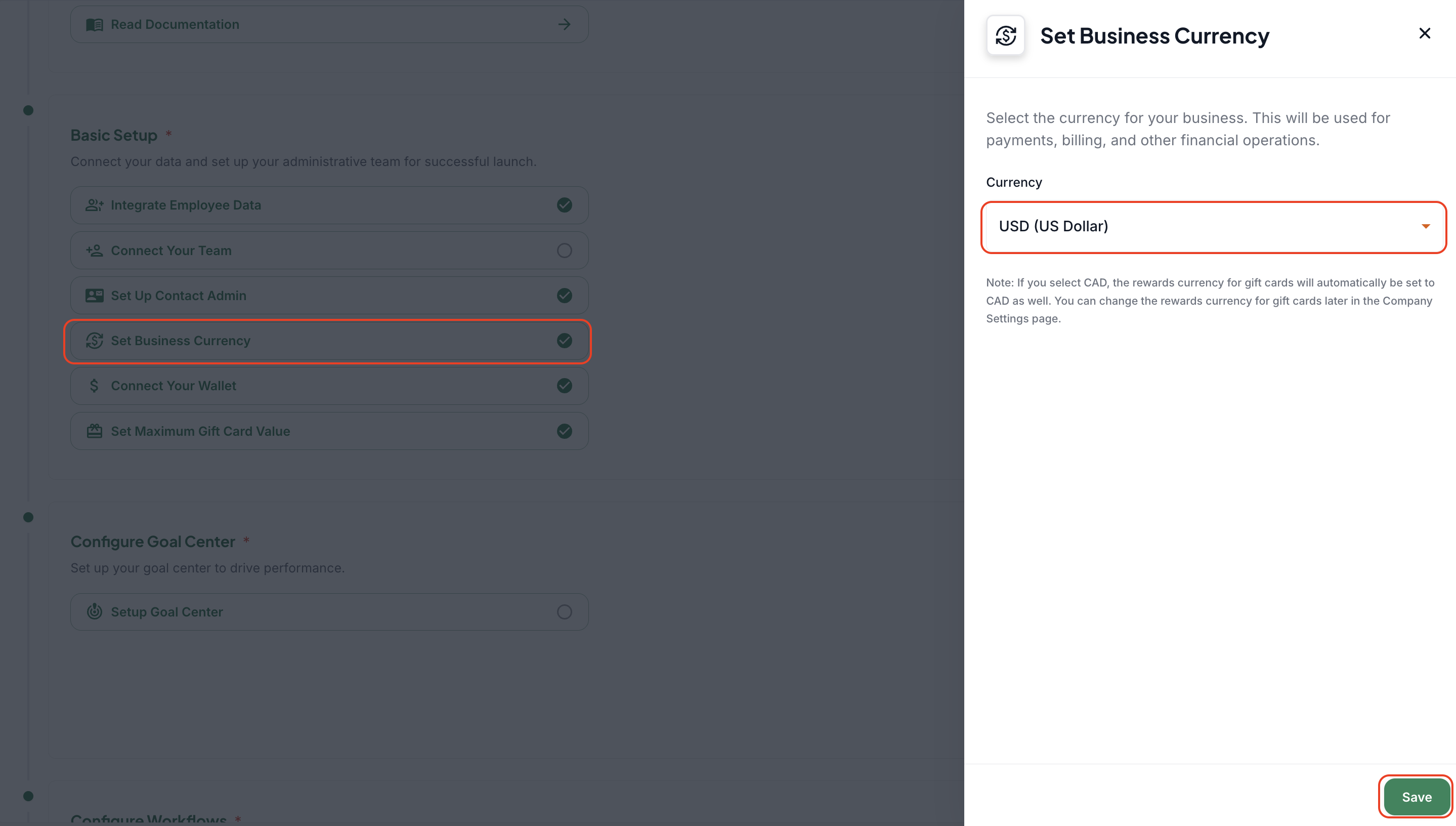
Set business currency
Open Set Business Currency.
Choose the appropriate currency for your agency.
U.S. agencies can keep the default U.S. currency; Canadian agencies should select the applicable Canadian option.
Select Save.