Send and Manage Spot Rewards
Last updated: July 28, 2026
Spot rewards recognize caregivers or administrators for exceptional work outside of automated Goal Center rewards. They are manually sent rewards in Zingage.
🎥Walkthrough: Spot Rewards Workflow
Review reward history
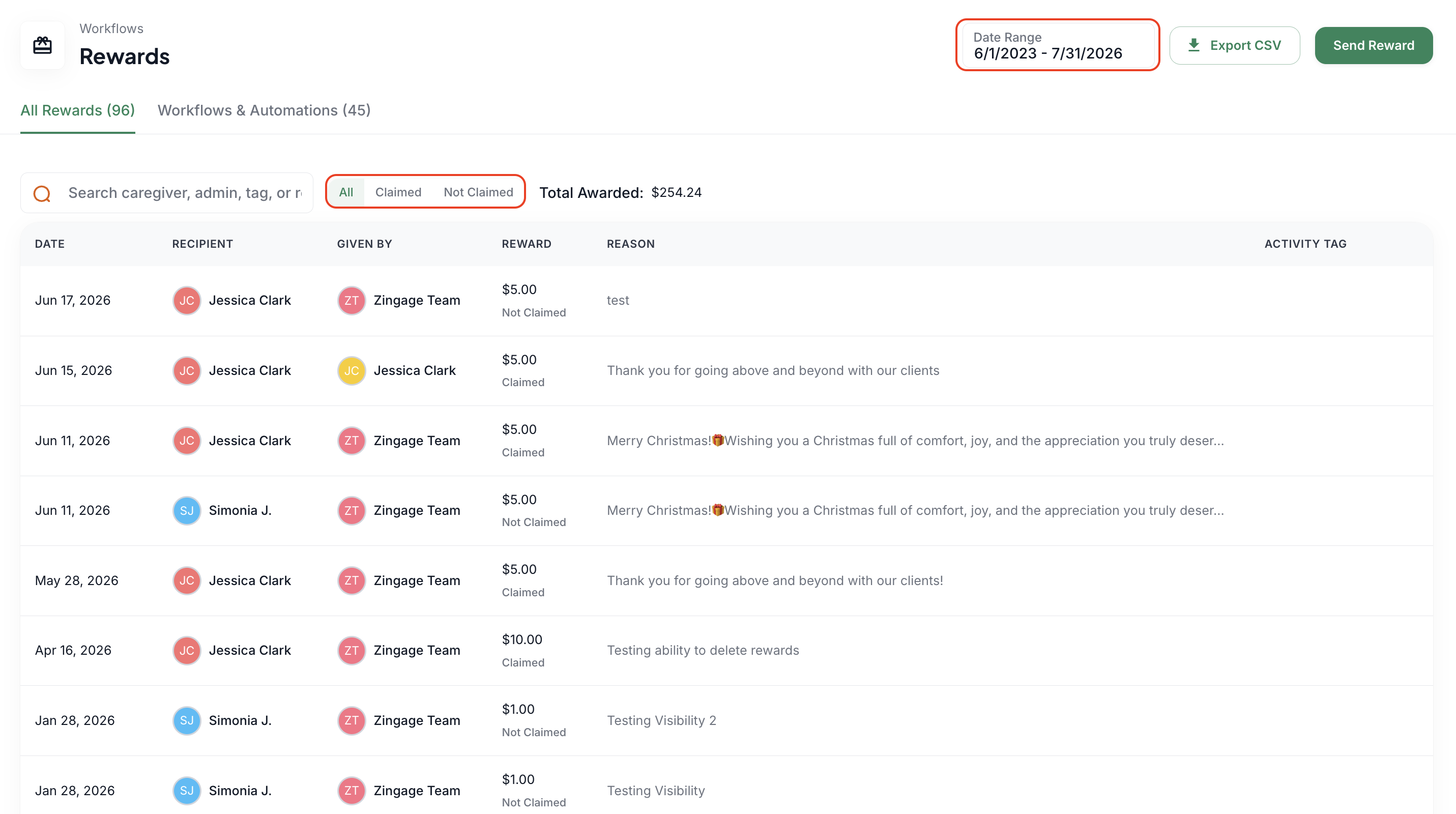
Go to Workflows > Rewards.
Filter by date range.
Use the claimed and unclaimed filters to see whether caregivers added rewards to their balances.
Use this view to follow up with caregivers who have not claimed a reward.
Create WellSky auto-spot rewards
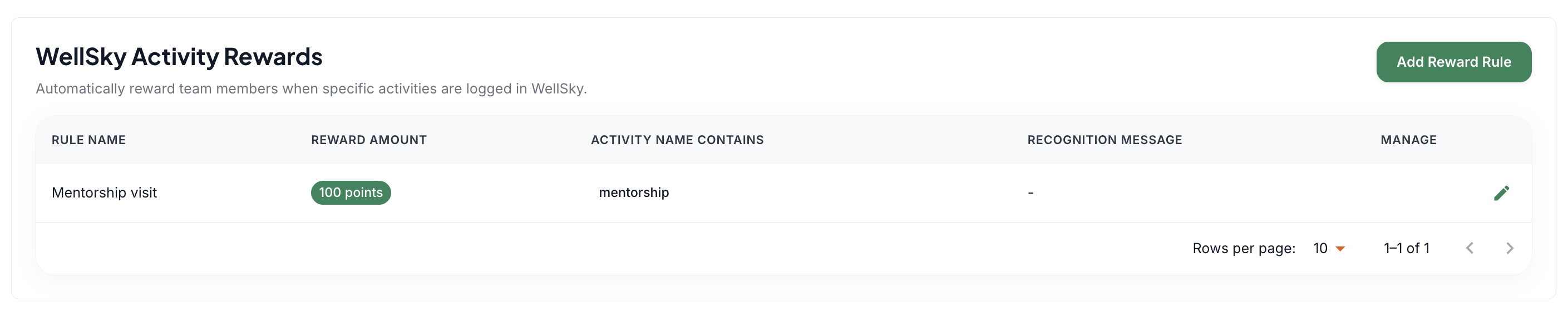
Open the Workflows and Automation area within Rewards.
Select Add Reward Rule.
Enter a rule name, caregiver message, reward amount, and matching WellSky activity tag.
Make sure the tag matches WellSky exactly (copy from WellSky and paste in Zingage
When the tag is added to a visit in WellSky, the reward is sent automatically after the data sync.
Send a manual spot reward
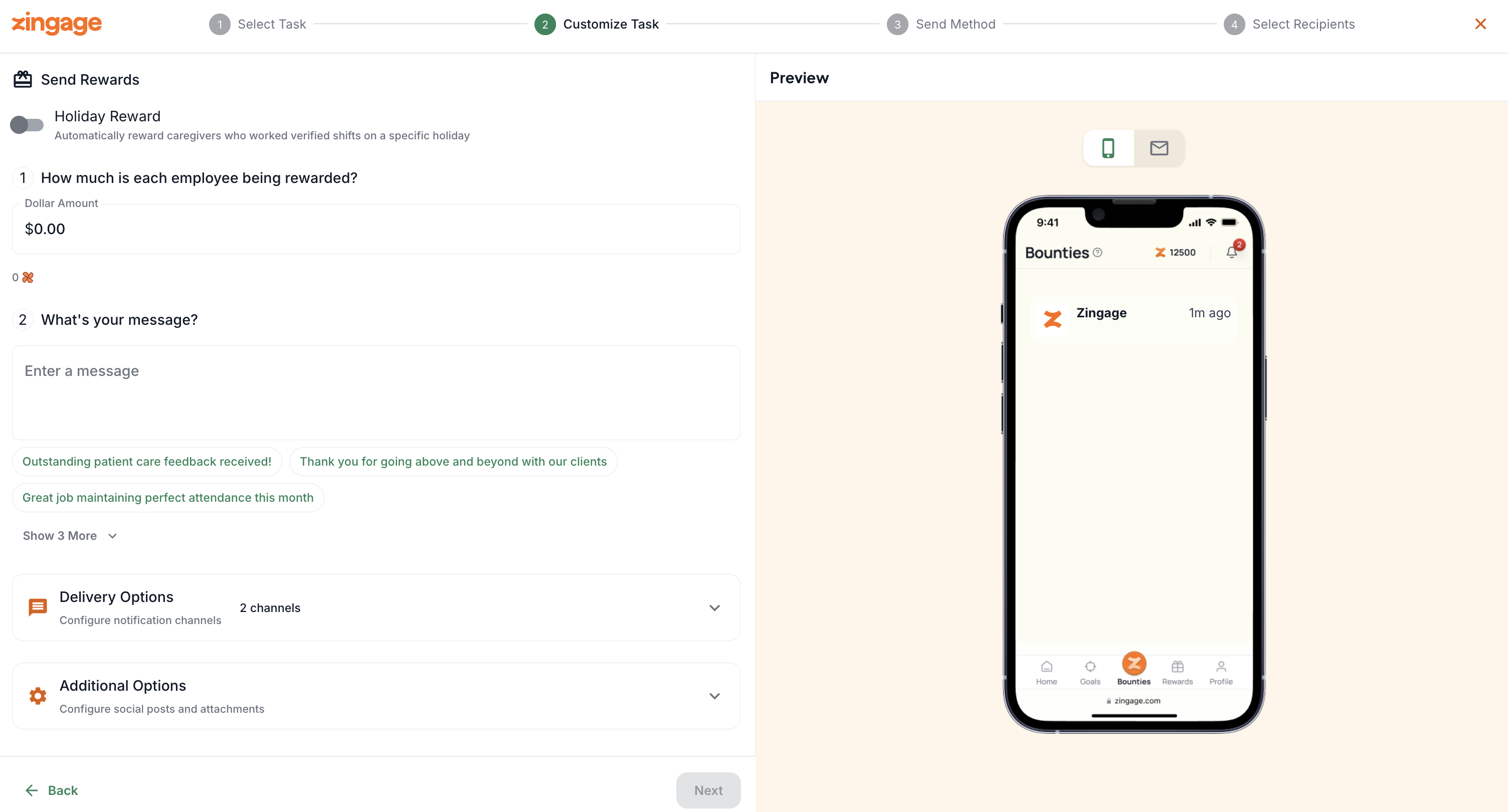
In Workflows > Rewards, click Send Reward.
Enter the amount and recognition message.
Choose delivery channels and whether the message should appear on the company feed.
Select Send Now or Schedule for Later.
Choose individual employees or an employee group, then send the reward.
Protect privacy on the company feed
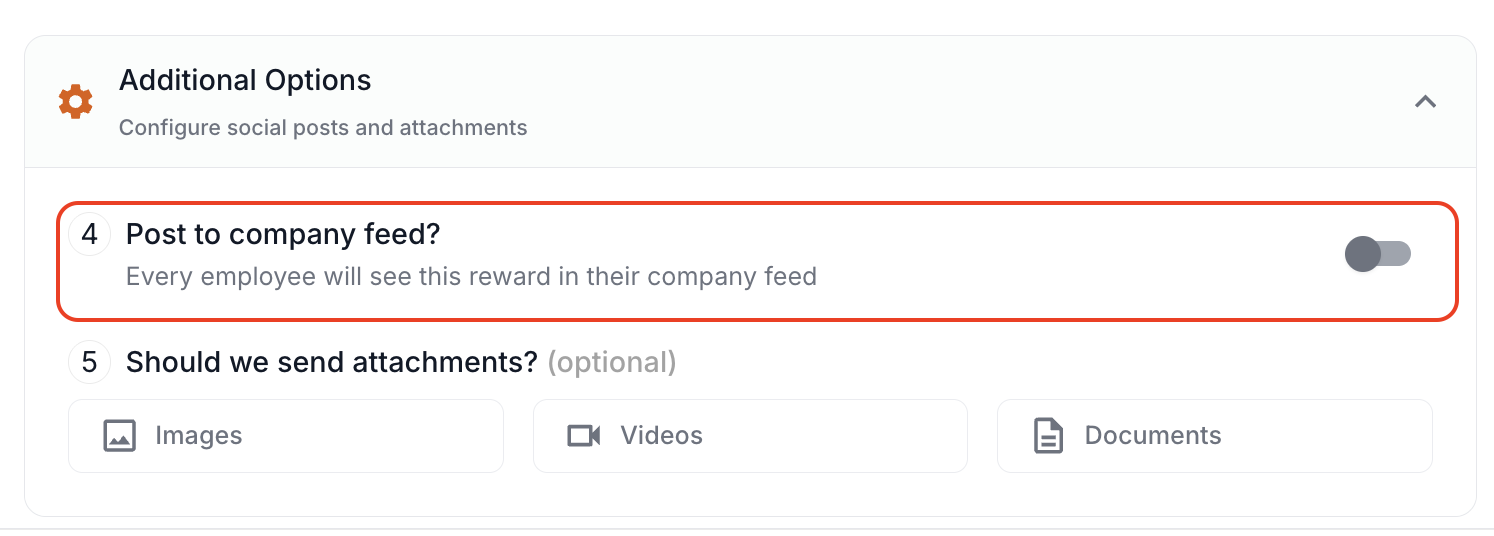
The feed does not display the reward amount automatically.
Avoid writing the dollar amount in the public message when it should remain private.
Turn off Post to Company Feed for fully private recognition.
Avoid duplicate rewards
Use caution with event-based spot rewards.
Do not create an event-based reward for a behavior that is already rewarded in the Goal Center, such as a birthday, unless duplicate rewards are intentional.
Use the employee shortcut
Go to Company > Employees.
Select the dollar sign in the Actions column on the employee row.
Enter the amount and message, then send.
To reward an administrator, go to Company > Administrators, open the administrator profile, and select Send Reward.