FAQ: What Are WellSky Activity Tags?
Last updated: June 3, 2026
How to Add Caregiver Cancellation Tags
Navigate to custom activity tags in WellSky
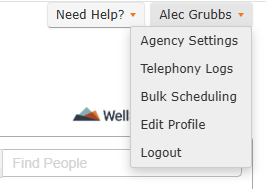
Click your name in the top-right corner
Select "Agency Settings"
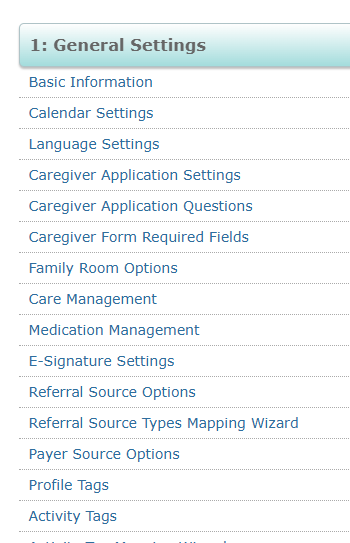
Scroll to "General Settings" and click "Activity Tags."
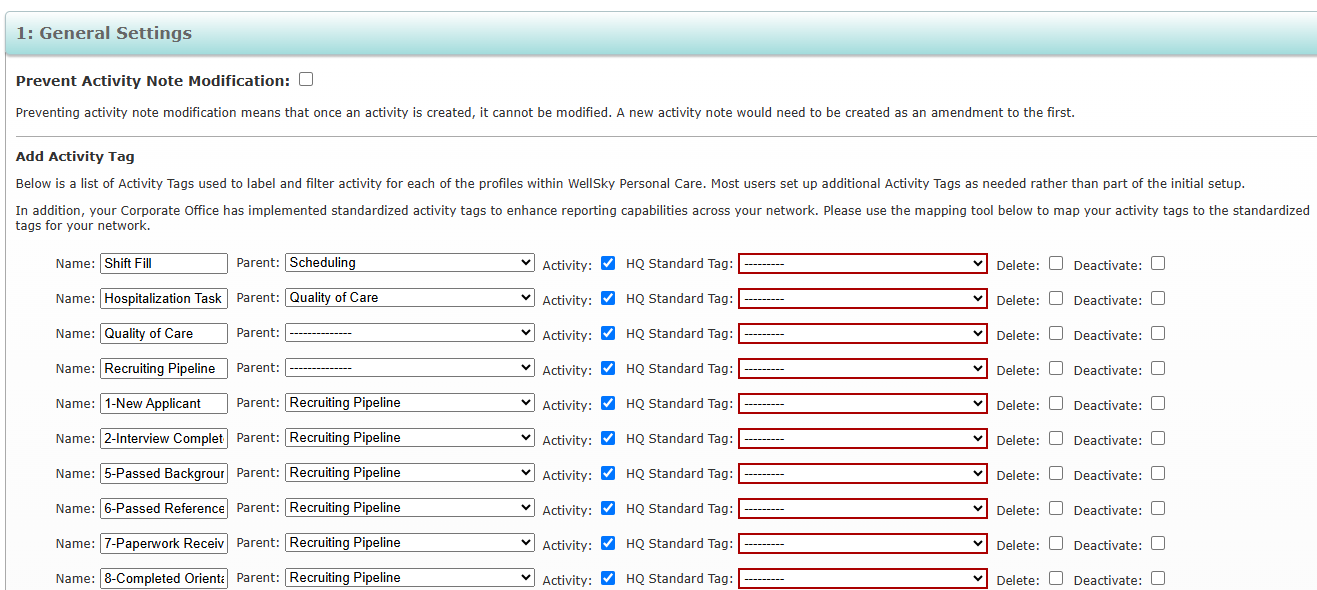
Add your caregiver cancellation tags to our platform
Identify any custom tags that indicate when a caregiver has cancelled a visit
Common examples include:
"no call, no show"
"cancelled by caregiver"
"Callout"
Acronyms like "NS" for no show
Important notes:
Tags are case sensitive and also sensitive to spaces and other punctuation - copy and paste directly from WellSky for accuracy
Only add tags used specifically for caregiver cancellations
This allows our system to properly track when caregivers cancel visits instead of incorrectly marking them as completed
Need to update later?
You can always access these settings after initial setup by going to:
Company > App Center > Connected Apps > WellSky Personal Care > Configure