Configuring The Goal Center
Last updated: November 24, 2025
🎥 Video Tutorial: How To Configure Goal Center
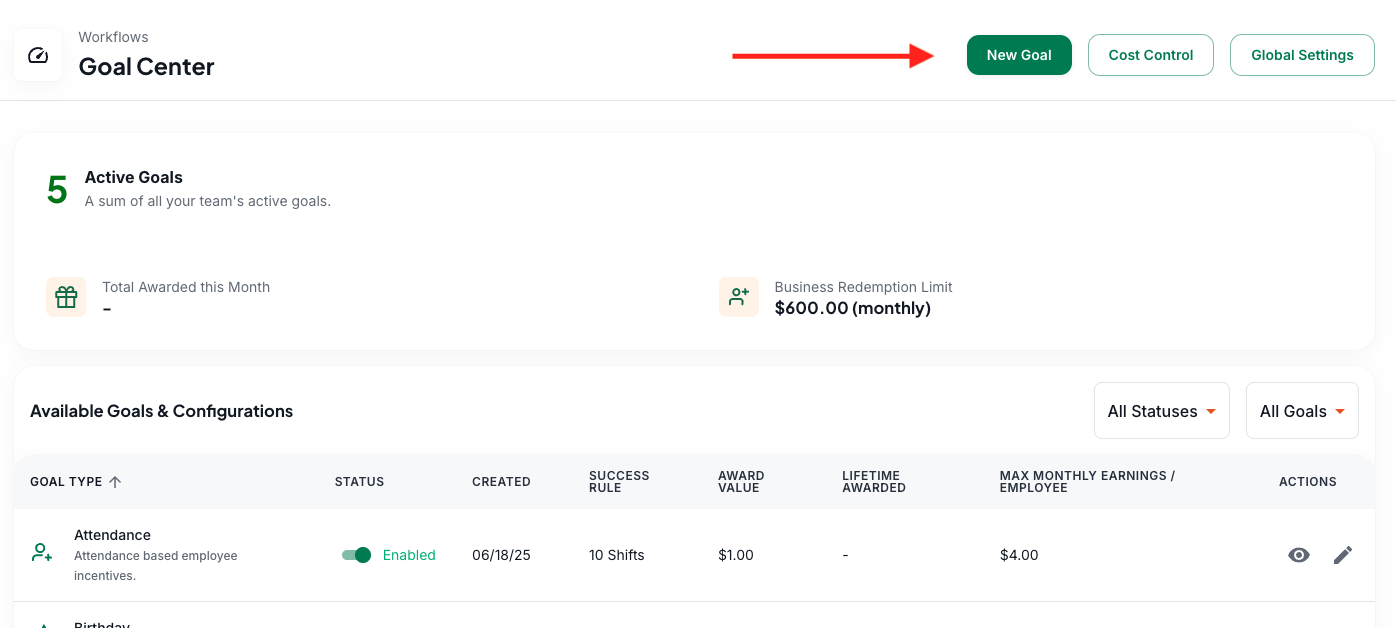
The Goal Center is where you can find all the incentives that you reward to your caregivers/employees. You can get to the Goal Center by going to Workflows > Goal Center.
🎯 What Is the Goal Center?
The Goal Center is the heart of Zingage's automated reward system.
It lets you define specific caregiver behaviors you want to encourage — like showing up on time, clocking in correctly, or staying with your agency long-term — and automatically rewards them when those behaviors happen.
Once it's set up, Zingage does the rest: It tracks activity in the background, calculates progress, and delivers points — no manual work needed from your team.
🛠 How to Set It Up
To begin, go to the Setup page or click "Goal Center" from the left-hand menu under "Workflows."
Each goal includes:
A Success Rule (what behavior triggers the reward)
A Reward Amount
A Monthly Cap (optional, to manage your budget)
You can turn goals on or off, adjust the amounts, or create new ones from scratch.
Editing Existing Goals
Click the pencil icon next to any goal to modify the reward amount, success rule, or monthly cap. You can also toggle goals on/off using the status switches.

Adding New Goals
To create a new goal, click the "New Goal" button and select from available categories like attendance, work anniversaries, or clocking in on time.
✅ You can adjust all of these settings anytime. Don’t worry about getting it perfect on day one — most teams revisit their goals every few months as they learn what works best.
Not sure where to start? Here are our recommendations.
📈 What Caregivers See
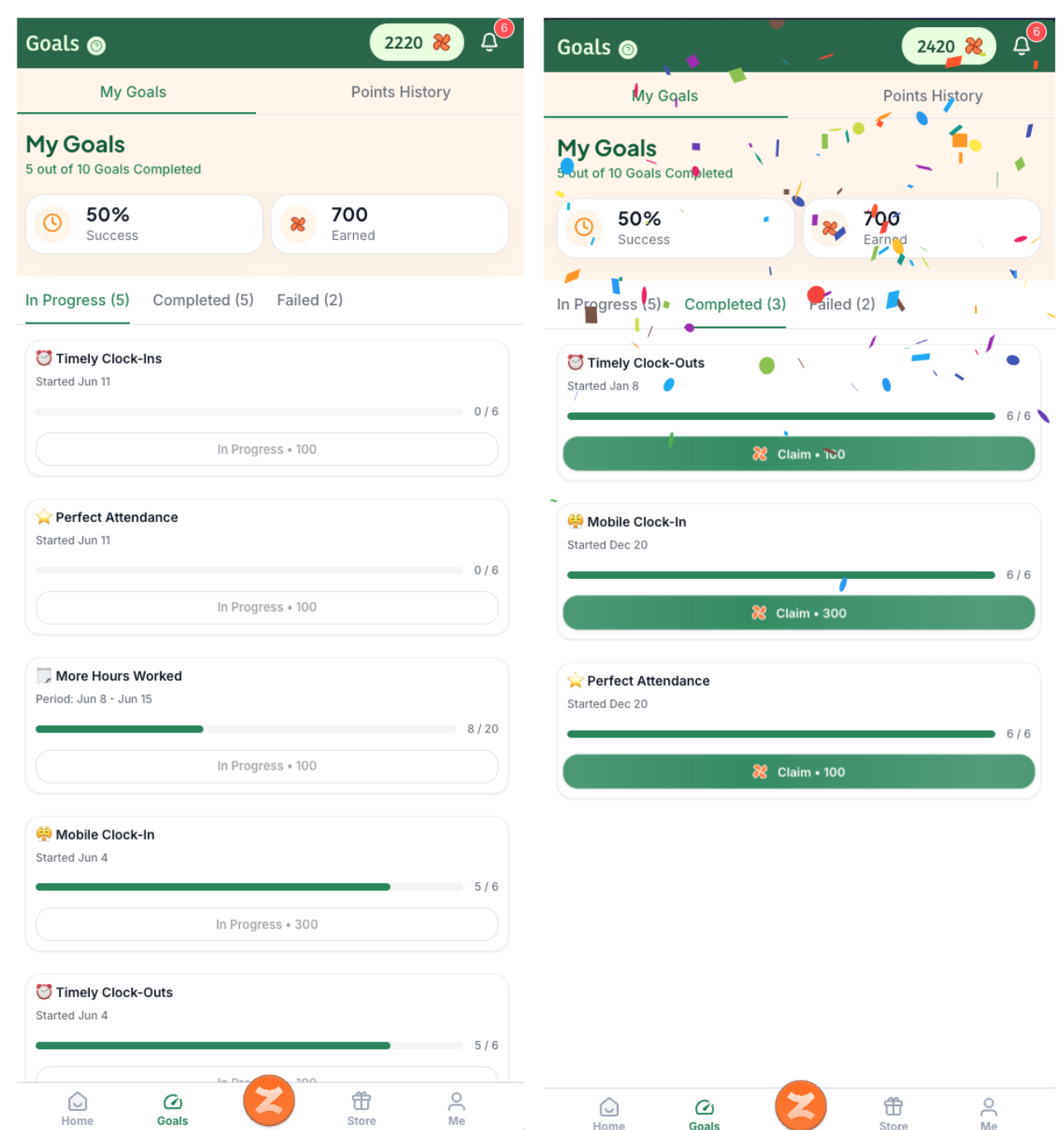
Once live, caregivers will see their progress directly in the Zingage app, as pictured below. Caregivers need to manually claim their points in the app once they complete a goal — this extra step helps reinforce the behavior and builds a habit of engagement. This visibility keeps them engaged and motivated, and helps you build a culture of recognition without the admin lift.