Troubleshooting Wallet Balance and Billing Center Access Issues
Last updated: August 18, 2025
If you're seeing a "wallet balance is depleted" message on your dashboard and having trouble adding funds, this article will help you resolve the issue.
Understanding the wallet balance
The wallet balance refers to the funds that allow your caregivers to redeem gift cards. You can view and manage your wallet balance by going to Settings > Reward Balance.
Adding funds to your wallet
To add funds to your wallet, you'll need to:
First, in the left navigation pane, go to Settings > Billing Center to add a payment method.
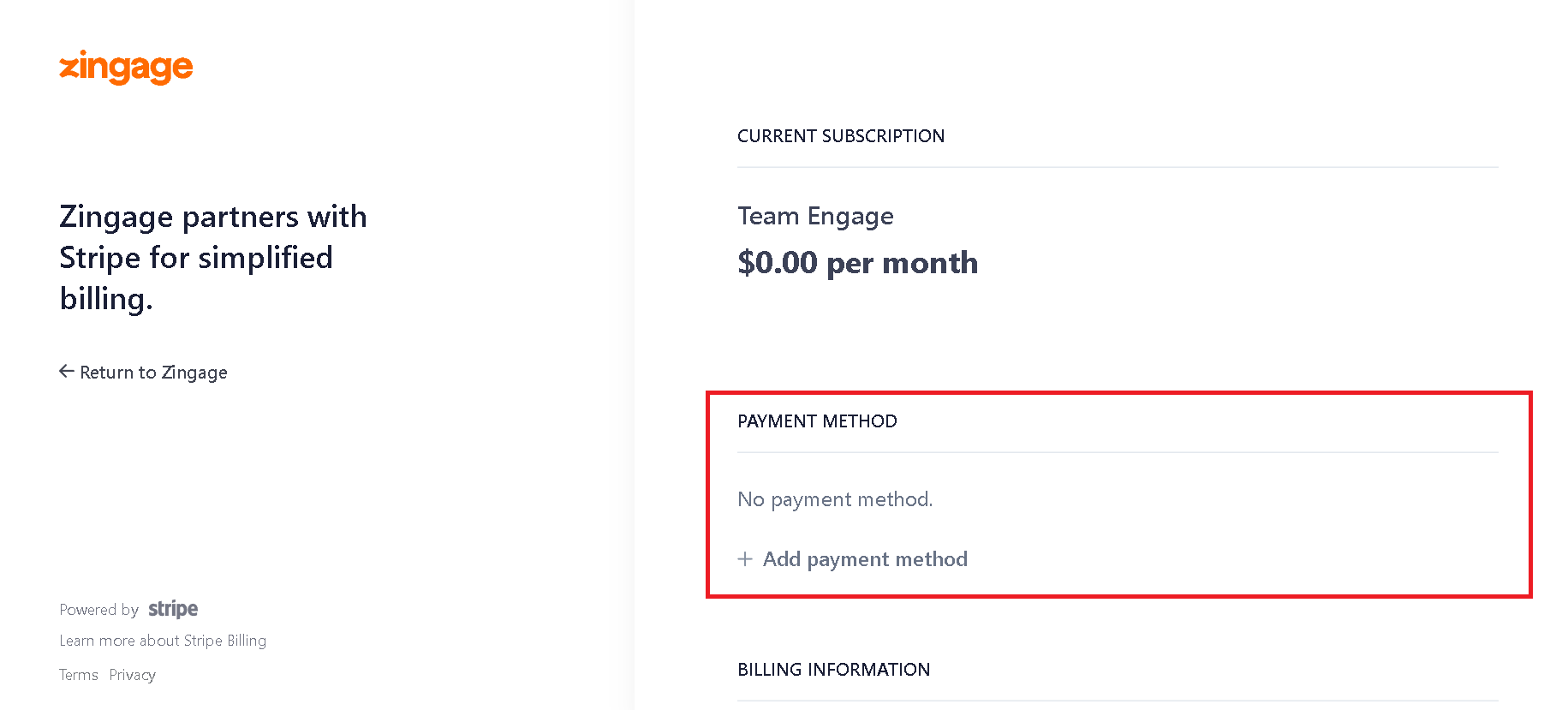
Once a payment method is added, go to Settings > Reward Balance
Click the Add Balance button and enter the amount you want to load
Click the green button to complete the transaction
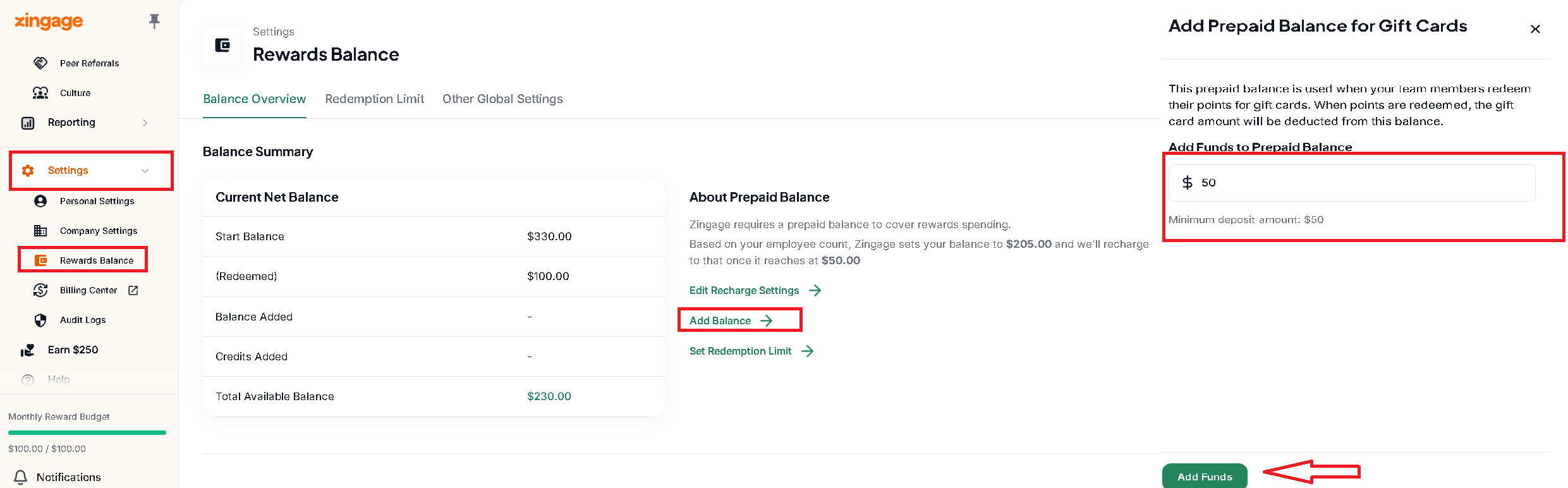
After setting up your payment method, the system will automatically charge your card when the wallet balance goes below $100 to bring it back up to $500, based on your settings.
Can't access the Billing Center?
If clicking on Settings > Billing Center doesn't open anything, this is likely due to your browser blocking pop-ups. The Billing Center opens in a new tab, so you'll need to:
Allow pop-ups for the website in your browser settings
Then refresh and
Try clicking Settings > Billing Center again
Important considerations for wallet balance
Keep in mind that caregivers can redeem up to your set redemption limit at one time. If your wallet balance is below $50, some caregivers may not be able to redeem rewards. Consider adding enough funds to cover your total redemption limit to ensure all caregivers have the opportunity to redeem.