How Does the Redemption Limit On Zingage Work?
Last updated: March 27, 2026
Redemption limits help agencies manage how many points employees can spend within a given time period. These limits provide flexibility and control over rewards budgets and can be applied at different levels.
Levels of Redemption Limits
Business-wide Limit
Applies to all employees in the organization.
Employee Group Limit
Applies only to members of a specific group (e.g., caregivers vs. office staff).
Individual Limit
Applies to a single employee.
Shared vs. Individual Budgets
When setting a limit, you can choose between:
Shared Budget
The entire group shares one budget cap.
Individual Limit
Each employee in the group receives their own limit.
How to Add or Change a Redemption Limit
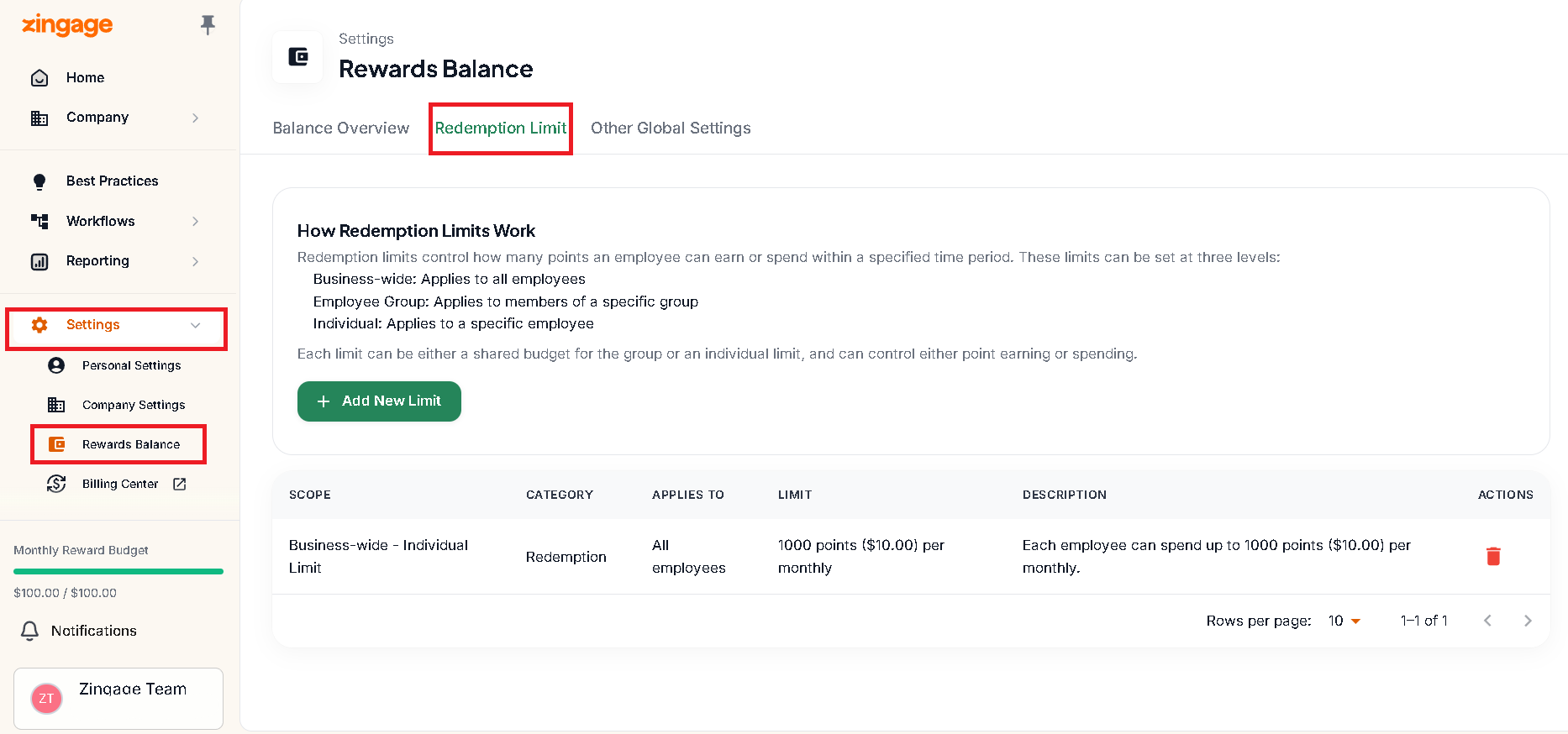
In the left navigation pane, go to:
Settings > Rewards Balance > Redemption Limit.Delete any existing limit of the same type before adding a new one, so the limits don’t overlap or conflict.
Enter your new redemption limit details (budget type, group, audience).
Save your changes.
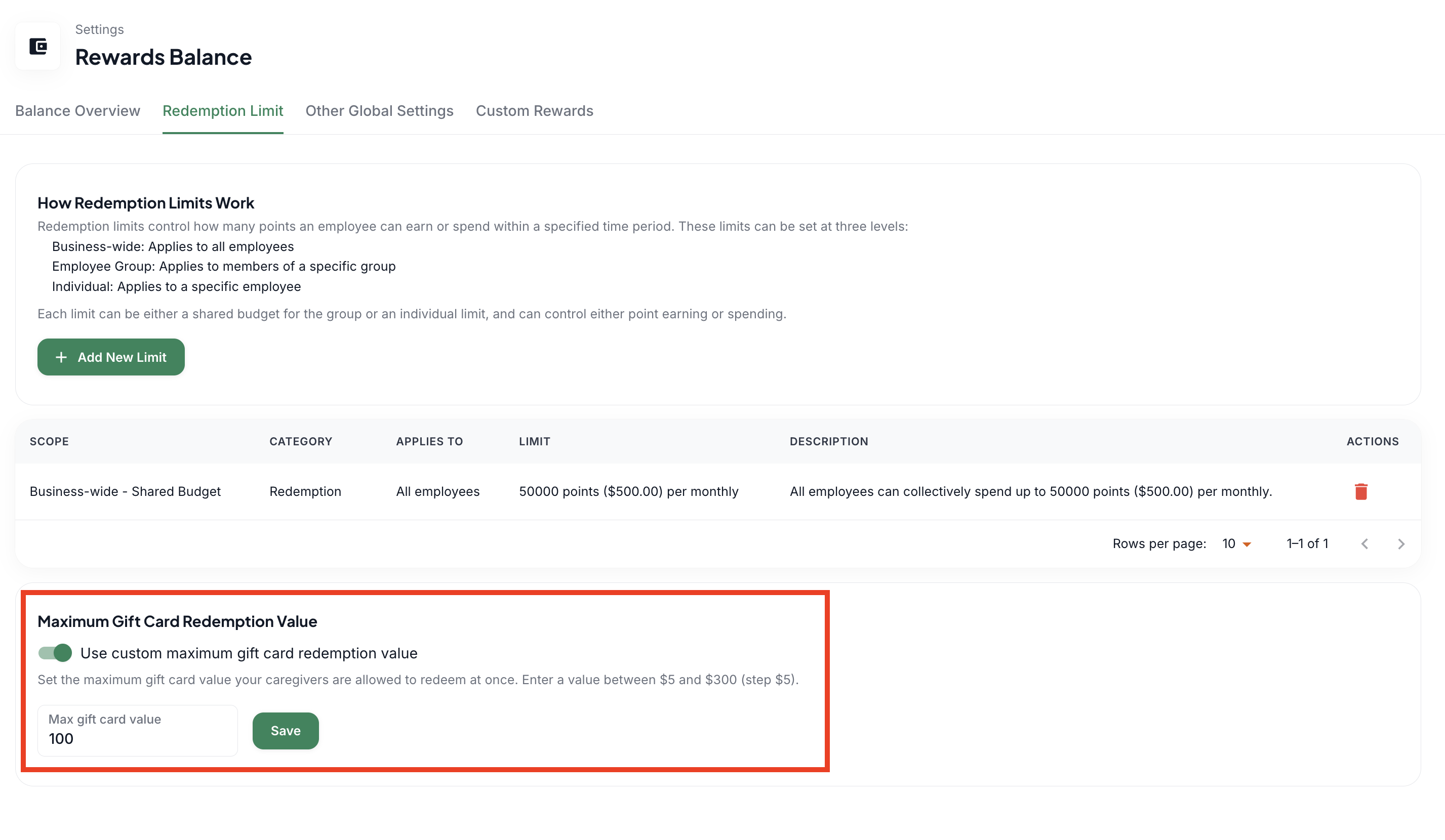
Maximum Gift Card Redemption Value
This setting allows you to set the maximum value your caregivers can redeem per gift card. The range is from $5 to $300 in increments of $5; $5, $10, $15, $20, etc.