How to view an employee's total lifetime awards
Last updated: January 22, 2026
You can view the total amount awarded to any employee by accessing their employee scorecard. This shows their accumulated rewards value since they joined Zingage.
Steps to view lifetime awards
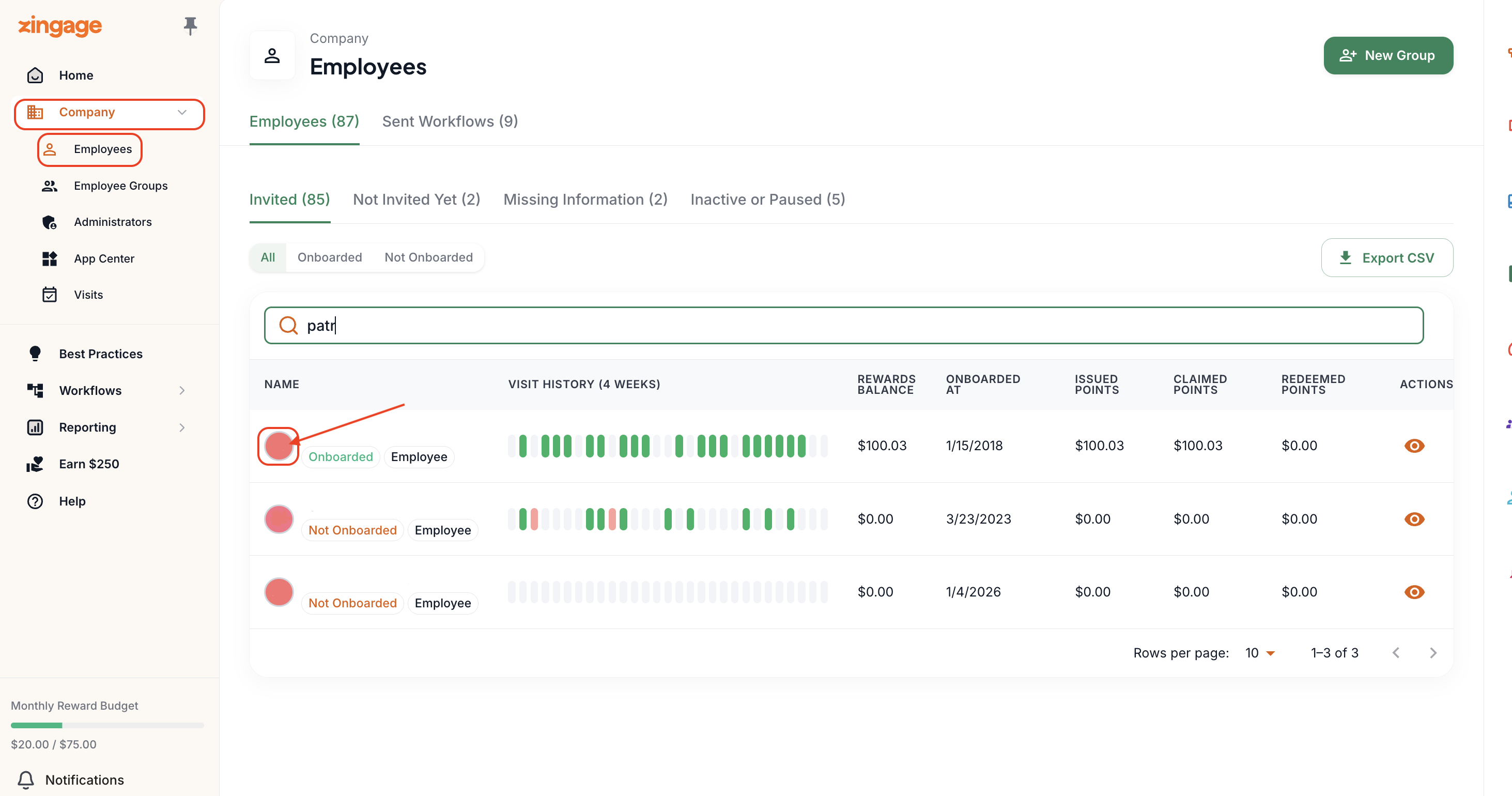
Navigate to Company > Employees in your admin dashboard
Search for the employee's name and click on their profile icon
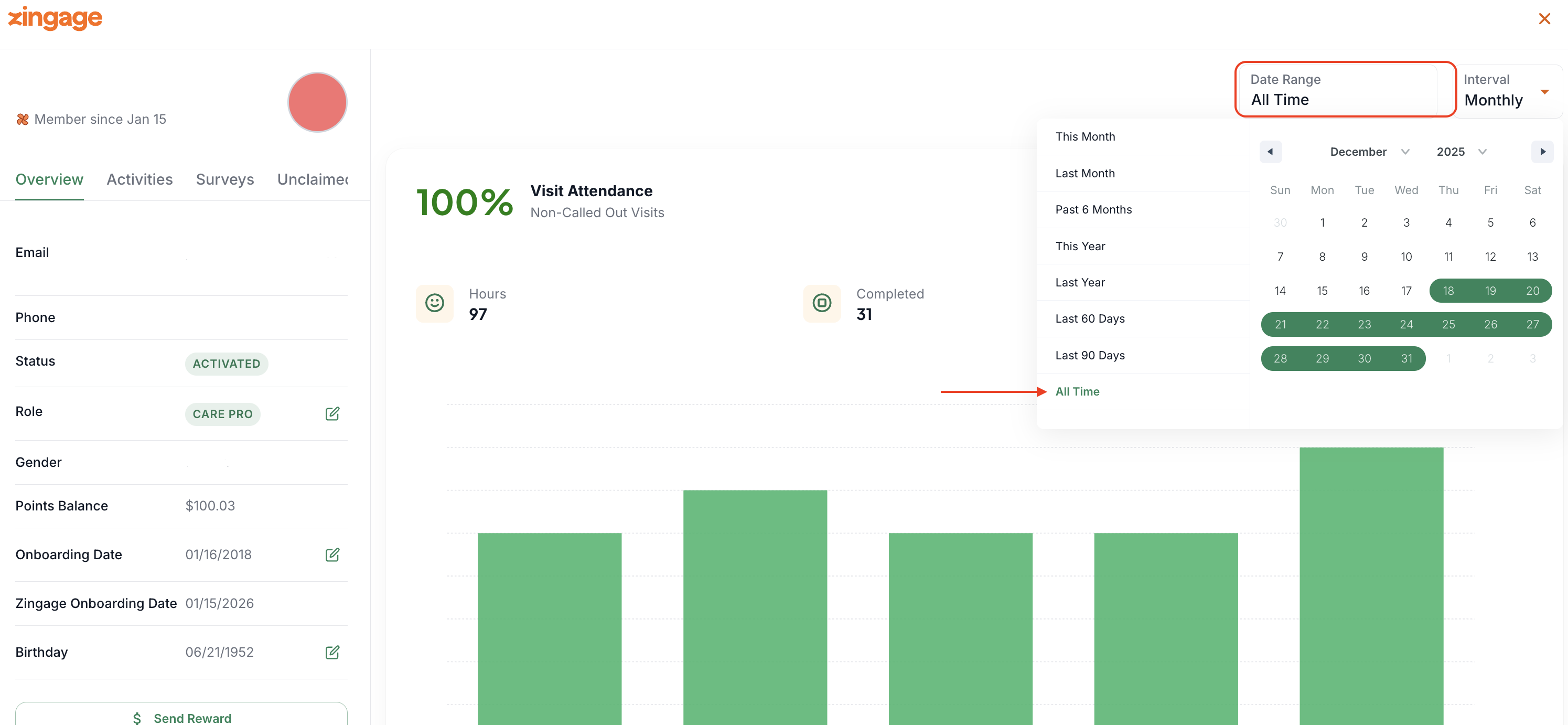
In the time frame selector, choose 'All Time'
Allow the page to load and scroll down to the Rewards section
Under Accumulated, you'll see the total dollar value of points they have earned since onboarding
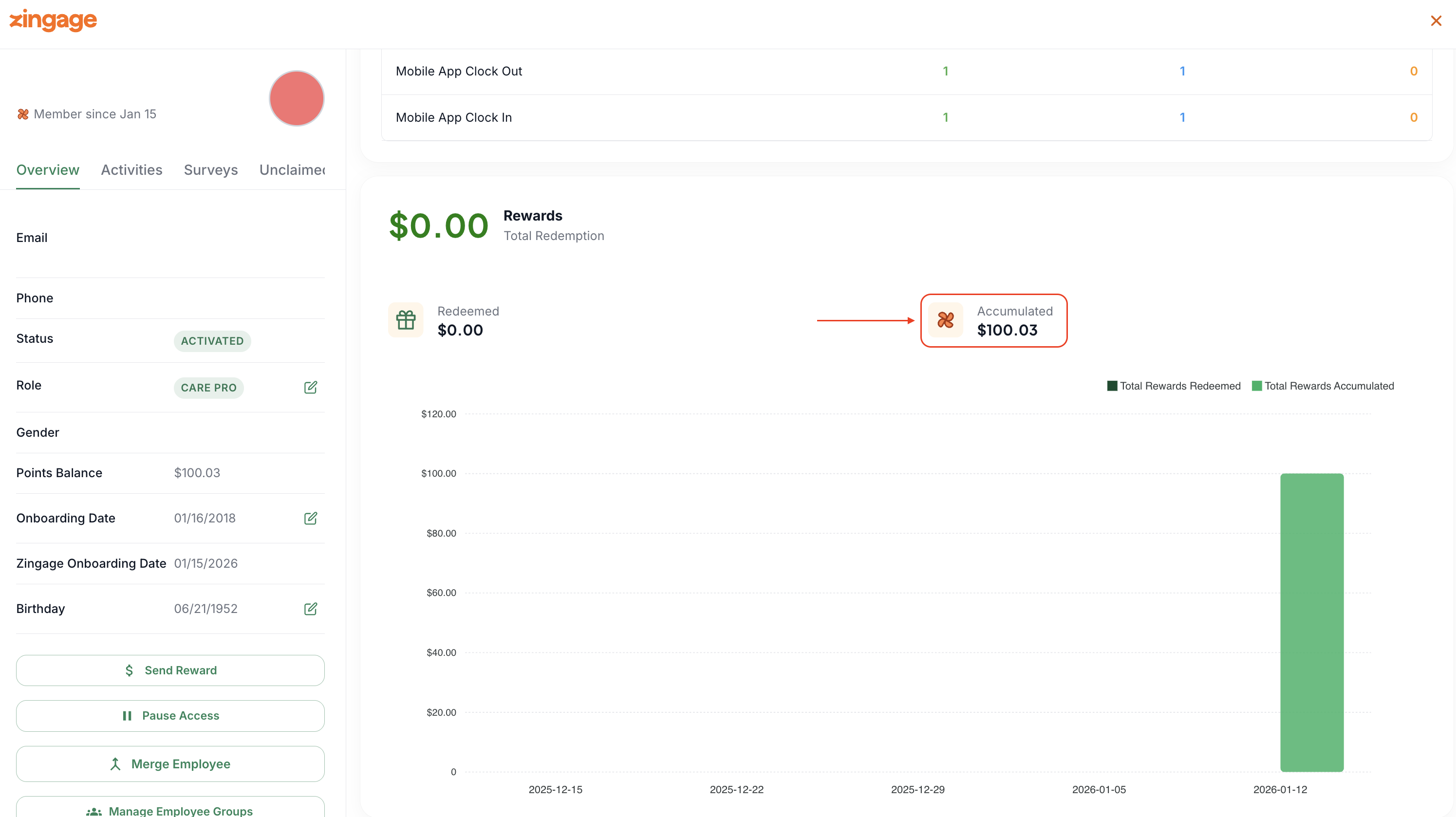
This accumulated value represents the lifetime total of all awards given to that employee throughout their time using Zingage.