How to Perform End-of-Year Points Adjustments
Last updated: June 29, 2026
Overview
This guide walks you through the process of performing end-of-year points adjustments in Zingage. This feature allows you to remove unredeemed points from caregiver balances.
If you'd like to share an announcement with your caregivers prior to making this adjustment to their points, you may utilize a pre-written best practice template HERE. Feel free to edit the written text as needed.
Important Note: This feature is only available to account owners in Zingage
This feature is MANUALLY initiated by the account owner. It is not automatically done on Zingage.
Video Tutorial HERE
Accessing Year-End Adjustments
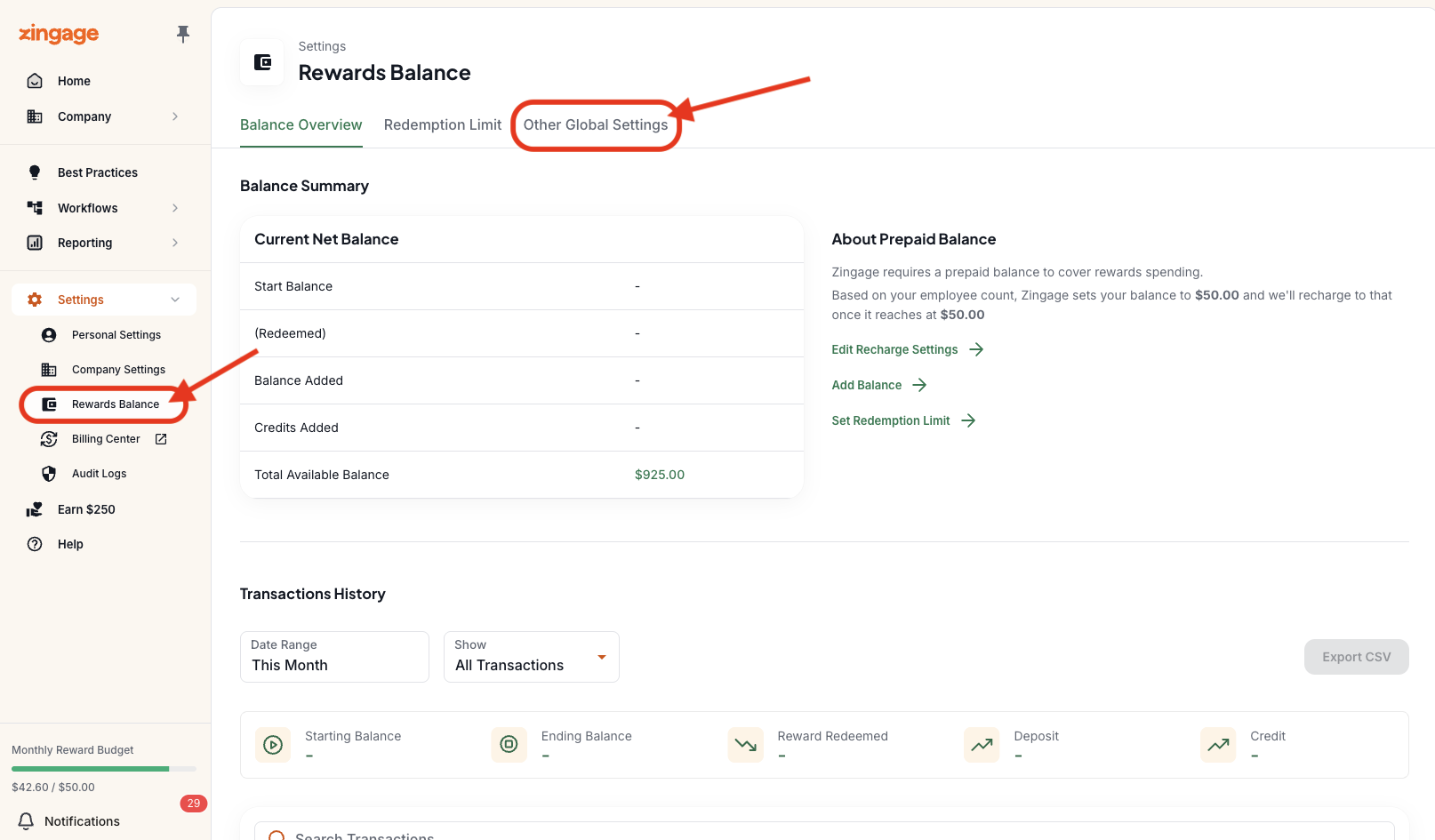
Navigate to the Settings:
Click on Settings in the left navigation pane
Select Rewards Balance
Click on the Other Global Settings tab
Click Manage Year-End Adjustments
Setting Up Your Adjustment
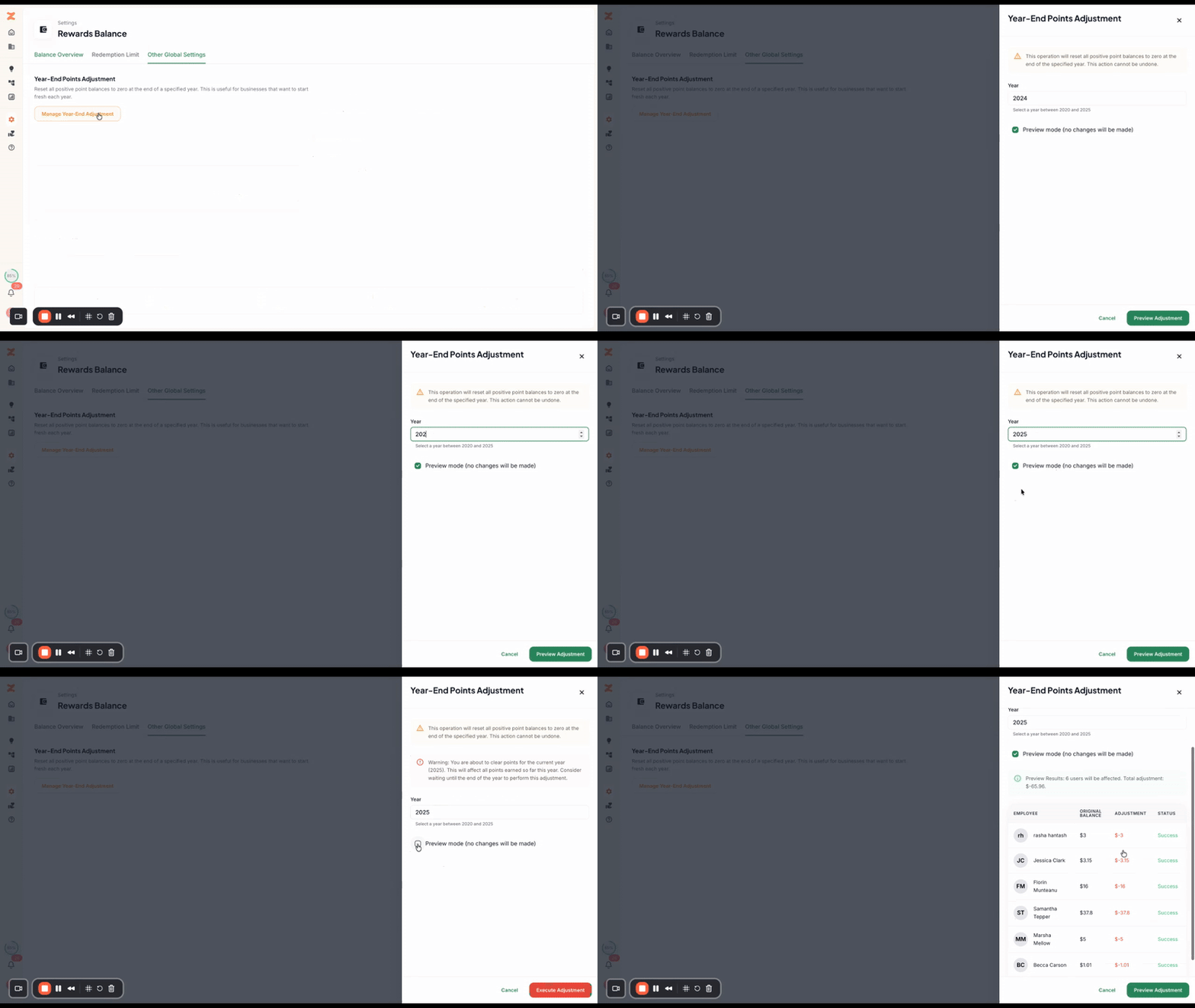
Configure the adjustment parameters:
In the Year field, enter the year for which you want to subtract points
Preview Mode checkbox:
Keep this checked if you want to preview the adjustment before executing (recommended for first-time review)
Uncheck this box when you're ready to perform the actual adjustment
Click the Preview the Adjustment button
Reviewing the Preview
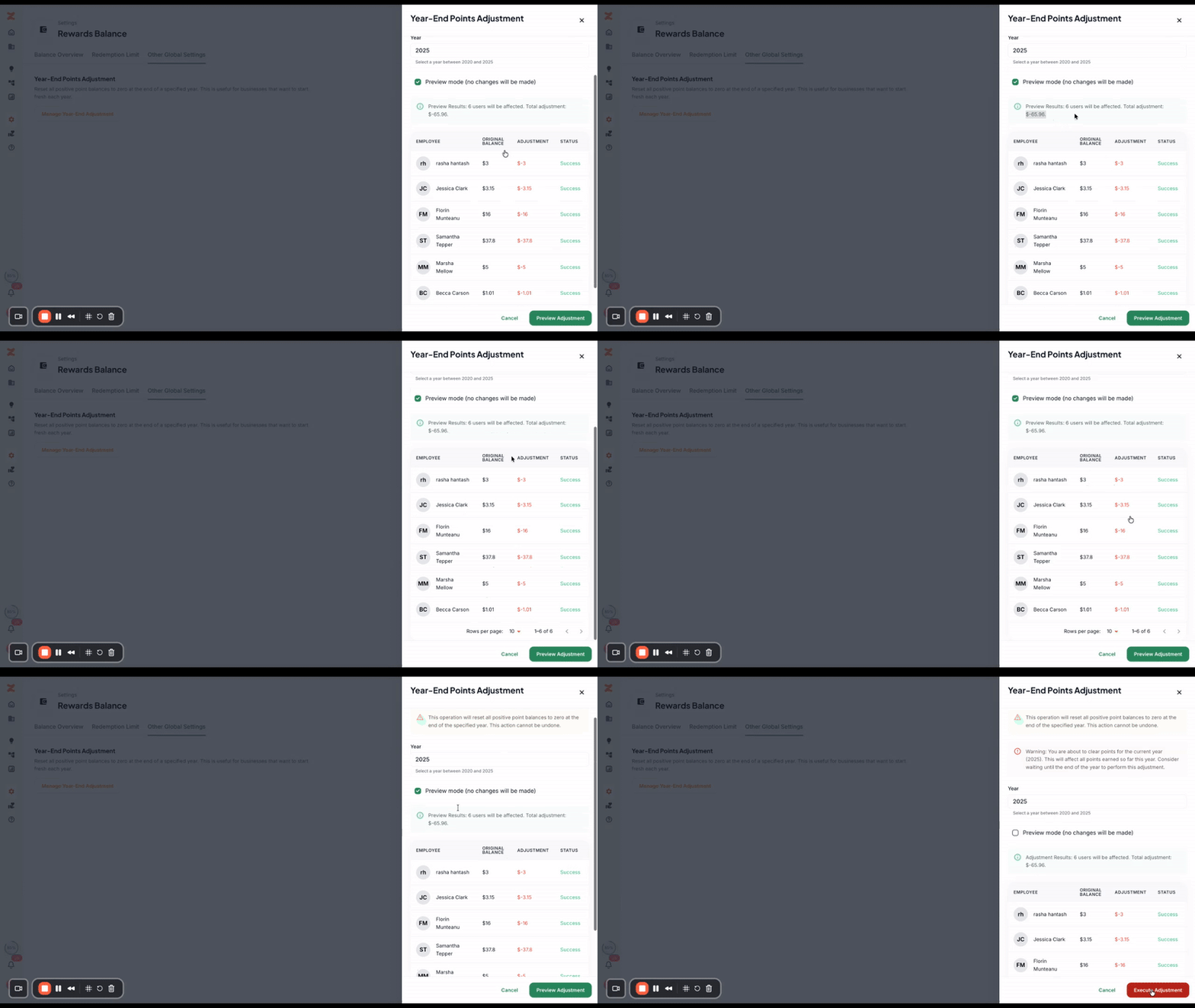
Review the adjustment details:
The system will display the total amount of points that will be subtracted across all user balances collectively
You'll see a detailed breakdown showing how much will be removed from individual user point balances
Carefully review these numbers to ensure accuracy before proceeding
Executing the Adjustment
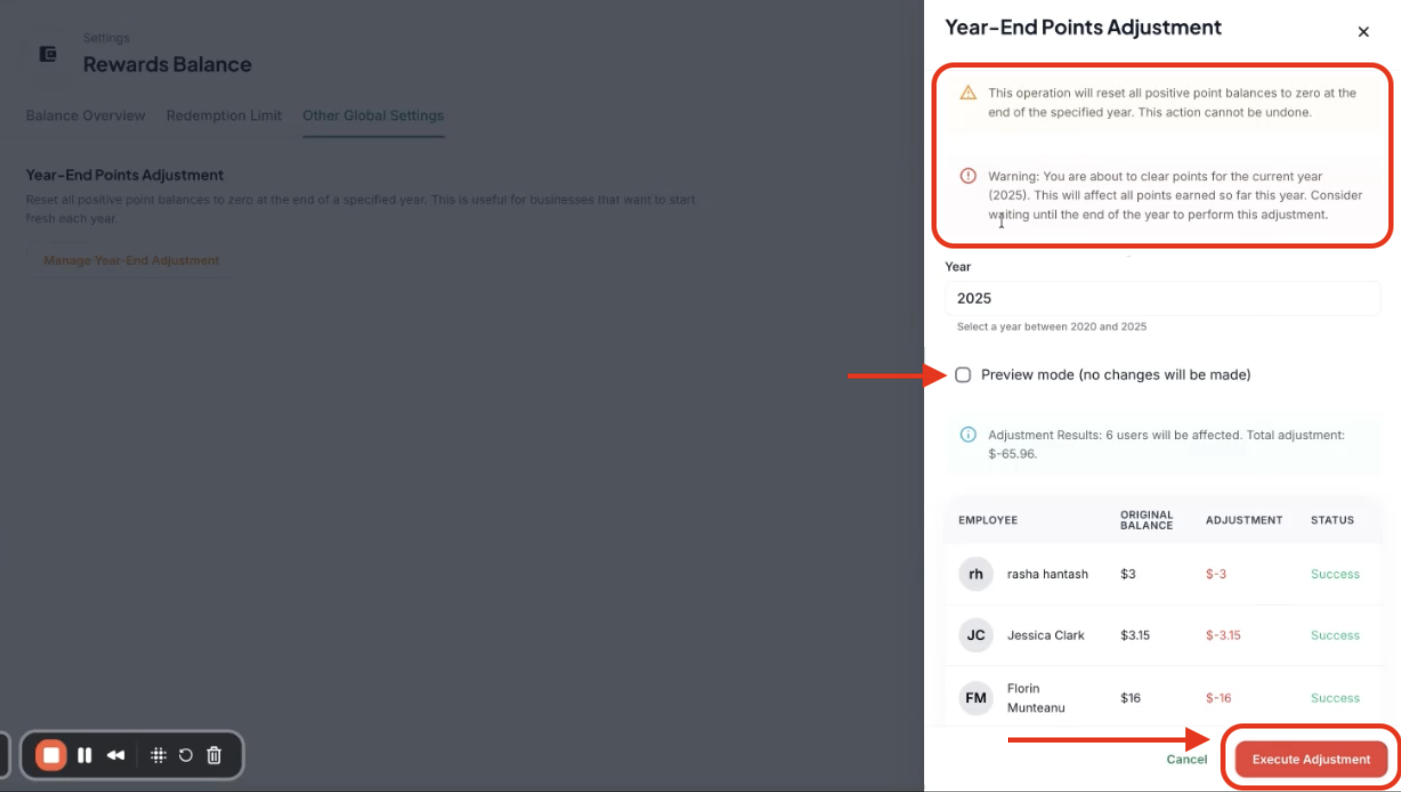
Complete the points adjustment:
Ensure Preview Mode is unchecked (if you want to execute the adjustment)
Click the red Execute Adjustment button
Read all warnings carefully on the page to understand exactly what will happen
Confirm the action to complete the adjustment
Points to Remember:
This adjustment is not automatic and is completely at the discretion of the agency owner
You can perform this 'end-of-year' adjustment/points reset function at any time - it is just often completed at the end of the calendar or fiscal year
Please Note: Zingage provides software tools and general educational information only. Nothing in this communication should be construed as tax, legal, or payroll advice. Please consult your accountant, payroll provider, or tax advisor for guidance specific to your agency