Learn About Your Return On Investment
Last updated: August 18, 2025
Tracking Your ROI with TeamInsights on WellSky
Overview
WellSky's TeamInsights Caregiver Management Dashboard provides powerful analytics to help you measure the return on investment (ROI) from your workforce management initiatives, including integrations with Zingage. This guide will walk you through accessing and interpreting key metrics that demonstrate your operational improvements and cost savings.
Accessing TeamInsights
Log into your WellSky Personal Care account
Navigate to the Caregivers section by hovering over the "Caregivers" tab in the main navigation
Click on "TeamInsights" from the dropdown menu
The TeamInsights Caregiver Management Dashboard will open, displaying your workforce analytics.
Key ROI Metrics to Track
1. Hiring Efficiency
Location: Reports → Analytics → Caregiver Applications to Offer
To measure your hiring ROI:
Navigate to the main WellSky Personal Care landing page
Click on Reports → Analytics
Select "Caregiver Applications to Offer"
Review metrics including:
New Applicants conversion rates
Phone screen pass rates
Interview completion rates
Time from application to hire
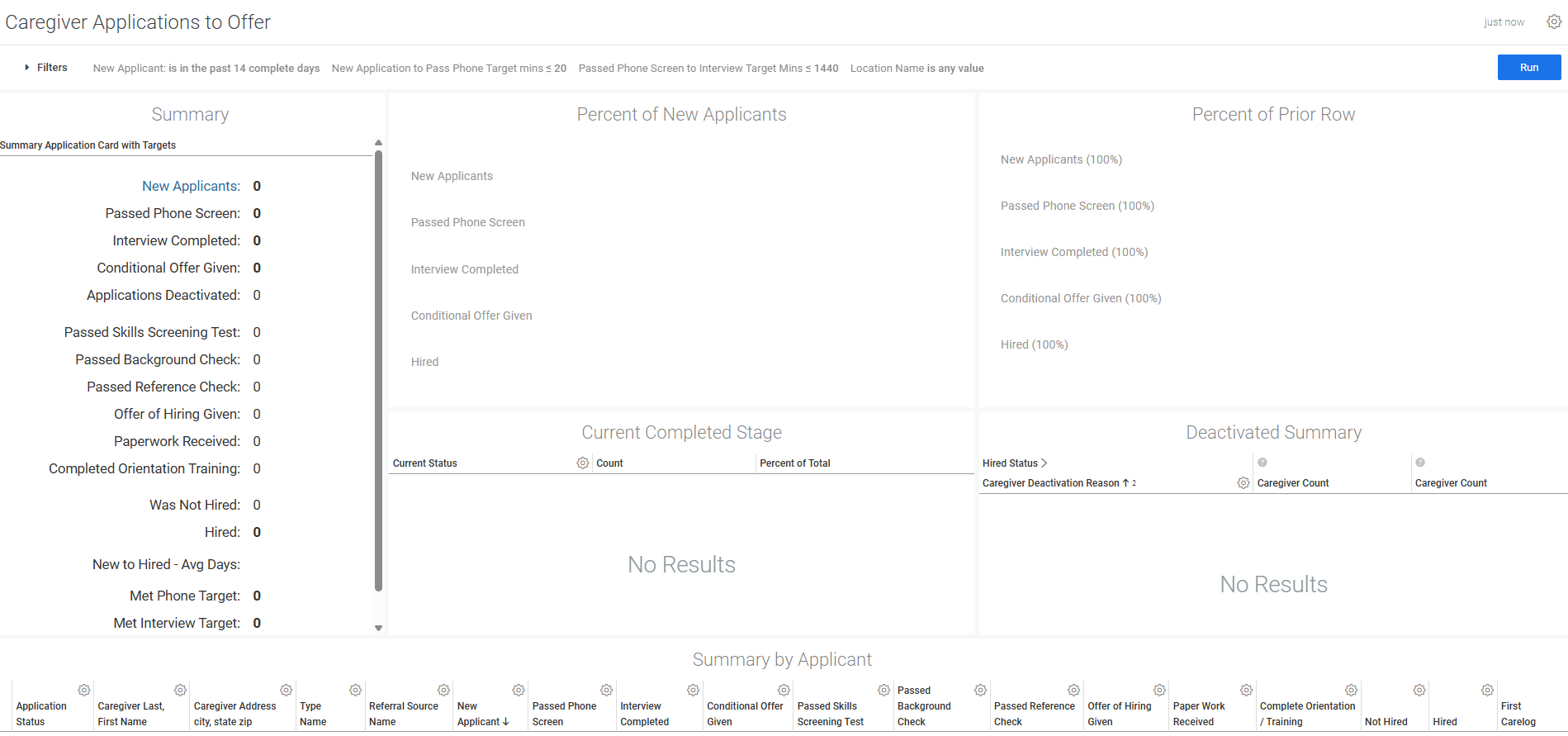
This data helps you understand how efficiently you're converting applicants into hired caregivers, directly impacting your recruitment costs.
2. Timeliness Performance
Location: TeamInsights → Tardiness Graph
The Tardiness graph shows the average difference between scheduled shift start times and actual caregiver clock-in times.
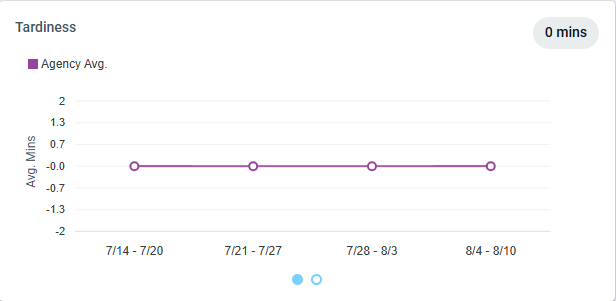
How to interpret:
Negative values: Caregivers are clocking in early
Positive values: Caregivers are arriving late
Zero or near-zero: Optimal punctuality
Improved timeliness reduces client complaints and operational disruptions, contributing to higher client satisfaction and retention.
3. Call-Out Reduction
Location: TeamInsights → Shifts Canceled by Caregiver Graph
This metric tracks the percentage of shifts not completed due to caregiver cancellations or no-shows.
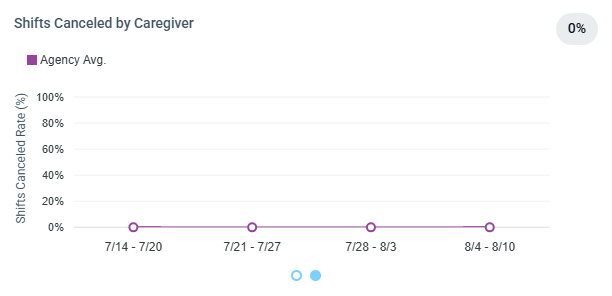
Key benefits of reduced call-outs:
Lower emergency staffing costs
Improved client continuity of care
Reduced administrative burden
Higher client satisfaction scores
4. Attendance and Utilization
Location: TeamInsights → Caregiver Performance Table → Utilization Column
The Utilization metric shows the percentage of desired hours that caregivers actually worked.
Formula: Hours Worked ÷ Hours Wanted × 100
Higher utilization indicates:
Better work-life balance for caregivers
More efficient scheduling
Reduced turnover risk
Improved revenue per caregiver
5. Mobile Clock-In/Out Compliance
Note: This metric is not currently tracked in TeamInsights. However, you can monitor related compliance through the "Missed Clock-In Rate" and "Missed Clock-Out Rate" columns in the Caregiver Performance Table, which show the percentage of clock-ins/outs performed by admin staff instead of caregivers. You can also view 'Mobile Clock-In' data within Zingage via the Report Builder.
Advanced ROI Analysis
Turnover Risk Monitoring
When integrated with TeamEngage (powered by Zingage), TeamInsights displays turnover risk predictions. Hover over the individual Caregiver's score to view the top turnover risk factors.
High Risk: Immediate intervention needed
Elevated Risk: Monitor closely
Guarded Risk: Stable but watch
Low Risk: Optimal retention likelihood
ROI Impact: Early intervention for high-risk caregivers can save significant recruitment and training costs.
Setting Up Custom Date Ranges
To analyze ROI over specific periods:
Click the Filter icon in the top-left corner of the dashboard
Select custom date ranges using the From and To fields
Apply filters to focus on specific time periods
Compare metrics before and after implementing new initiatives or programs such as the TeamEngage integration
Calculating Your ROI
Cost Savings Formula
Turnover Cost Savings:
Average cost to replace a caregiver × Number of turnovers prevented = Savings
Efficiency Gains:
Improved utilization % × Total caregiver hours × Hourly rate = Additional revenue
Operational Savings:
Reduced tardiness × Administrative time saved × Hourly admin cost = Savings
Example ROI Calculation
If your agency:
Prevented 10 caregiver turnovers (saving $3,000 each) = $30,000
Improved utilization by 5% across 100 caregivers working 30 hours/week at $15/hour = $11,700/month
Reduced administrative time by 10 hours/week at $25/hour = $13,000/year
Total Annual ROI: $170,400+
Troubleshooting and Support
Data Availability
Yesterday's data is available after 2 PM CST
Maximum historical range is one year from today
Getting Help
If you need assistance interpreting your ROI metrics or have questions about TeamInsights functionality, contact WellSky support through your standard support channels.