How to pause or resume a survey
Last updated: September 10, 2026
To pause or resume a survey in Zingage, you'll need to access the survey through the Workflows section rather than directly from the Surveys section.
Steps to pause or resume a survey
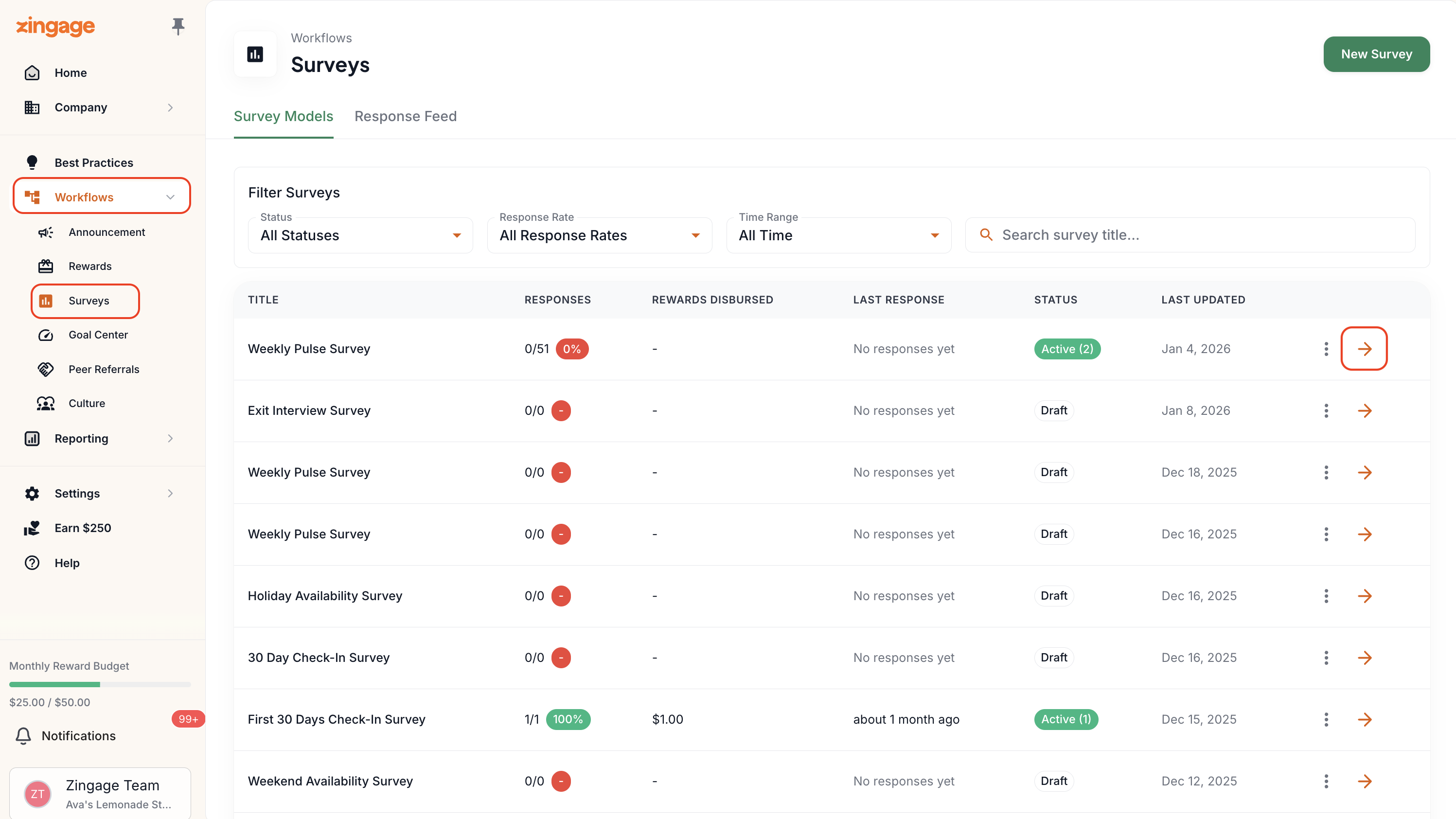
Navigate to Workflows > Surveys
Select the survey you want to manage
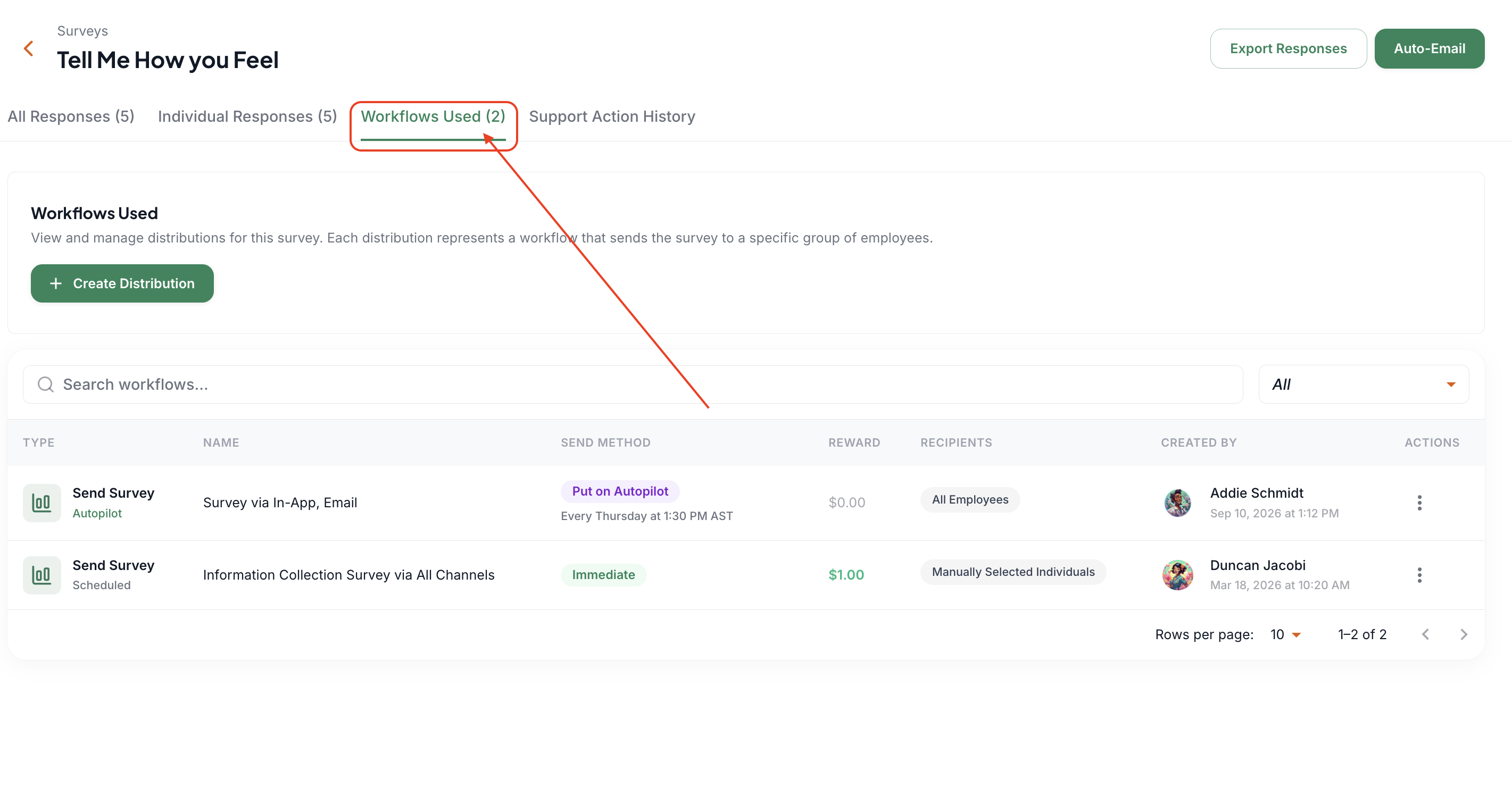
Go to "Workflows Used"
Click on the workflow
In the top-right corner, click either Pause Workflow or Resume Workflow, depending on your needs

Troubleshooting
If you're not seeing the pause/resume options, this could be due to:
Your user permissions - only Account Owner, Admin, and Announcement and Reward roles have access to survey workflows.
The survey type - only surveys on autopilot or event-based can be paused.
If you continue to experience issues accessing these controls, contact your administrator for assistance with your user permissions or the Zingage support team
for assistance with troubleshooting.