Connect and Fund Your Rewards Wallet
Last updated: July 28, 2026
Your rewards wallet funds caregiver gift-card redemptions. During setup, you will select a monthly redemption limit, choose an initial deposit, and configure automatic reloads.
🎥Walkthrough: Connect Your Wallet
Related Articles and Resources:
Choose a monthly redemption limit
Open Connect Your Wallet from the Basic Setup checklist.
Choose Shared Rewards Pool or Set Amount per Employee.
A shared rewards pool limits the total amount all caregivers can redeem each month collectively.
A per-employee limit caps how much each caregiver can redeem during the month.
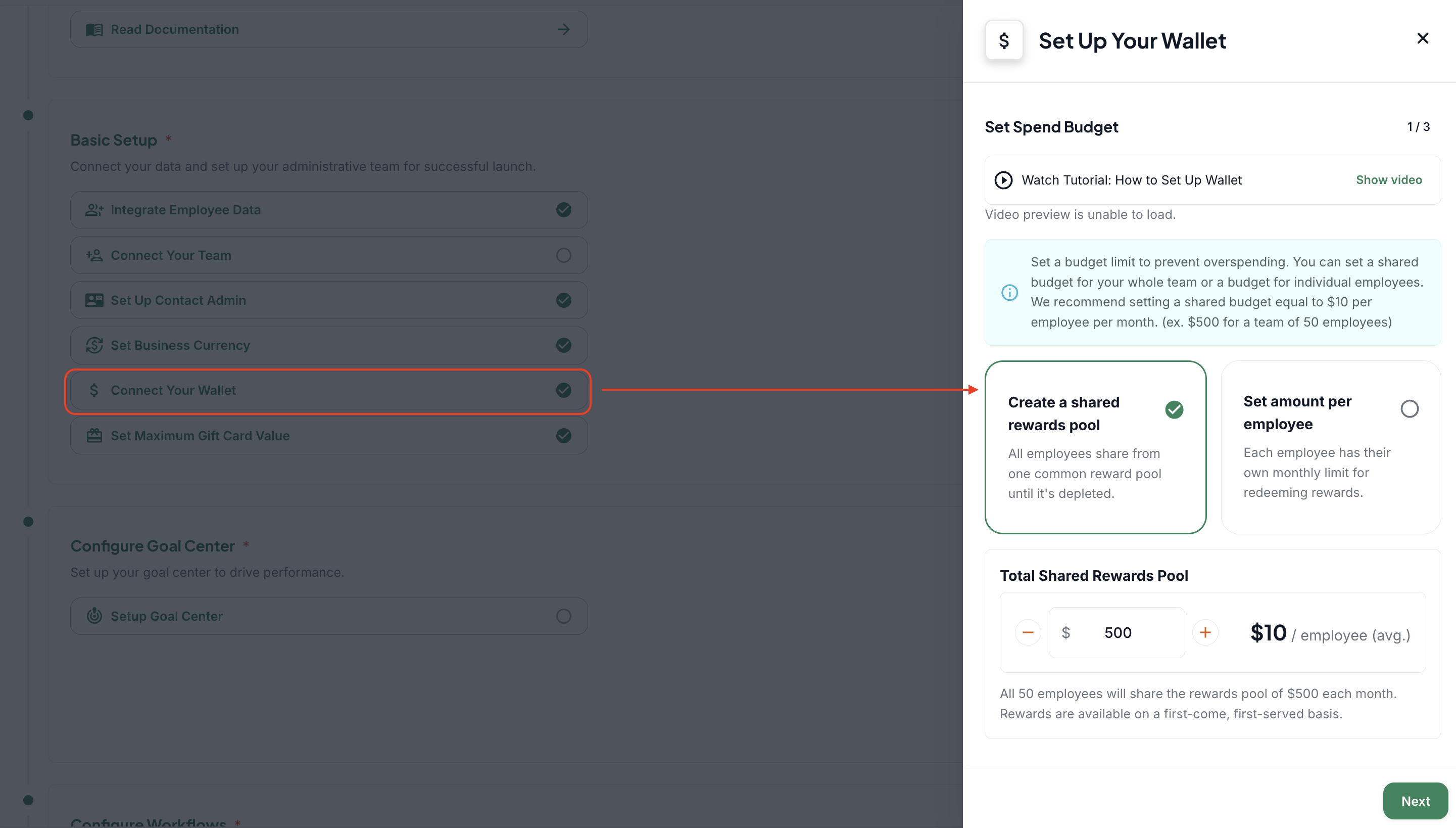
Shared pool versus per-employee limit
A shared pool offers more flexibility. One caregiver may redeem a larger amount while another redeems less within the agency-wide monthly maximum.
A per-employee limit provides an equal monthly cap for each caregiver, even when a caregiver has a larger available balance.
Enter the initial wallet top-up
Enter the amount you want to deposit into the wallet.
The top-up amount does not have to match the monthly redemption limit.
Caregiver redemptions are deducted from the wallet balance as they occur.
When the monthly limit is reached, caregivers are asked to try again at the beginning of the next month.
Once the reload balance falls below the stated value, your payment method will be charged to get back to the reload amount.
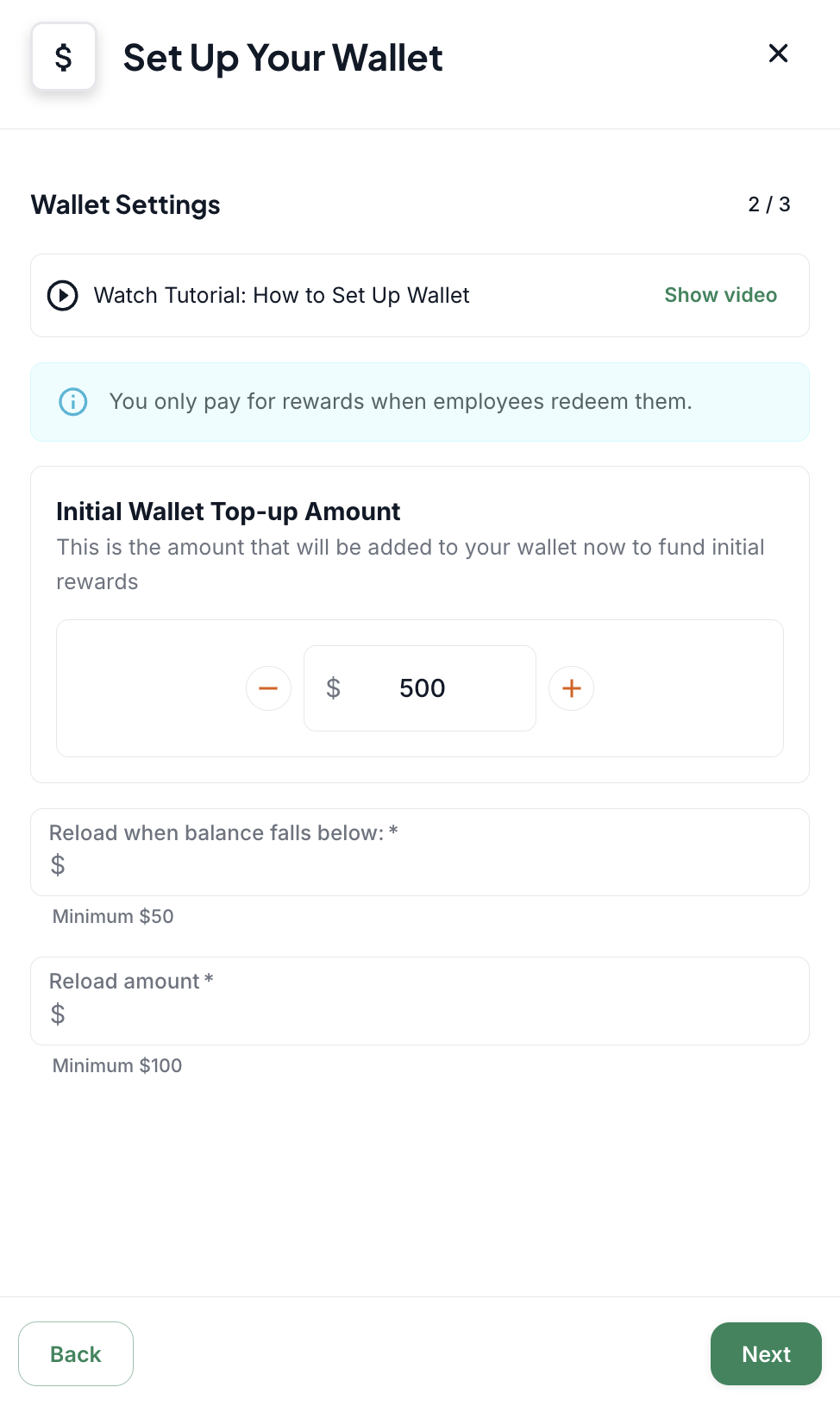
Configure auto-reload
Set the balance threshold that should trigger a reload.
Set the amount the wallet should return to after reloading.
Example: If the wallet begins at $700 and the threshold is $50, the wallet reloads to $700 when the balance falls below $50.
Add the required payment or banking information to complete setup.
Important distinction
The monthly redemption limit controls how much caregivers may redeem in a month.
The wallet balance is the available funding used to pay for those redemptions. So the wallet could have a balance, and caregivers will not be able to redeem once the monthly limit is reached.