How to Set Up Automatic Wallet Recharges
Last updated: July 24, 2025
To enable automatic recharges for your wallet balance, you'll need to complete two steps:
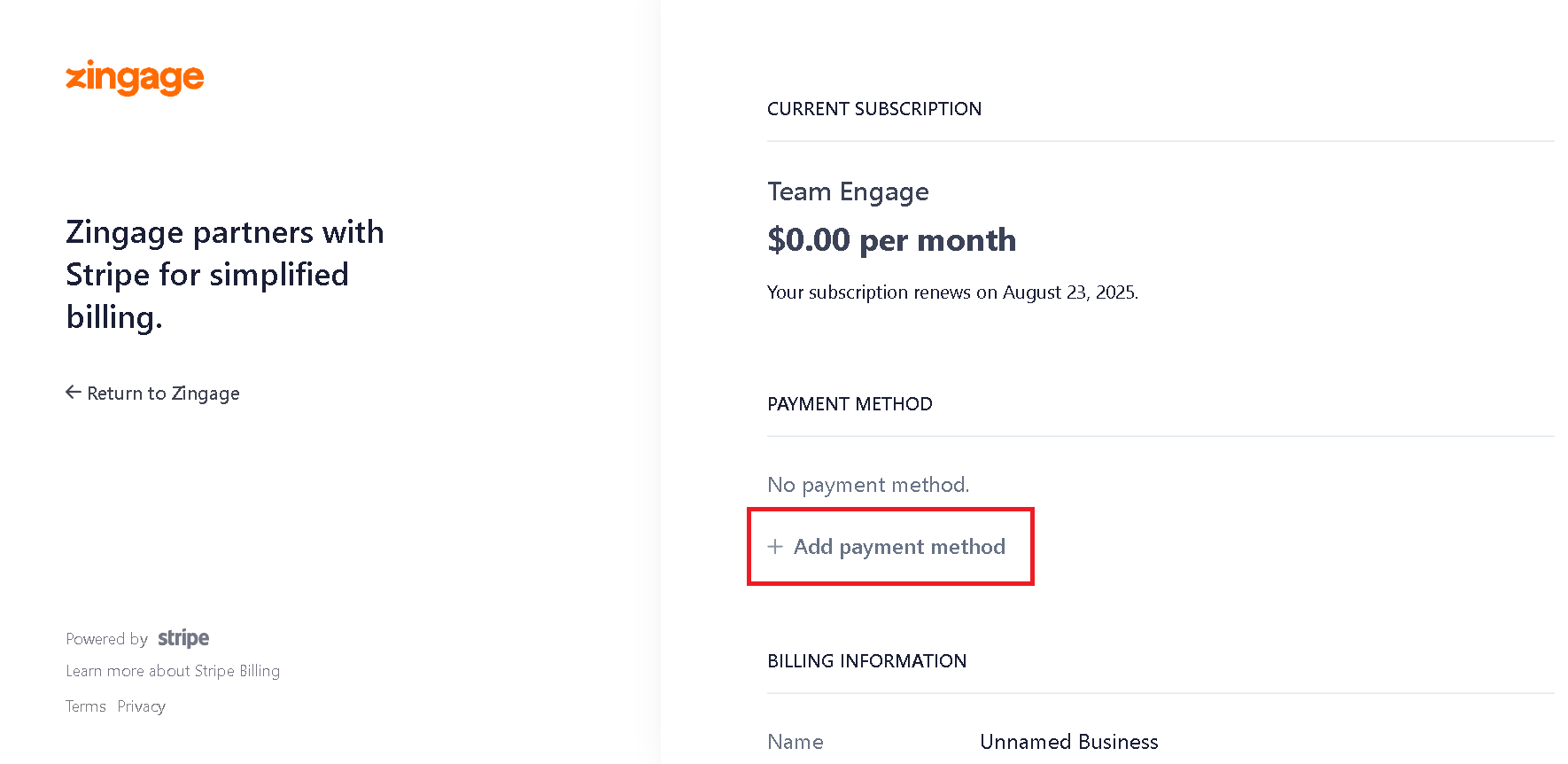
1. Add a Payment Method
First, ensure you have a valid payment method on file:
Go to Settings > Billing Center
Click 'Add a Payment Method'
2. Enable Automatic Recharges
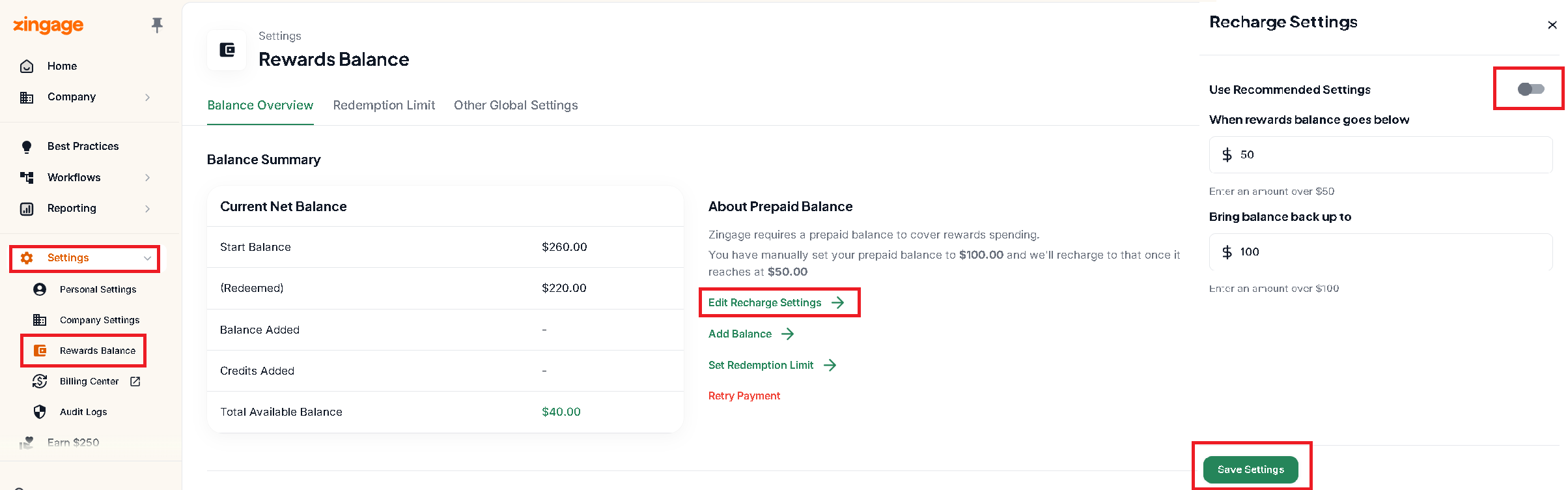
Once you have a payment method set up:
Navigate to Settings > Reward Balance
Click 'Edit Recharge Settings'
Toggle the automatic recharge option on
Click Save
Make sure to complete both steps to ensure your wallet recharges automatically when needed.