Set Up and Manage Peer Referrals
Last updated: July 28, 2026
Peer Referrals allows current caregivers to submit candidates and lets your agency track referral progress and milestone rewards.
🎥Walkthrough: Setting Up Peer Referrals
Related Articles and Resources:
How peer referrals work
Peer Referrals is a referral-tracking tool, not a full applicant tracking system.
Caregivers submit referral information through Zingage.
Your administrative team reviews and updates each referral on the agency's application tracking system as the candidate moves through the hiring process.
Once the candidate is hired and their data is tracked through Zingage, the Zingage system will automatically reward the caregiver's points each referral milestone.
Create a job
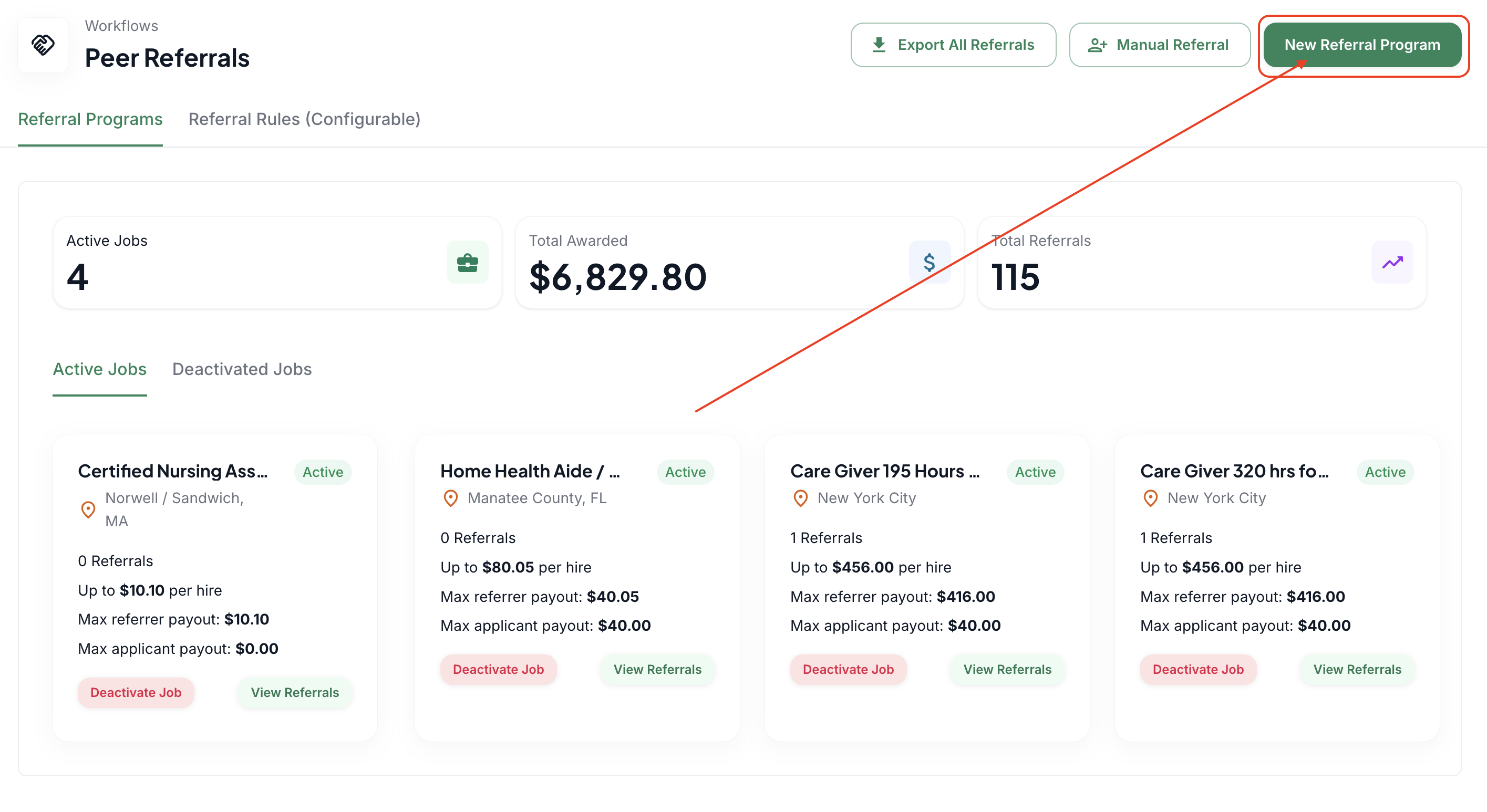
Go to Workflows > Peer Referrals.
Create an active job and enter the role details.
Add the referral bonus structure and any milestone requirements.
Publish the job so caregivers can submit referrals.
Review a referral
Open the referral record.
Review the referring caregiver and candidate information.
Update the candidate's stage as appropriate.
Record hiring information when the candidate joins the agency.
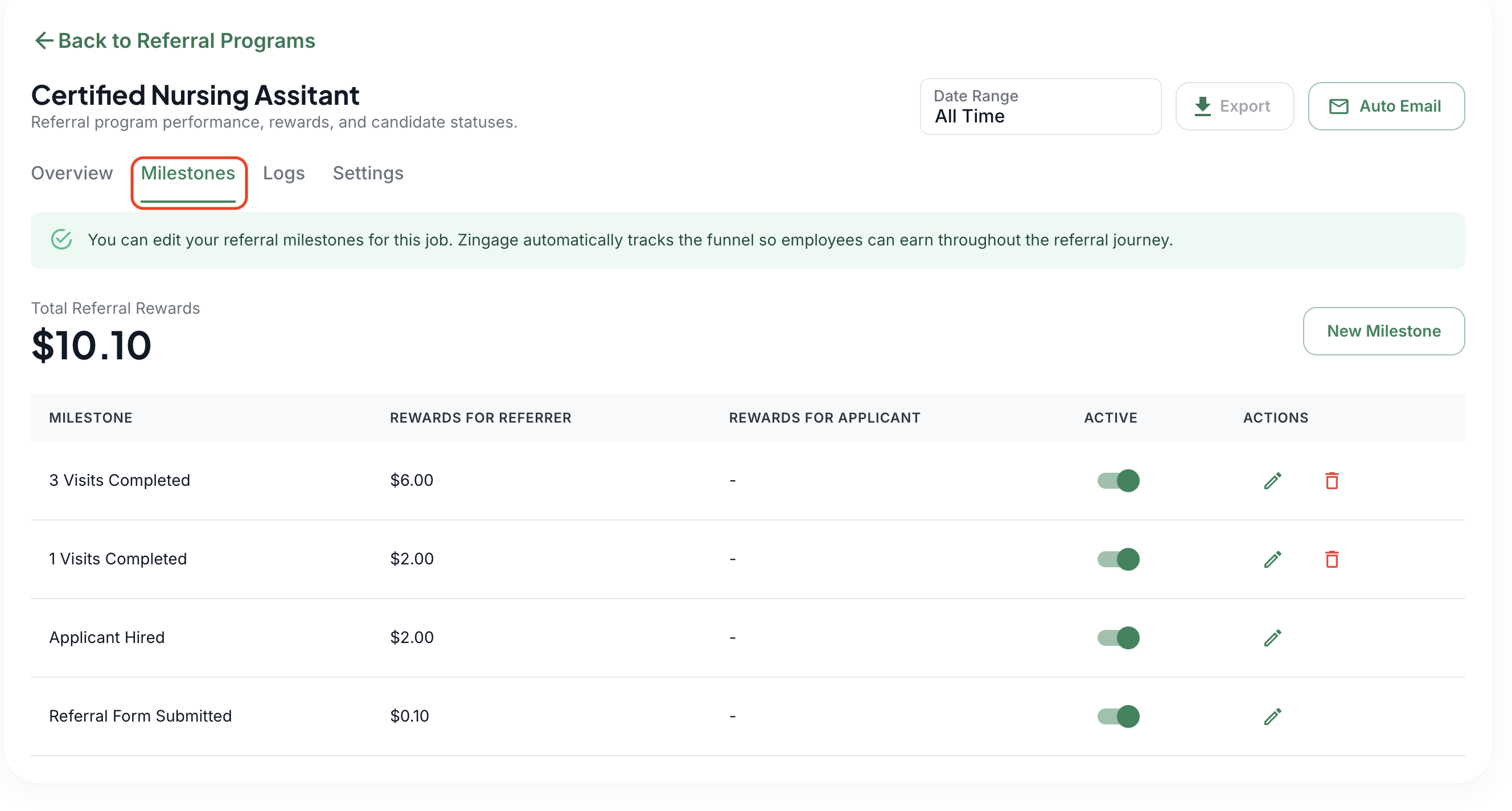
Configure milestone rewards
Create milestones based on your agency's program, such as hire, 30 days, 90 days, or hours worked.
Enter the reward amount for each milestone.
Confirm that employment and hours data are available and accurate before relying on automated milestones.
Important considerations
Only referrals submitted and tracked through Zingage can be monitored and awarded automatically.
Keep job statuses and candidate stages current.
Review referral settings before changing a live program because changes will affect referrals already in progress.