Year-to-Date Insights Reports
Last updated: January 13, 2026
You can download Year-to-Date Insights reports in two ways:
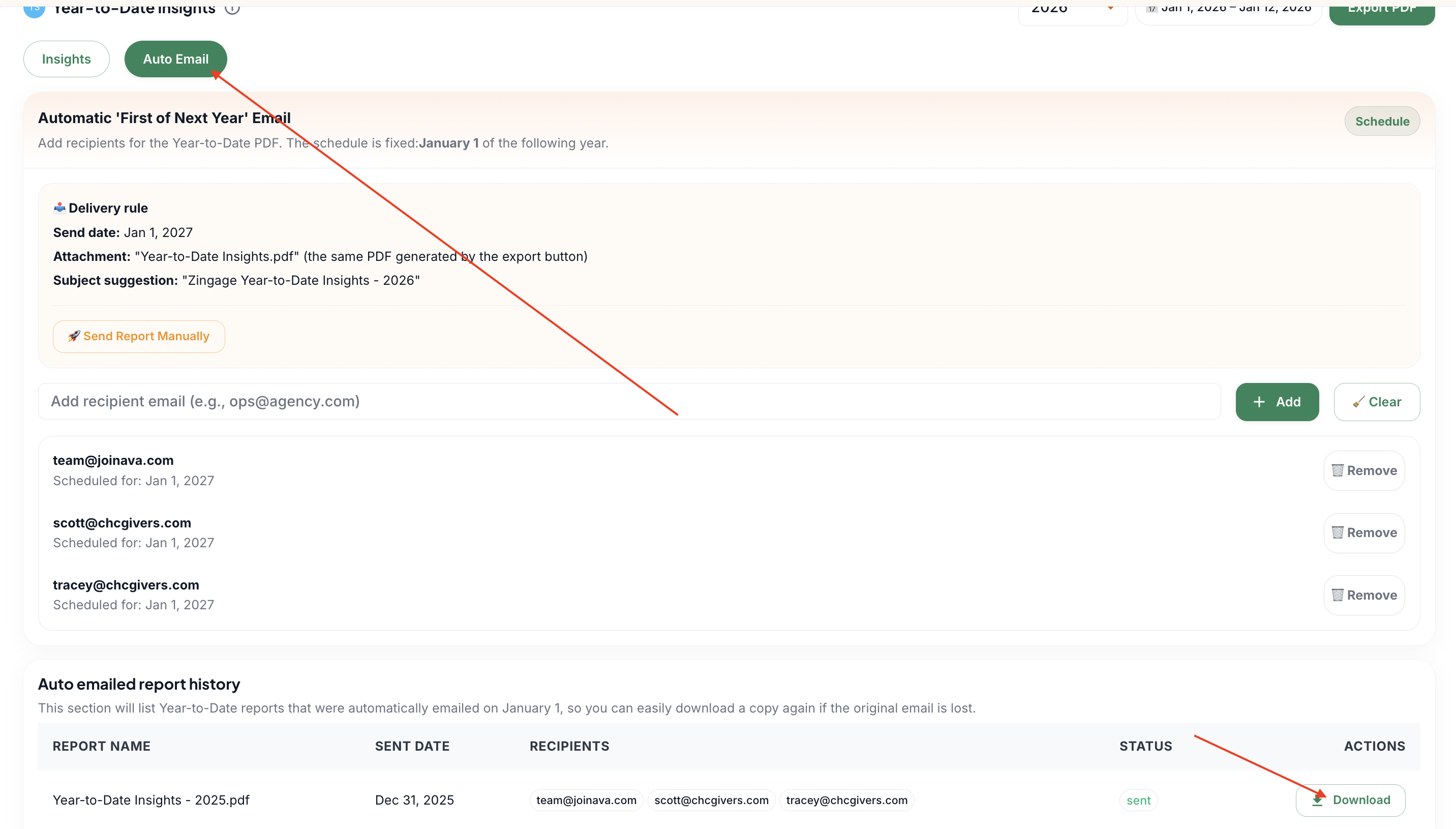
Method 1: Download from Auto Email section
Navigate to the Auto Email section
Click the download button in the Auto emailed report history section
The graphs will disappear when you access this section - this is normal behavior
Method 2: Download to PDF directly
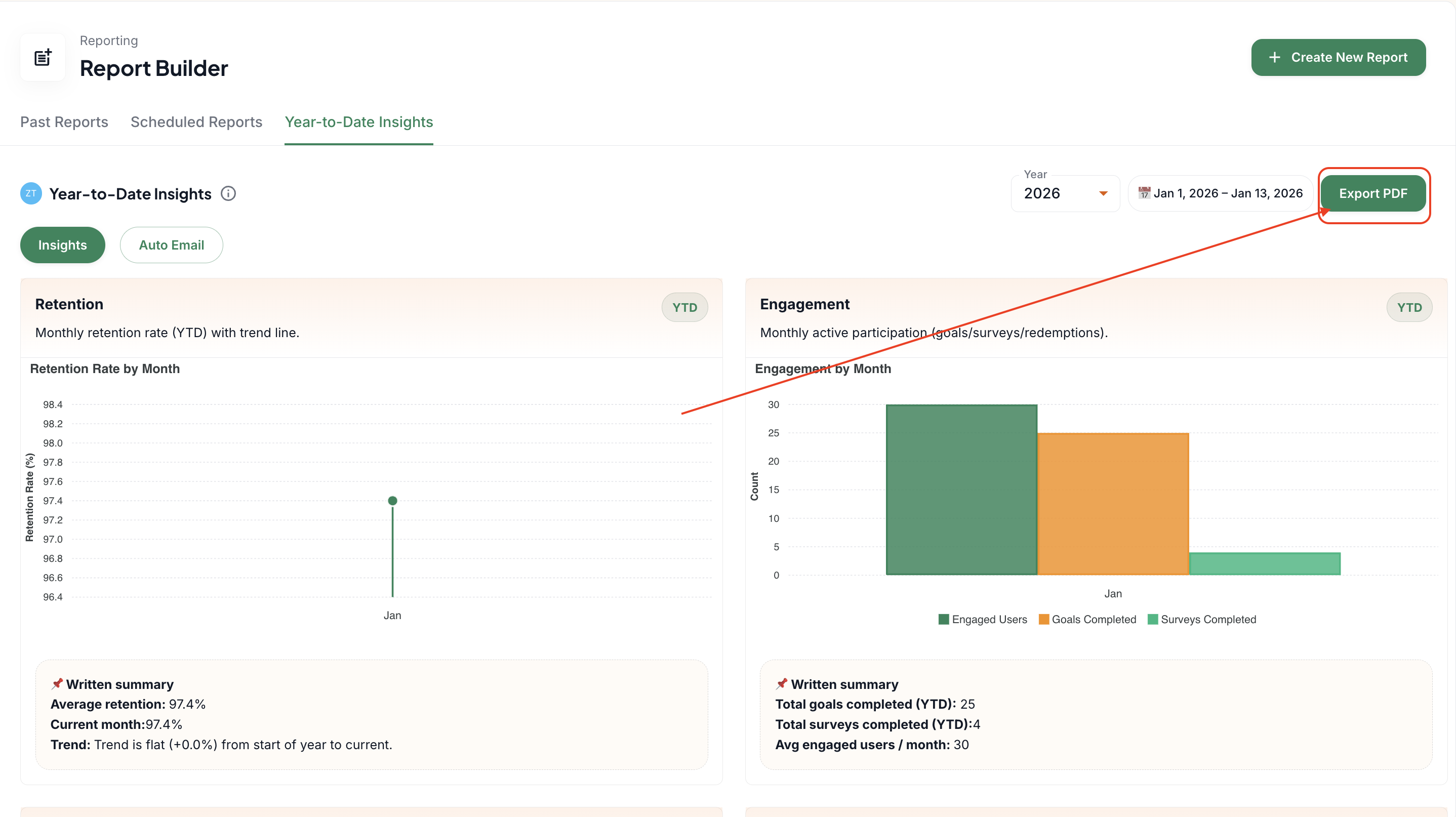
From the main Insights page, click "Export PDF"
Make sure to allow the page to fully load completely before attempting to export
Understanding report timing
Year-to-Date Insights reports are automatically generated and emailed to all owners and admins between December 31st and January 1st of each year. The report contains data for the previous year. For example:
The 2025 report is sent on January 1st, 2026
The 2026 report will be sent on January 1st, 2027
Manual sending
When you use the "Send Manually" button in the Auto Email section, it sends out the current data to the listed recipients. The year/date range for manual sends cannot be customized - this feature is designed to serve as an automatic year recap for clients.
Troubleshooting
If you receive an "Unauthorized" error (status code 401) when trying to export, ensure the page has fully loaded before attempting the download. If the issue persists, contact support for assistance.