Survey Summaries on Zingage
Last updated: March 19, 2026
We've launched the survey summaries tab to Zingage to help you get a better view of what your caregivers are saying on each survey.
This is like the End of Week Survey Summary but specialized per survey instead of a combined overview of all your active surveys on Zingage.
Here's how it works:
🎥 Exploring the Survey Summaries on Zingage📊
In the Survey Section Select the surveys for which you'd like to see the summaries and click Apply
You can also click the Select All Active button to the right to select all the active surveys on your account
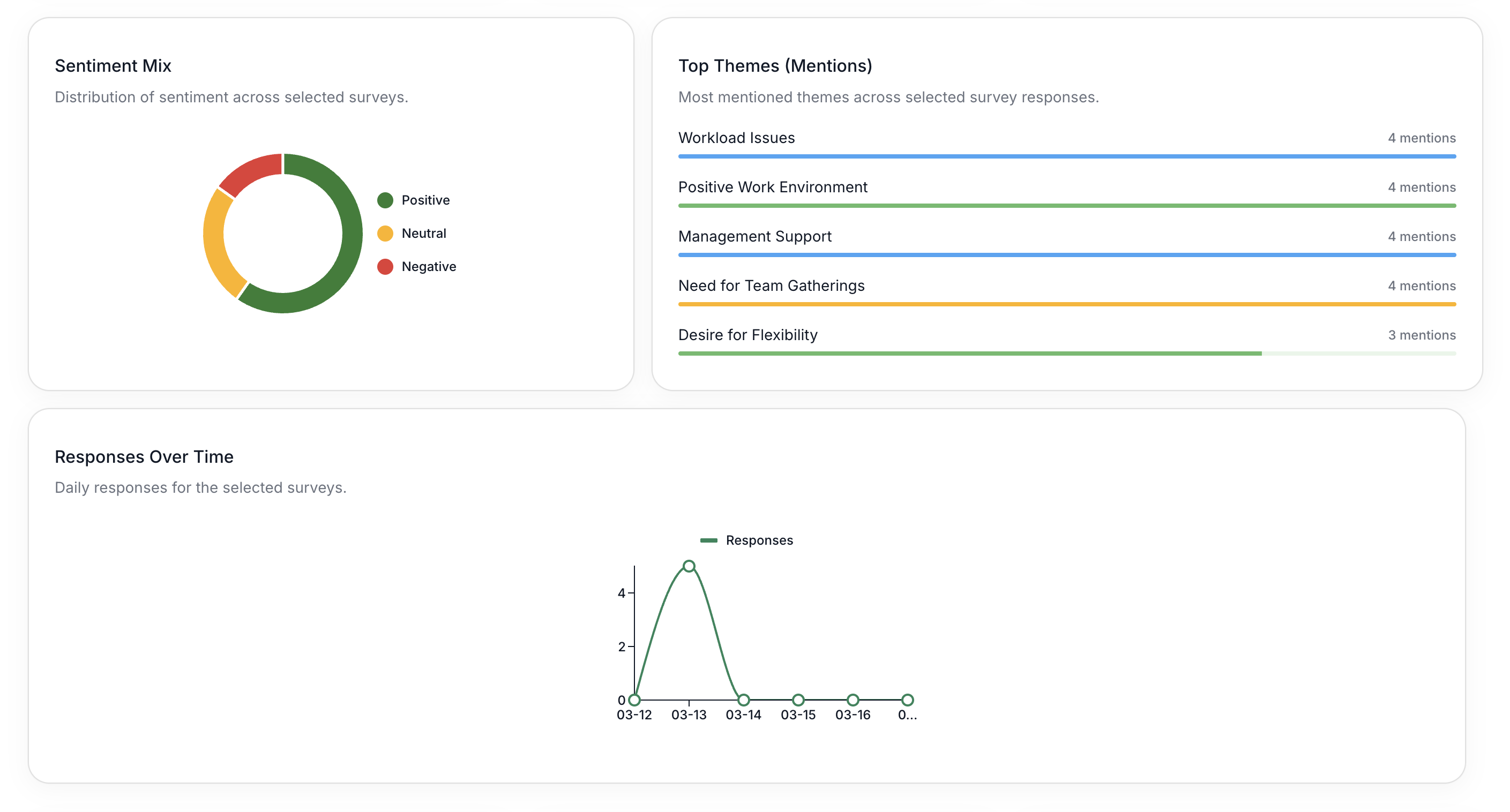
After that, the overview and data will load up where you can see your
Total responses across all the surveys selected
Recommend Score which is the average score of overall satisfaction across all the surveys selected
Overall Sentiment across all the surveys selected

The themes - which is made up of the responses your caregivers provided to your survey questions
The response frequency per day
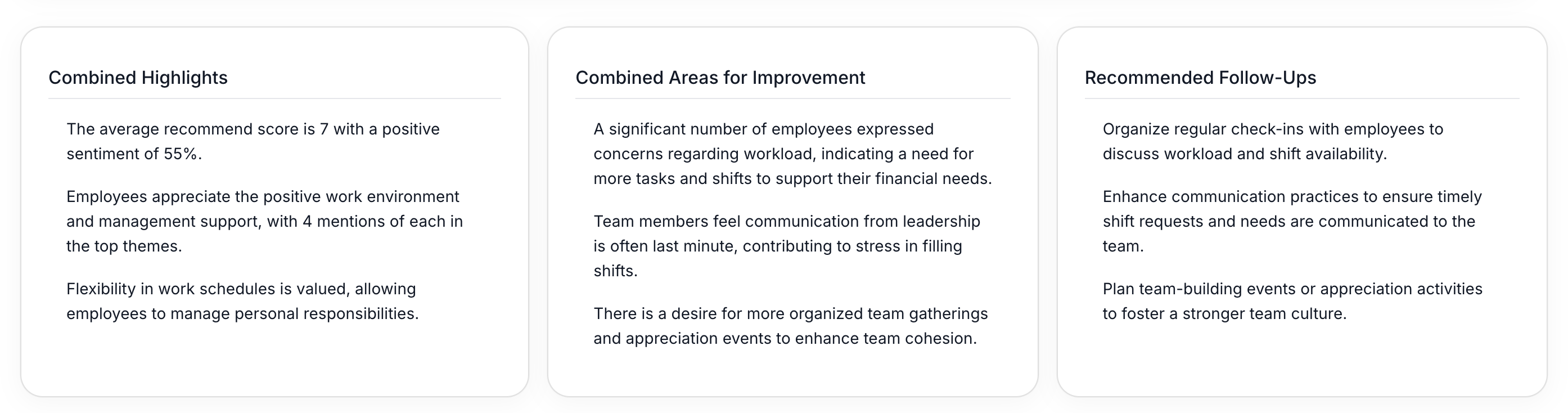
Combined Highlights, Areas for Improvement, Recommended Follow Ups at a glance so you know your next steps based on your caregiver feedback
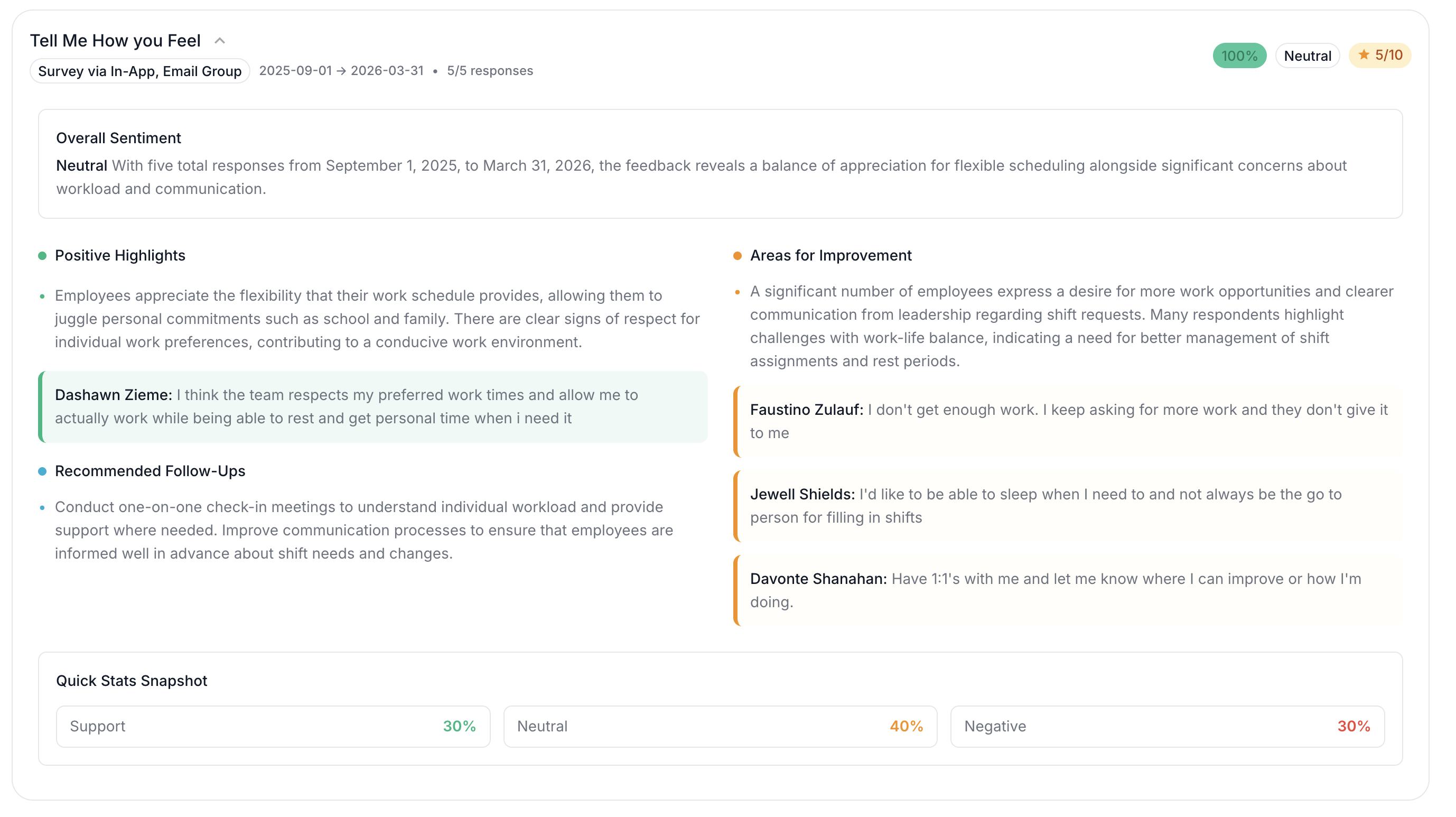
The survey data per survey
In each survey breakdown, there will be:
The overall sentiment and disposition (positive, neutral, negative)
Survey Score
Survey Completion Rate
Positive Highlights of that specific survey
Areas for Improvement from that specific survey
Quick Stats of that specific survey
Quotes from caregiver responses from that survey
Anonymous surveys will not reveal any usernames in the highlights.
The Survey Summary section is powered by AI, so you may notice slight variations in the wording or top themes each time the summary is refreshed or loaded. This is expected. The summary is intended to highlight common feedback trends at a glance, but the themes are approximate and may not reflect every individual response.