How can I find out why my caregiver cannot redeem?
Last updated: November 19, 2025
If a caregiver asks you why they cannot redeem, it can be because of the following:
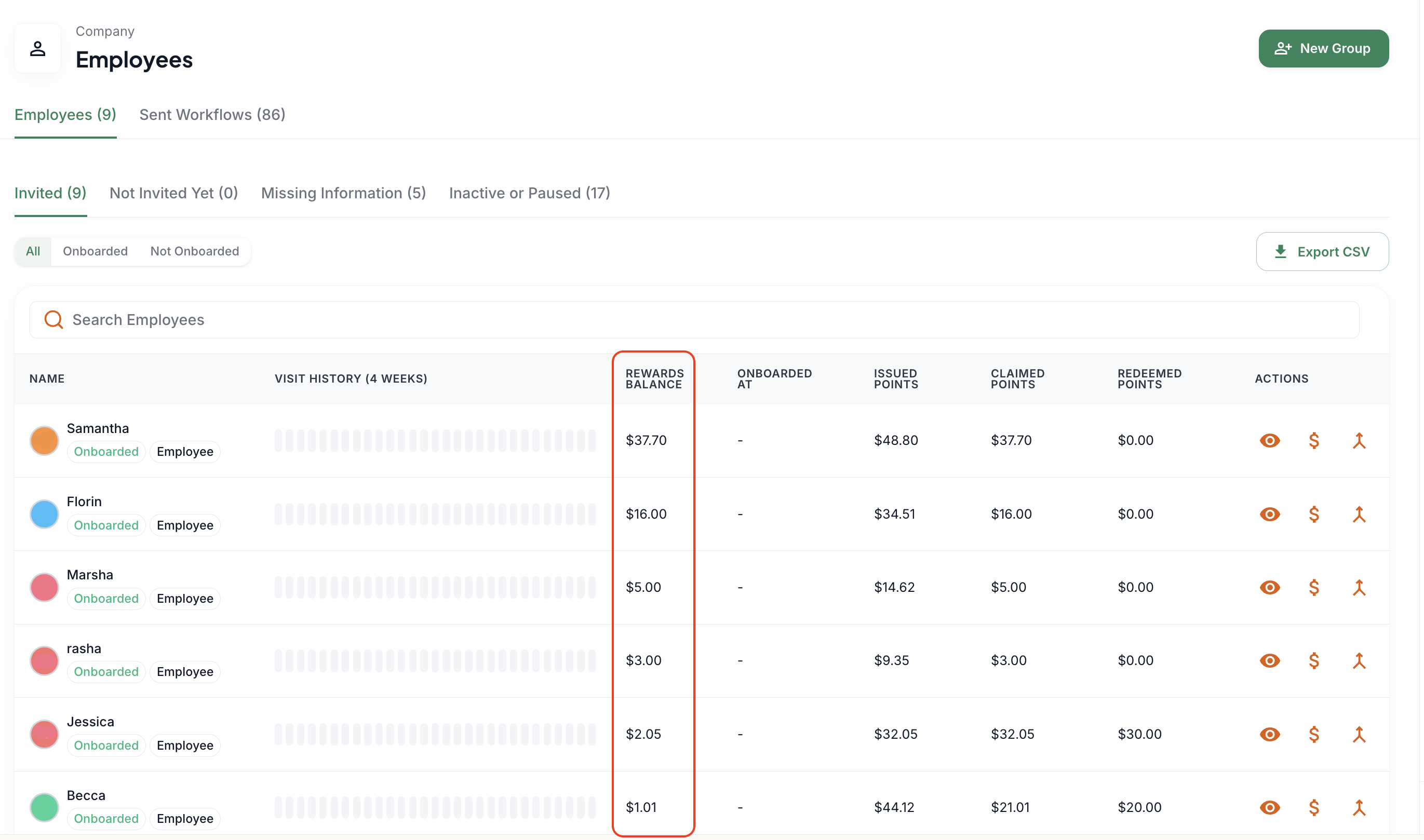
The caregiver does not have sufficient points: a caregiver needs at least 500 points ($5) in their balance to redeem a gift card. You can check the caregiver's points balance by going to Company > Employees and searching the caregiver's name. The points balance is in the Rewards Balance column.
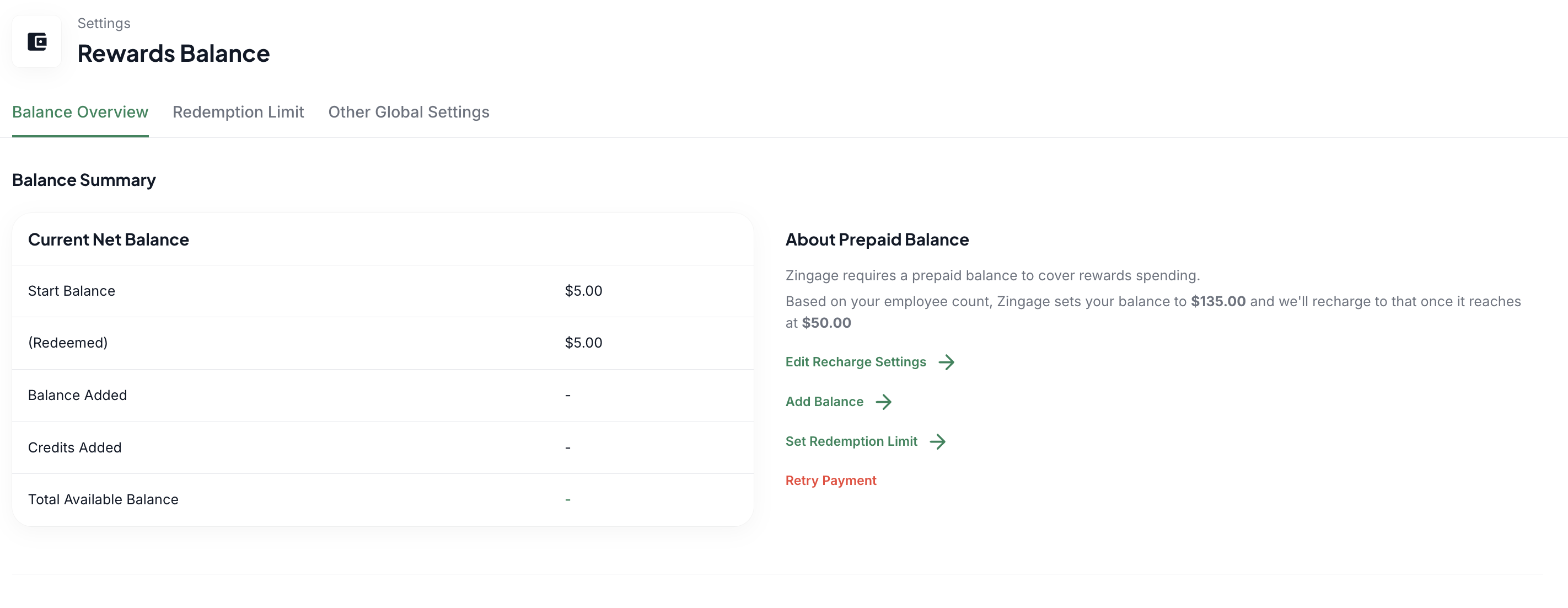
The wallet does not have sufficient points to allow a redemption: this is the cause of the 'error 500' when caregivers try to redeem. We recommend that the agency's wallet be kept above $50 at all times to avoid this issue. You can check their wallet balance by going to Settings > Reward Balance. If there aren't sufficient funds, you can hit the 'Add Balance' button to add more money to the wallet. If there is a red Retry Payment button, hit that button and follow the steps to pay the bill.
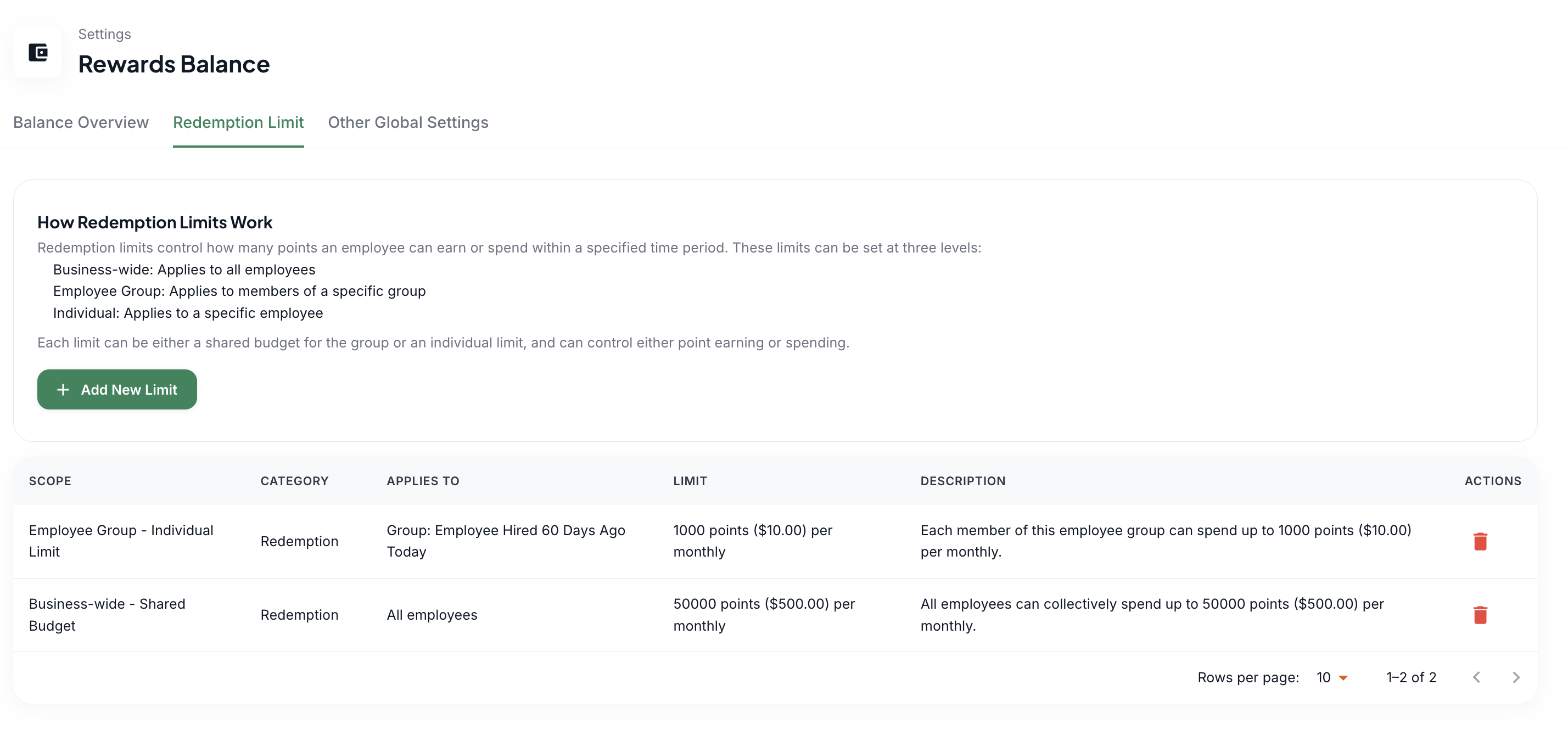
The agency's redemption limit is reached: if the agency's redemption limit is reached, no caregiver will be able to redeem. You can double-check your set limit in Settings > Reward Balance > Redemption Limit. You can also confirm how much was spent by filtering the date range in Settings > Reward Balance Transaction History section to this month and checking the Rewards Redeemed section.
It's always great to ask the user if they get an error or see a red message above the gift card. If there is a red message, it means the redemption limit is reached, and if it's an error, the wallet has insufficient funds, and if the redeem button is blurry, the caregiver does not have enough points to redeem a gift card.