How to Use Custom Reward Templates in Zingage
Last updated: June 11, 2026
Custom Reward Templates allow Account Owners to create saved reward messages that admins can reuse when recognizing caregivers. This helps make common rewards, such as last-minute shift pickups, shout-outs, holiday coverage, or special recognition, faster and easier to send. This feature is only available for agencies that don't use WellSky.
Please note: Custom Reward Templates are not fully automated rewards. An admin will still need to manually select the template, choose the recipients, and send or schedule the reward.
Who Can Create Custom Reward Templates?
Only Account Owners have the permissions needed to create, edit, or delete Custom Reward Templates.
Other admins can use existing templates, but they will not be able to create or manage the templates unless they have Account Owner access.
How to Create a Custom Reward Template
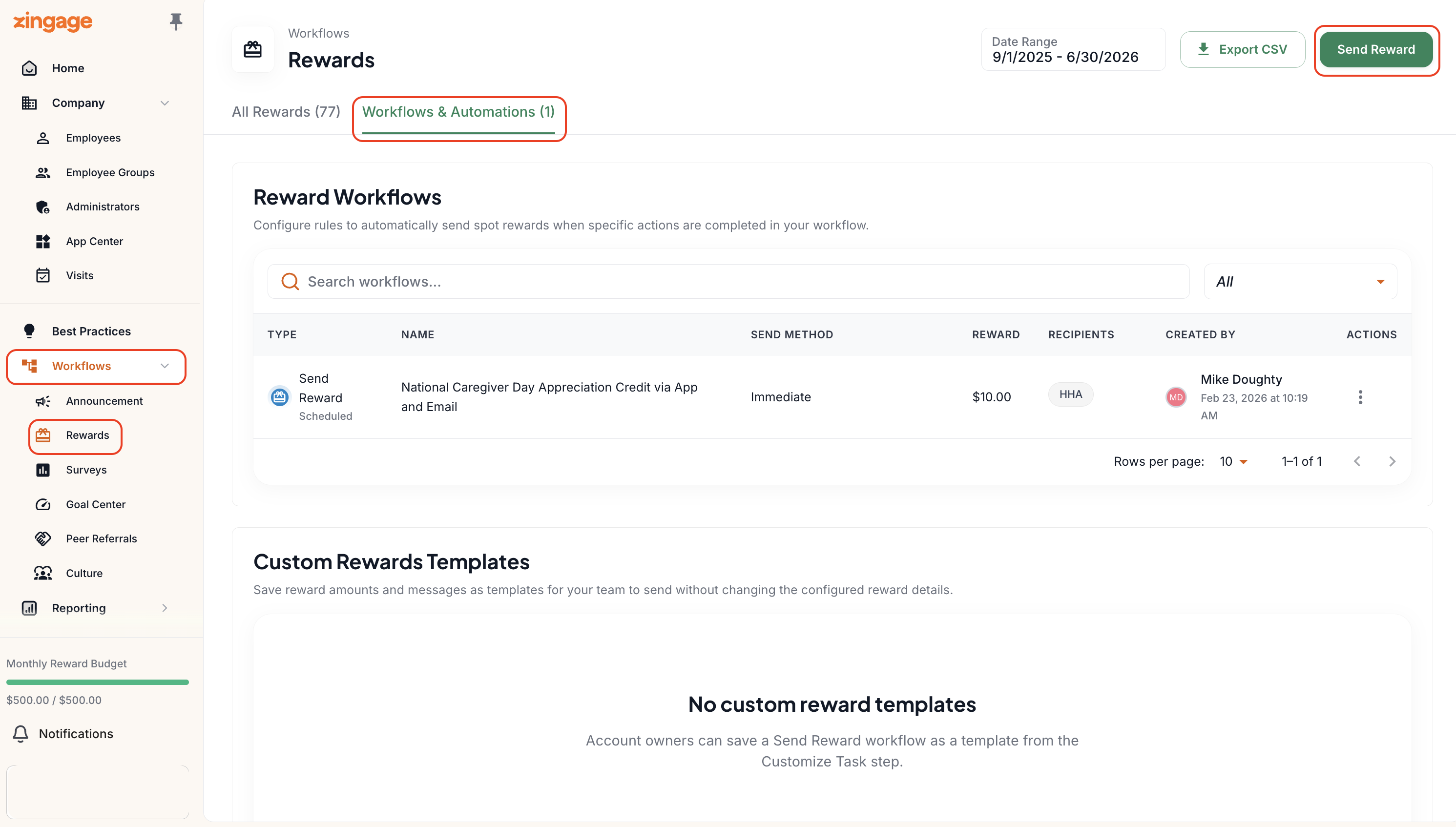
Go to the Workflows > Rewards.
Click Workflows and Automations at the top.
Select Send Reward.
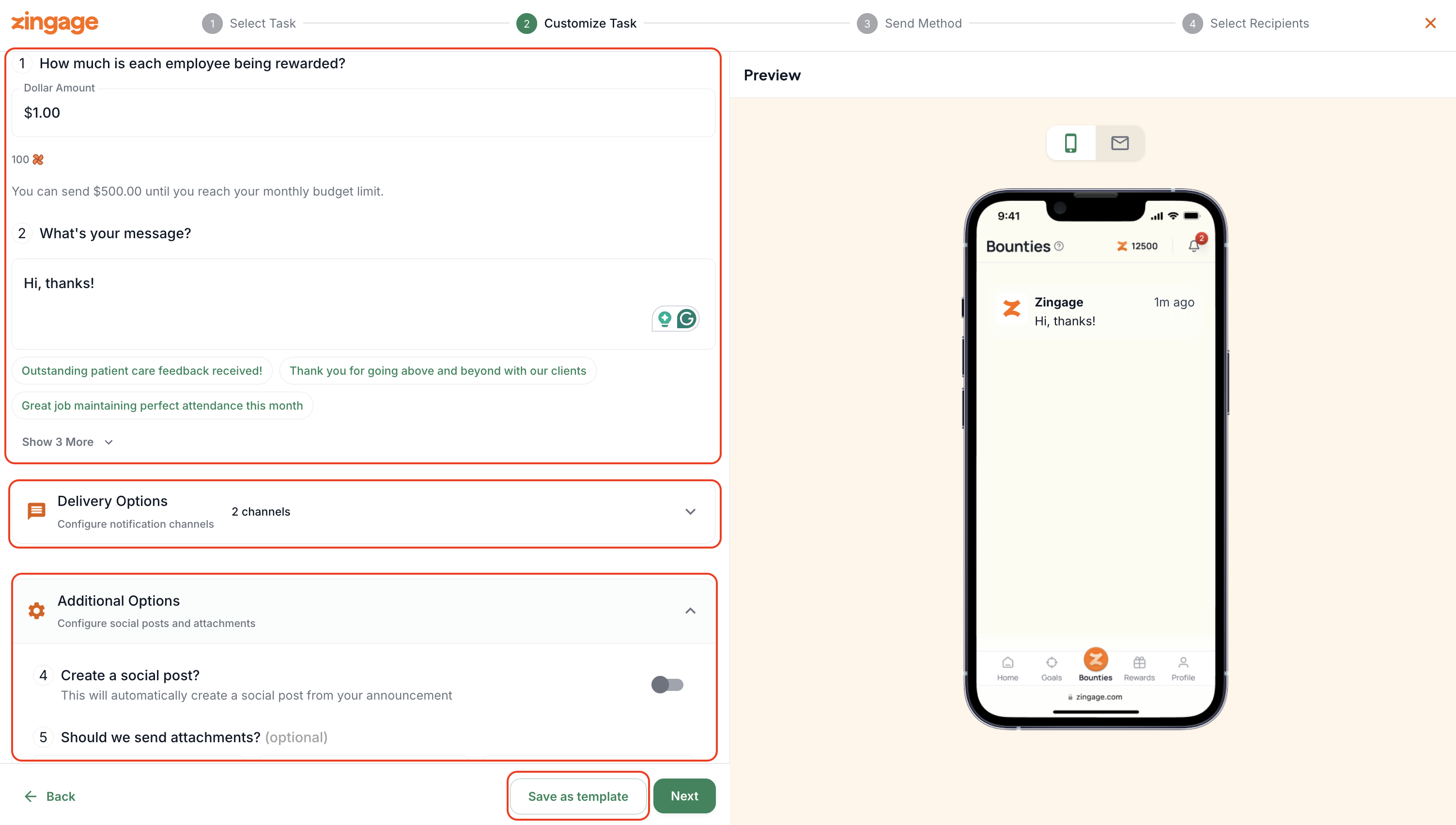
Fill out the reward details, including:
Reward amount
Message
Delivery options
Any attachments, if needed
Whether the reward should be shared as a social post
Once the reward details are complete, click Save as Template.
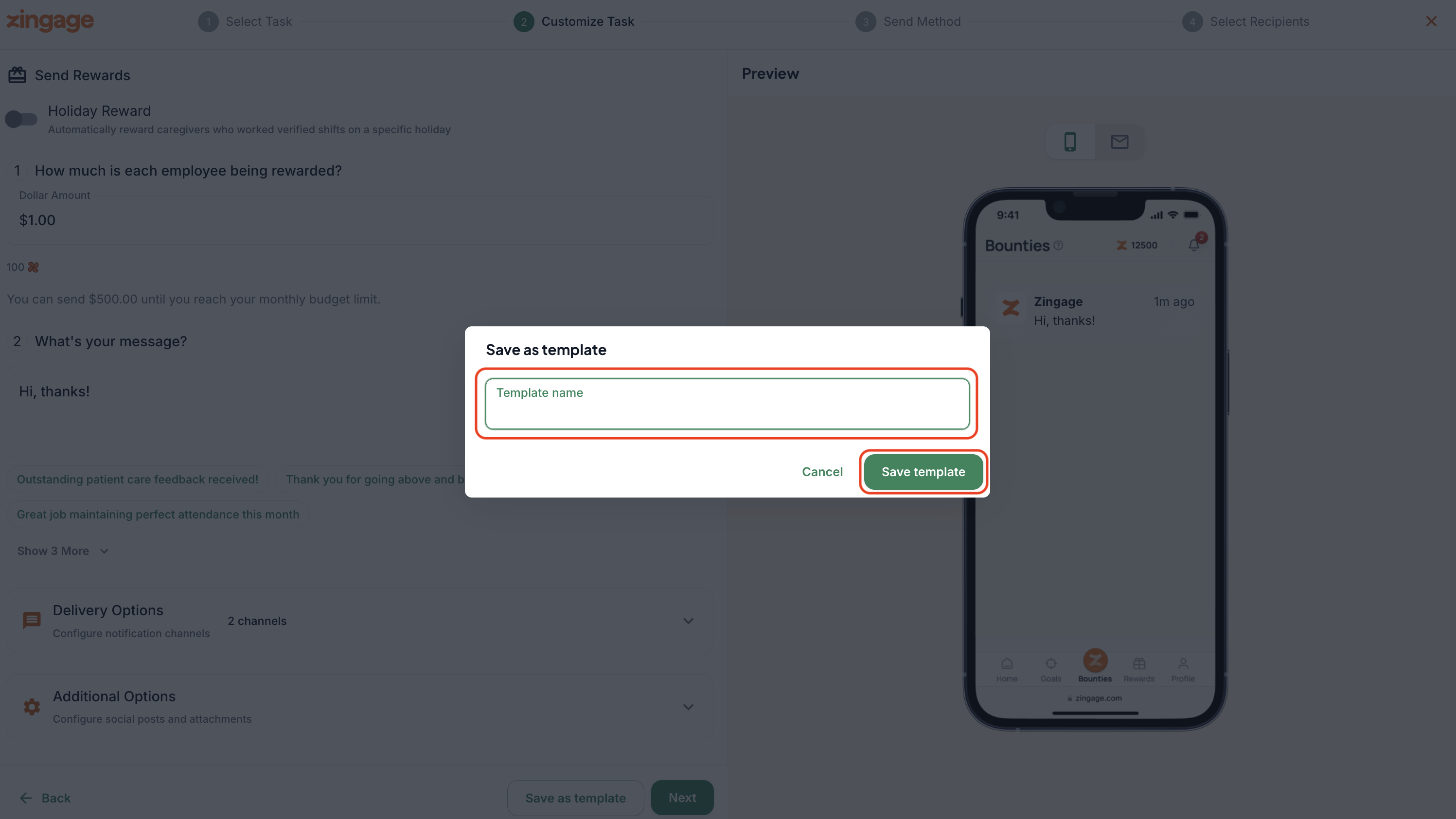
Name the template.
Example: “Last-Minute Shift Pickup”
Click Save Template.
Once saved, the template will appear on the Rewards page and can be reused by your admin team.
How Admins Can Use a Saved Template
Admins who are not Account Owners can still use templates that have already been created.
To use a template:
Find the saved template.
Click Use Template.
Choose whether to:
Send now
Schedule for later
Select the recipients.
You can choose a group or individual employees.
Click Send Now or schedule the reward for the selected time.
Can Templates Be Fully Automated?
Custom Reward Templates are not fully automated. The template itself is saved, so your team does not need to recreate the reward message each time. However, an admin still needs to manually select the template, choose the recipients, and send or schedule the reward. This feature is only available for agencies that don't use WellSky.
This helps reduce the number of steps involved in sending a spot reward while still giving your team control over who receives the recognition.
Managing Templates
Account Owners can:
Use templates
Edit templates
Delete templates
Other admins can:
Use existing templates
Send rewards from saved templates
Schedule rewards from saved templates
Templates will remain available unless an Account Owner edits or deletes them.