Using Employee Groups in the Goal Center
Last updated: February 9, 2026
The Goal Center now allows you to target specific employee groups when automating rewards, giving you more control over who receives recognition for different achievements.
Accessing Goal Center
Navigate to Workflows > Goal Center to view your active goals.
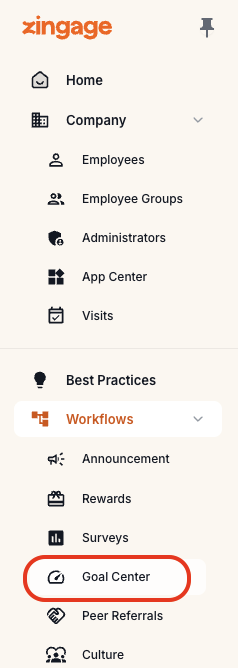
Setting Up Reward Groups
Default Behavior
When the reward group field is left blank, goals automatically apply to your entire caregiver staff.
Selecting a Specific Group
Click the pencil icon next to any goal
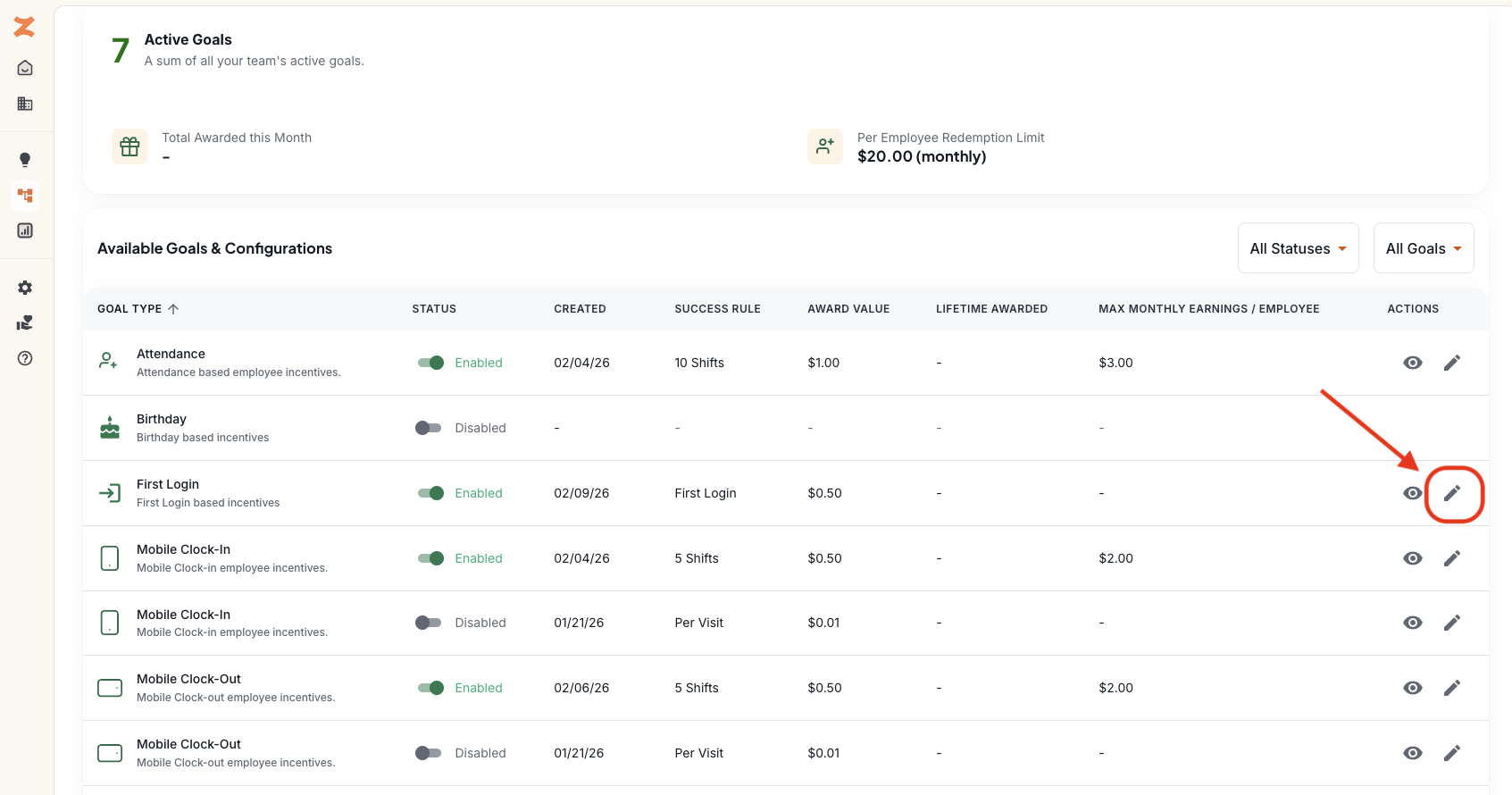
Locate the Reward Group dropdown
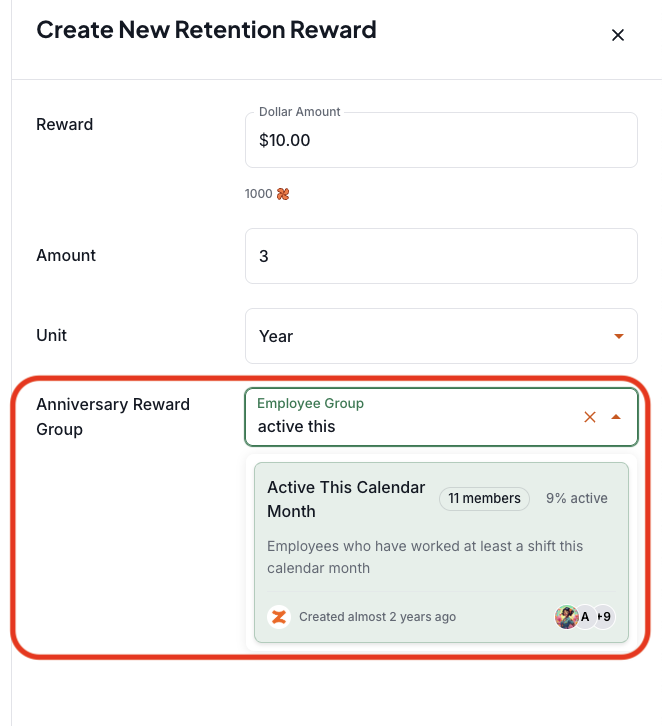
Search for & select your desired group from the options:
Most Common:
All Employees - includes all caregiver staff
Administrators - targets only admin team members
Active This Calendar Month - limited to caregiver staff who worked during the current month
Custom Groups You've Created - if you have created a custom employee group, they will appear here as well for you to choose from
Click Save in the bottom right corner to apply your changes
Common Use Cases
Birthday Rewards for Multiple Groups: create separate birthday goals - one for caregivers and another for administrators - so both teams receive automatic recognition.
Anniversary Rewards with Activity Requirements: set anniversary goals to only reward employees who are "Active This Calendar Month," ensuring recognition goes to currently engaged team members rather than anyone whose anniversary date passes.
Targeted Work Goals: apply attendance, mobile clock-in/out, timeliness, or other performance goals to specific employee segments based on role, location, or activity level.
Please note: work related goals as shared above are only applicable to caregiver based groups, NOT admins. The platform does not track work behaviors for administrators.
Important Notes
Caregiver birthday and anniversary dates are automatically transferred into Zingage from your EMR. Your Admin's information is not. You must manually enter their birthdays and anniversaries (via the administrators page on Zingage) so they can get rewarded automatically.
Changes to reward groups apply going forward and are not retroactive.
You can edit reward groups at any time by clicking the pencil icon.