Updating the Rewarding Limit for a Staff Level User
Last updated: August 6, 2025
On Zingage, only the Owner level user can update things like the rewarding limit on a staff user's profile. Now I'm not talking about the Redemption Limit that caps care pro spending. I'm talking about this:

This is found in Company>Administrators and is listed next to each staff level user. If the account cannot send a reward, this bar will be replaced by 'Cannot Send Reward.' The reward limit is set up for your account during the invitation process and can only be changed by an account Owner, so it's best to ask your Account Owner to change it.
How can an Account Owner Change This Limit?
To make the change:
Go to Company>Administrators
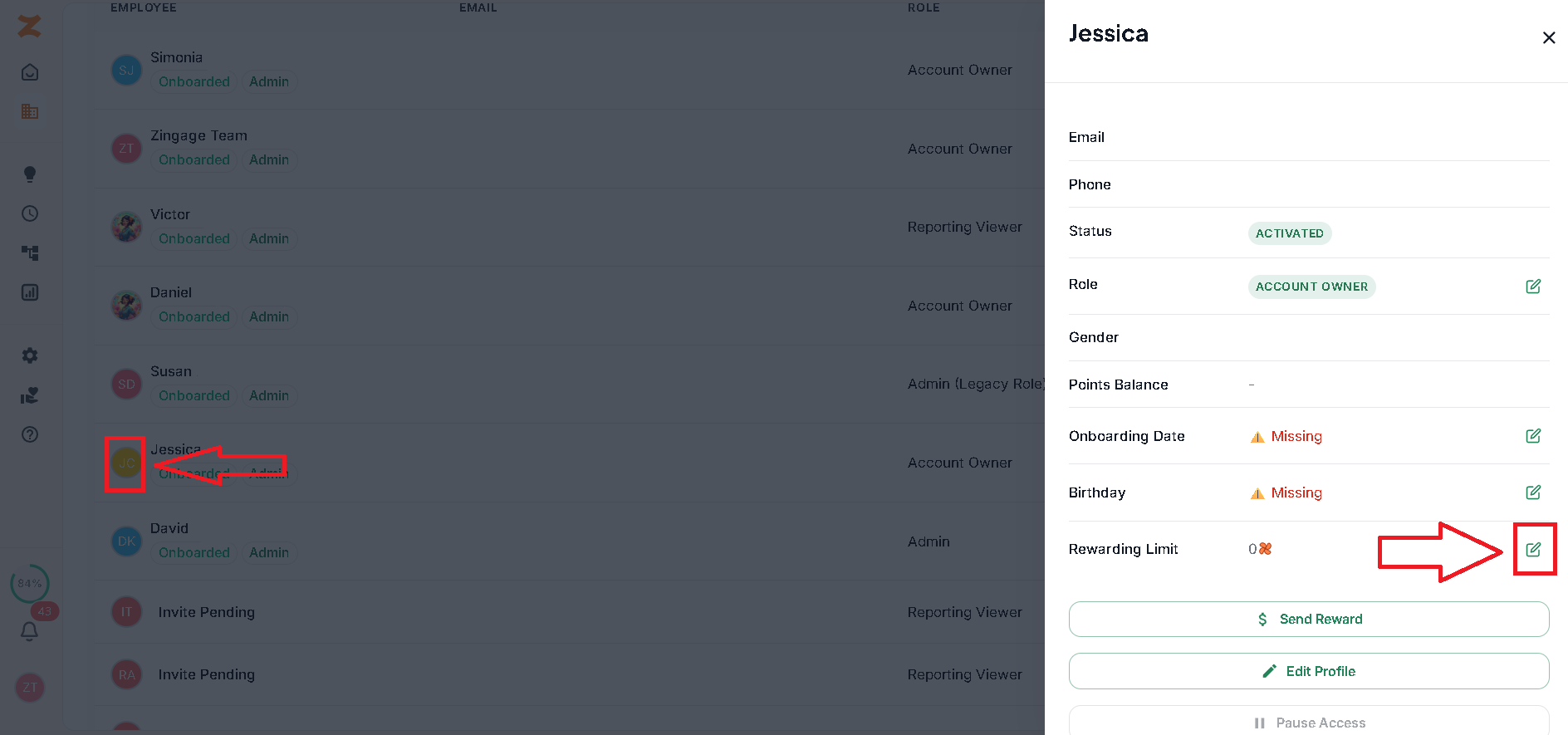
Click the icon of the profile you want to change
Hit the pencil icon next to the the Rewarding Limit Section
Make the changes and Hit Save
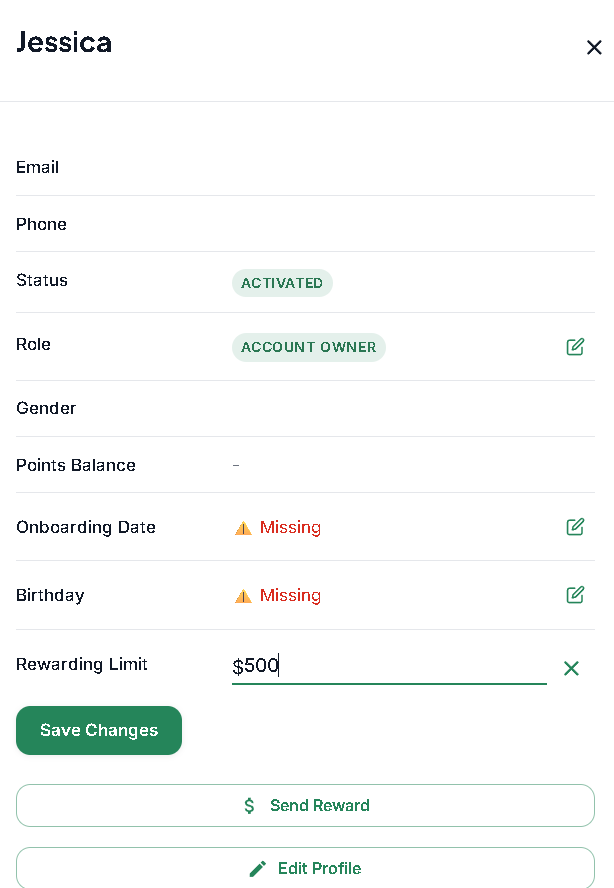
And that's it!