How to View Your Agency's Reward Transaction History
Last updated: February 27, 2026
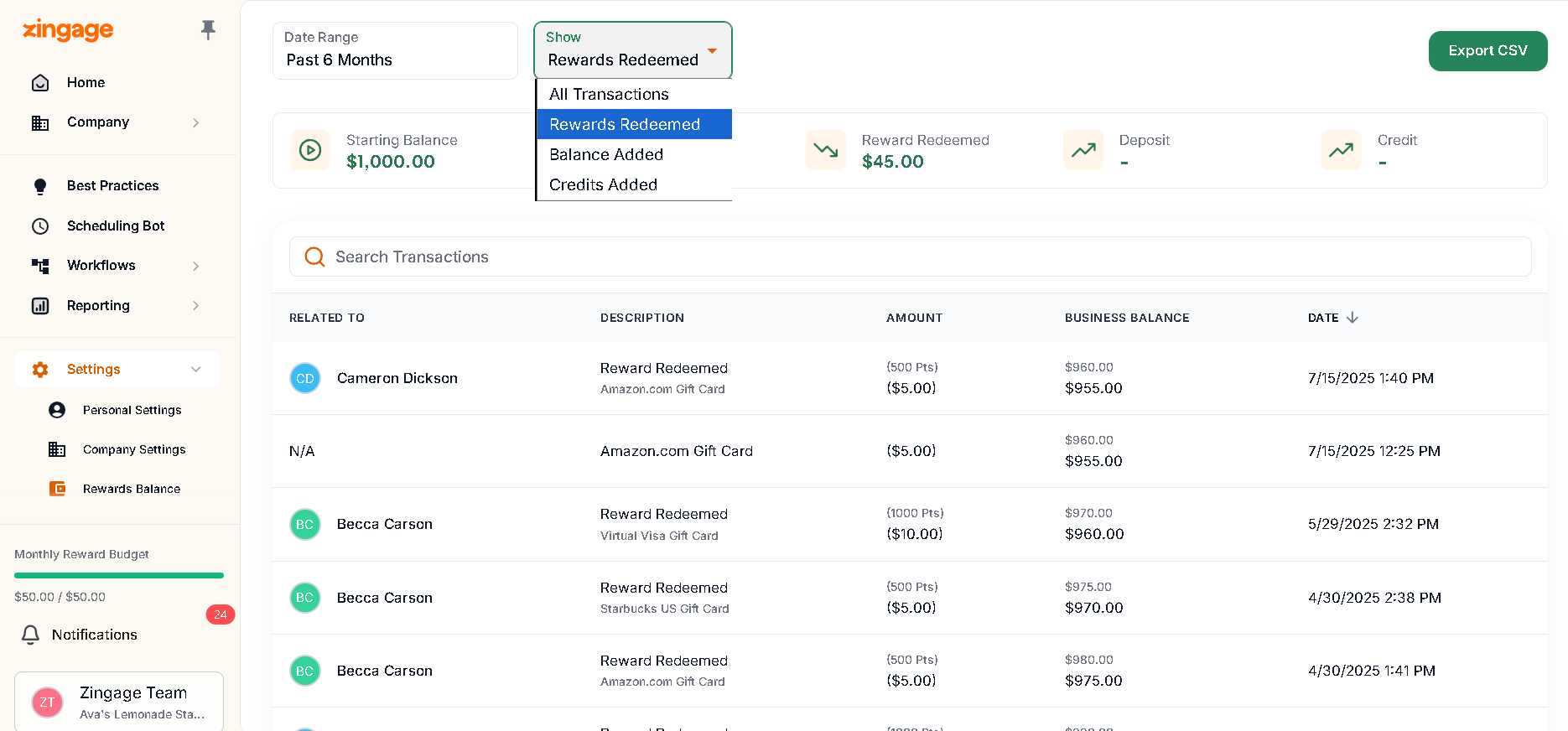
You can view your agency's complete reward transaction history, including accumulated rewards, cash withdrawals, and employee banked funds, through the Settings page.
Accessing Transaction History
Navigate to Settings > Reward Balance
Select your desired date range from the date picker
View your transaction history on screen
Additional Features
You can export the transaction history data by clicking the green export button. This allows you to analyze the data in your spreadsheet application or keep it for your records.
The transaction history includes all reward-related activities within your selected date range, giving you a comprehensive view of your reward program's financial activity.
To get a specific caregiver's redemption history, you'd need to contact Zingage support.
How do I find my Invoices and Recipts
All invoices and receipts for Zingage wallet charges can be seen in the Transaction History section of the Settings > Reward Balance section on Zingage.
You can download your invoices and receipts by going to Settings> Billing Center on Zingage. If this section is not seen on your end, another user on Zingage with a higher role level would need to retrieve that data.
Click the invoince and you will see the option to download the invoice or receipt.
If you are looking for your TeamEngage payments for the TeamEngage subscription, please contact WellSky directly, as TeamEngage billing is handled directly by WellSky.