How to Invite Administrators
Last updated: July 28, 2026
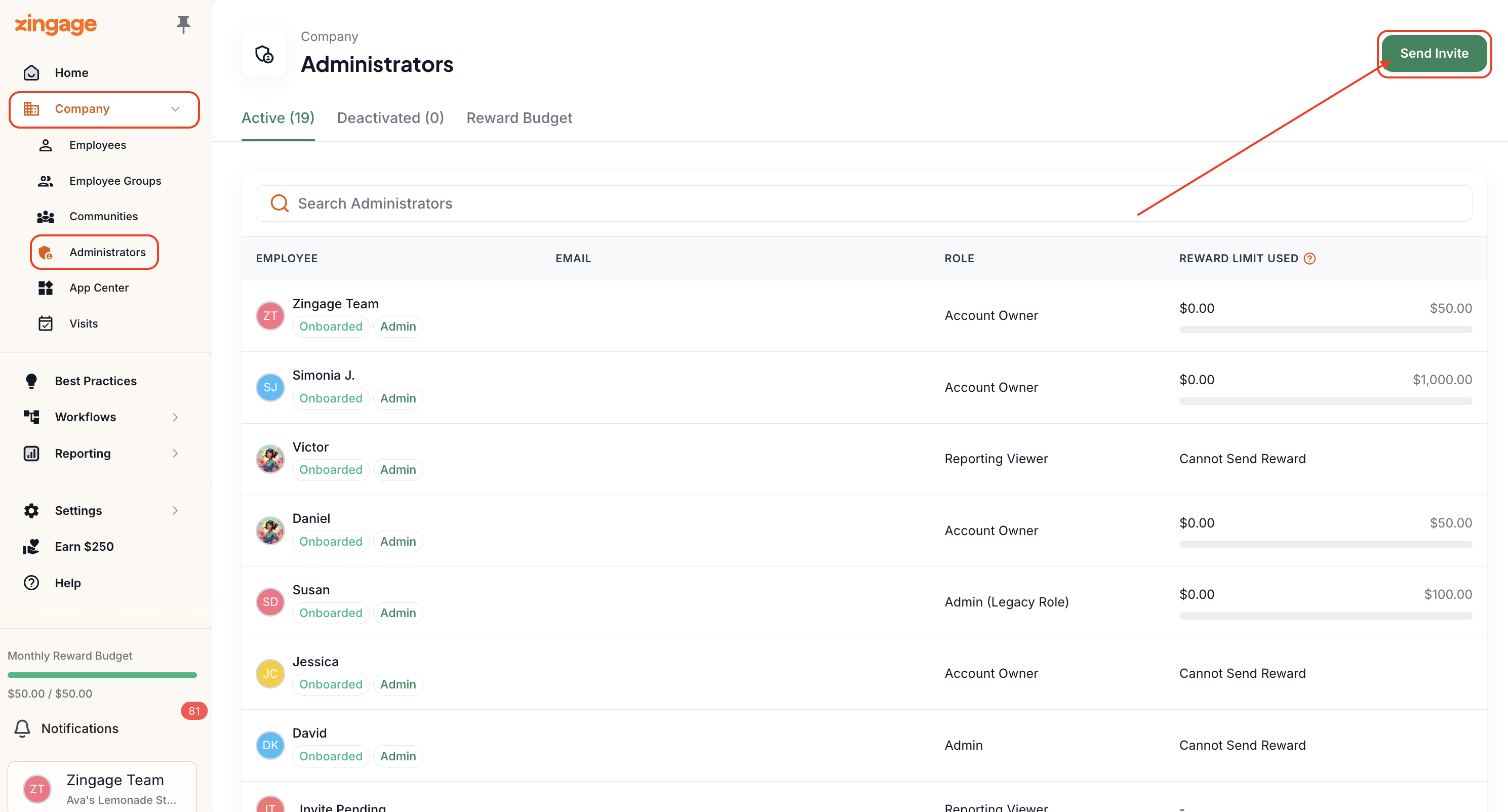
Go to Company > Administrators
In the top right corner, click the Send Invite button
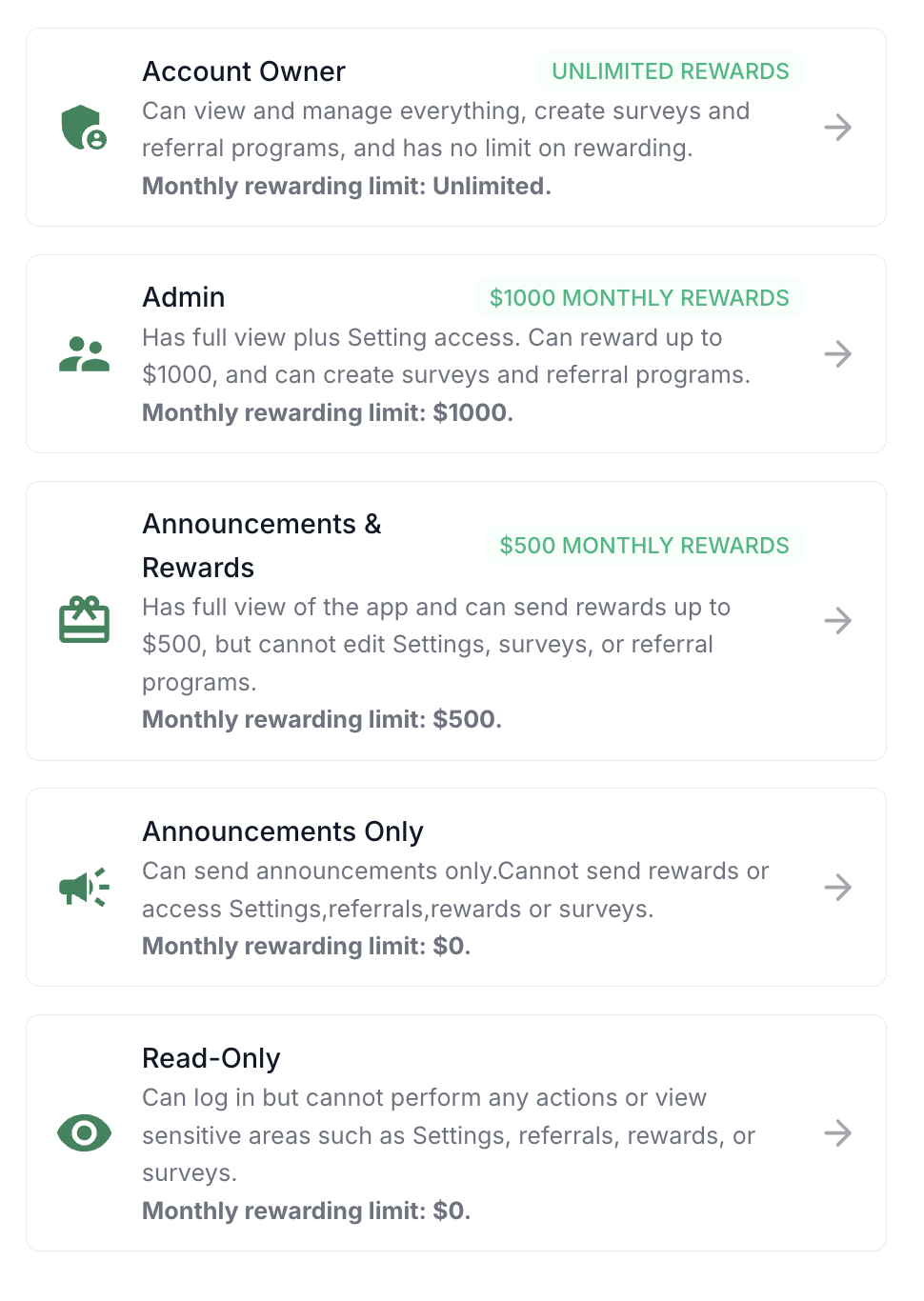
Select the user's role
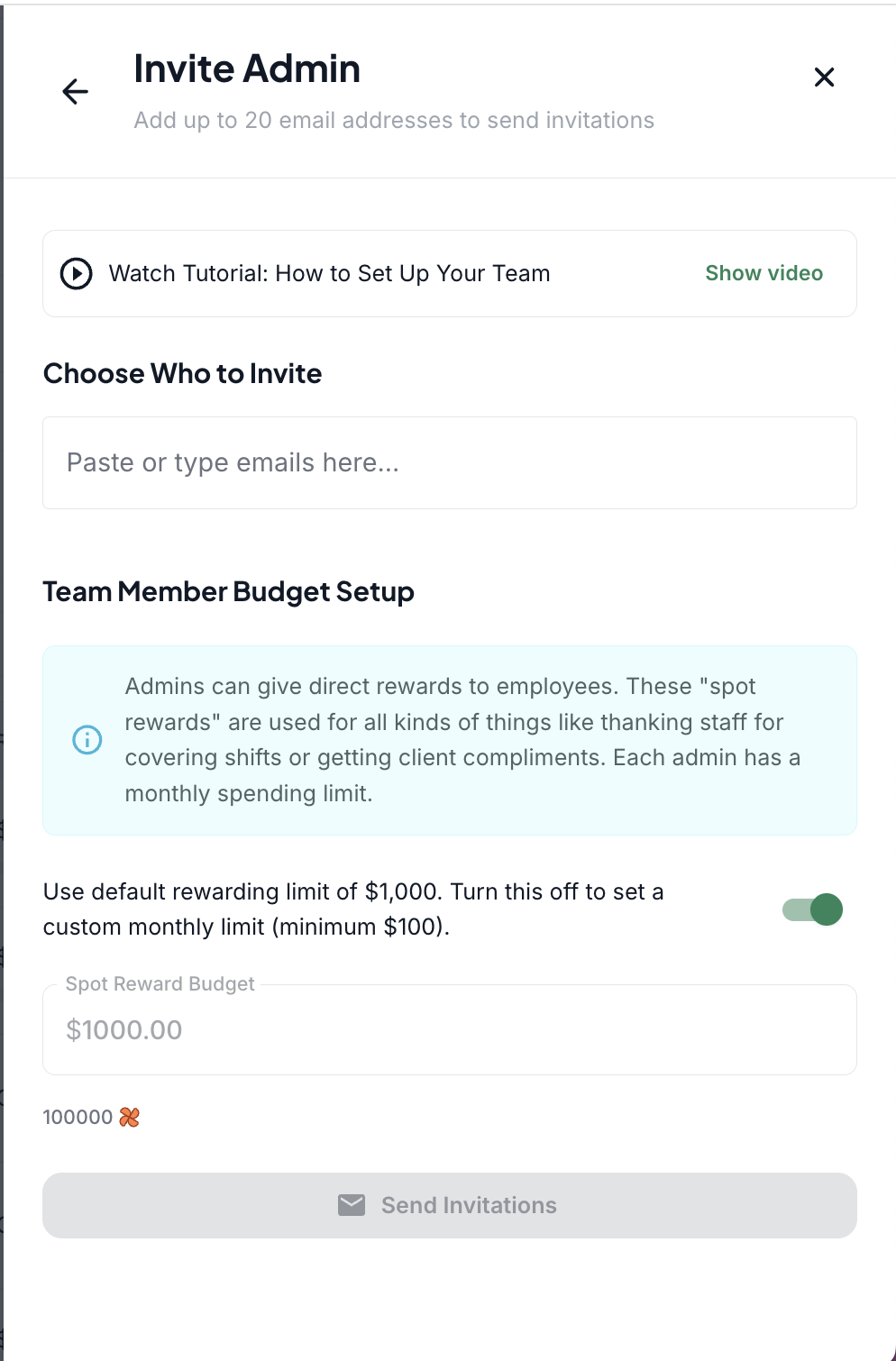
You'll then be brought to the screenshots below:
Add their email address (you may add multiple emails at once if you have several users you'd like to add in the same role)
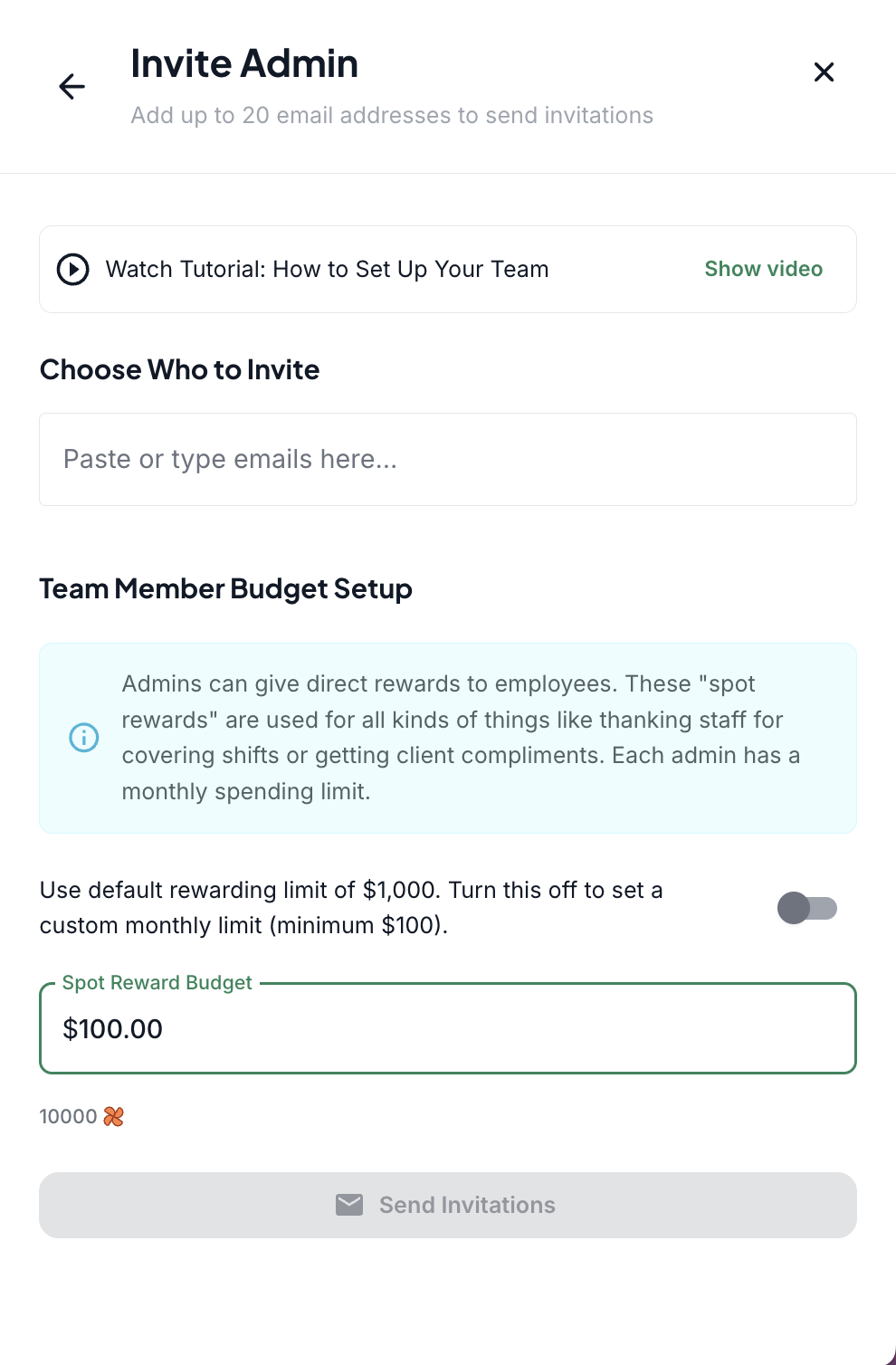
Either leave the rewarding limit as is by leaving the toggle on, or toggle it off and enter your desired rewarding limit
Send Invite
And that's it! 🎉
When Email Invitations Aren't Working
If you're trying to invite an admin to your account and they're not receiving the email invitation, there are a few steps you can take to resolve this issue.
First, check email folders
Ask the admin to check their email inbox thoroughly, including:
Spam folder
Trash folder
Promotions folder
Use a direct invitation link
If the email invitation still can't be found, you can send a direct link to the new admin instead:
Go to Company > Administrators
Click the New User icon
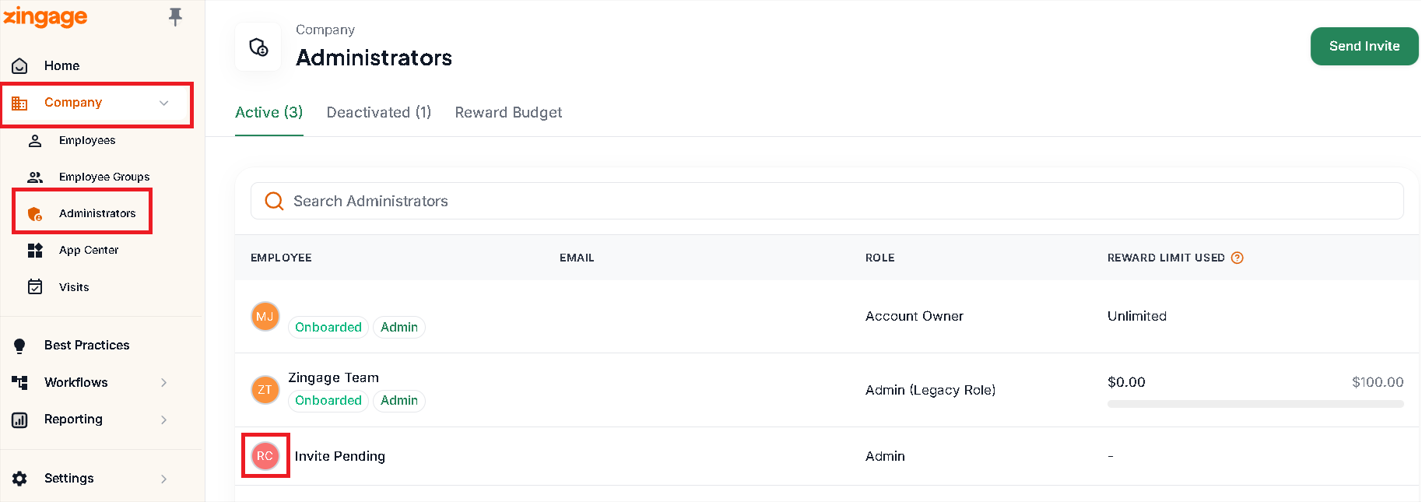
A panel will appear on the right side
Click the 'Copy Link Directly' button from this panel
Send this link directly to the new admin
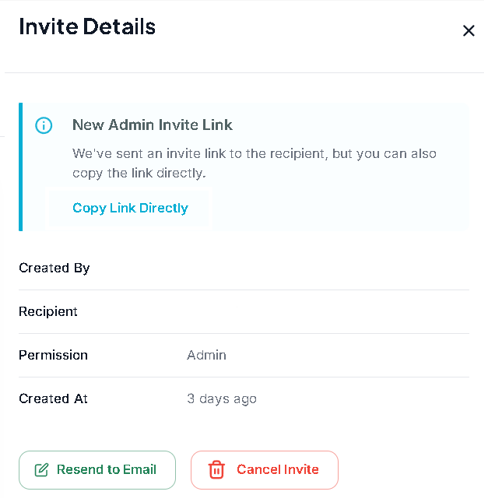
The new admin can use this direct link to create their account using their email address, bypassing the need for an email invitation.
This method serves as a reliable workaround when standard email invitations aren't being delivered successfully.