Paying Out a Caregiver's Remaining Points Balance
Last updated: March 10, 2026
Zingage now includes an optional built-in feature to help you pay out a caregiver's points balance — whether for compliance purposes or simply because you'd like to ensure any outstanding balance is settled when a caregiver leaves your agency. If this is something you'd like enabled, reach out to kathy@zingage.com.
Note: This feature is intended for use when a caregiver has resigned or been terminated from your agency. Be sure to process this before or shortly after the caregiver is deactivated, as terminated caregivers have a 24-hour window after EMR deactivation to redeem points on their own before their account switches to off-boarded status.
Video Tutorial: Caregiver Point Balance Payout
Steps
Go to Settings in your Zingage admin account.
Select Rewards Balance, then navigate to the Custom Rewards section.
Click on the Pay Out Points Balance sub-tab.
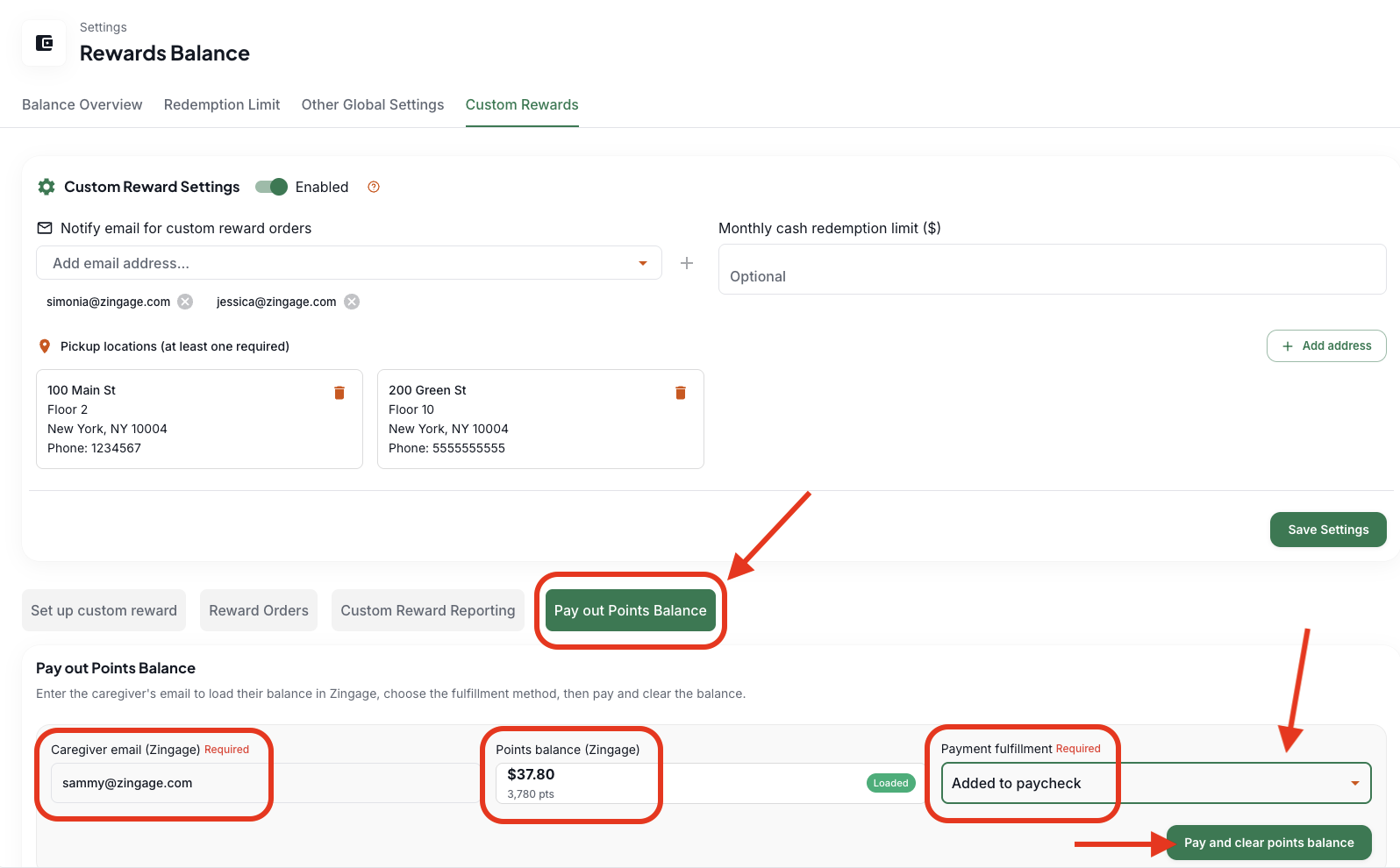
Paste the caregiver's email address into the field and click out of it. Their current points balance will load automatically.
Select your payment fulfillment method — you can choose to add it to their paycheck, pay by check, or pay by cash via the dropdown
Click Pay and Clear Points Balance.
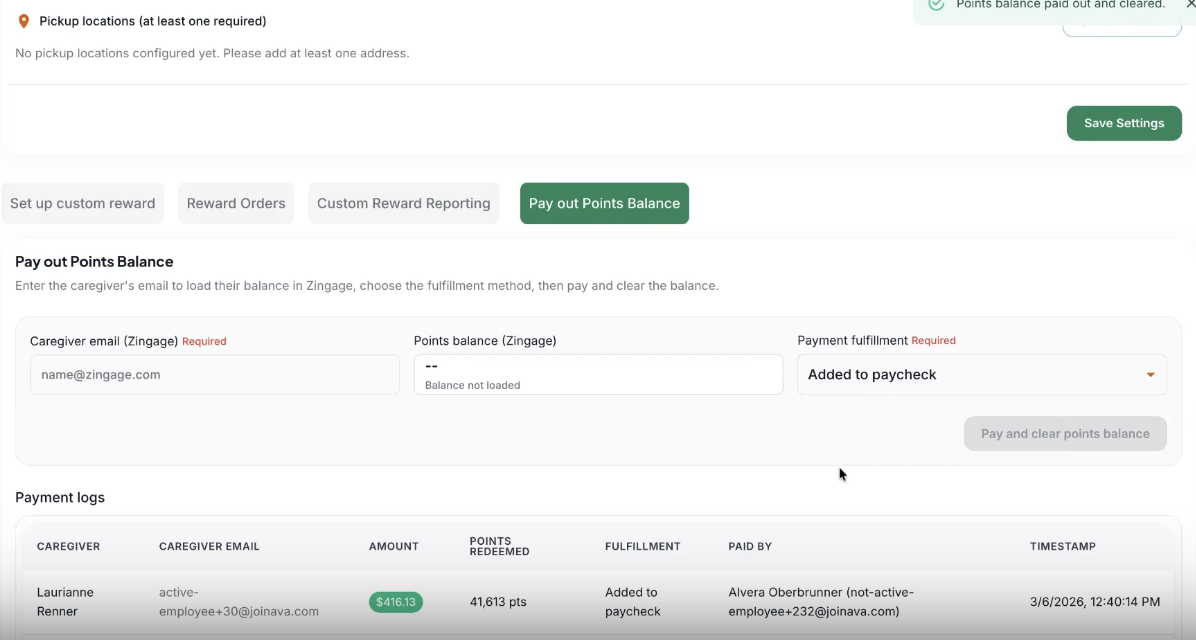
Once submitted, the caregiver's points balance will be removed from Zingage, and the system will automatically save a record that includes the fulfillment method used, the admin who processed it, and the timestamp.