Connect Your Wallet
Last updated: May 26, 2026
Set Your Budget, Fund Your Wallet, and Stay in Control
Zingage gives you full control over how much you spend on caregiver rewards. This guide walks you through how to connect your wallet and set your budget in just a few steps.
🎥 Video Tutorial: How To Connect Your Wallet
🧠 How Zingage Budgeting Works (Key Concepts)
Before we dive into setup, here’s what you need to know:
1 Point/CareCoin = $0.01 (1 cent)
So 100 points/carecoins = $1 in gift card value.
You only spend real money when points/carecoins are redeemed, not when they’re issued.
Caregivers can earn as many points/carecoins as you’d like to give — but it doesn’t cost you anything until they redeem.
Your Zingage Wallet is a prepaid balance.
Think of it like a gift card pool. When caregivers redeem points/carecoins, the money comes from here.
You can cap monthly redemptions to stay on budget.
Even if caregivers earn more points/carecoins or there is still money in the agency's Zingage wallet, caregivers can’t redeem beyond the set limits.
The budget refers to the amount of money you allow your caregivers to redeem each month. This is also called the redemption limit or redemption budget.
✅ Step 1:
Set Your Monthly Redemption Limit
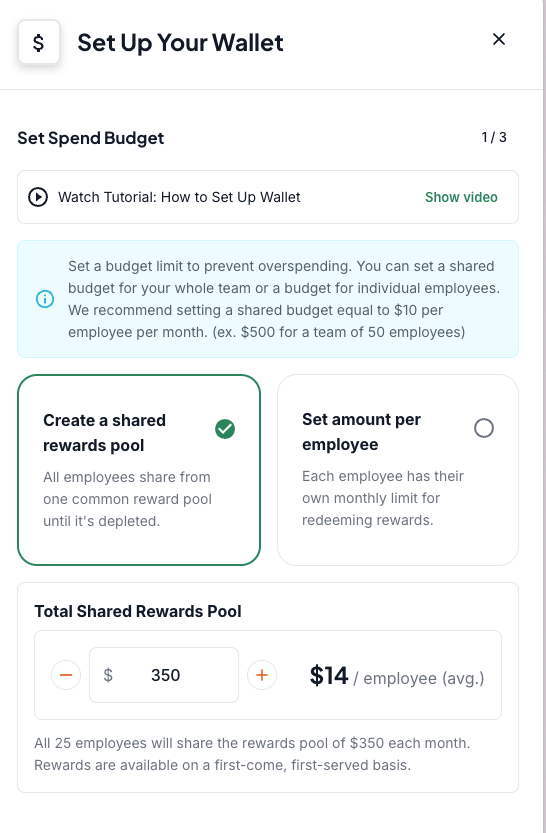
This limit controls how much your agency spends on redemptions each month.
You have two options:
Shared Rewards Pool
Everyone draws from a single pool (e.g., $350/month total for all caregivers).
Example: If you have 25 caregivers and set a $350 pool, each can redeem ~$14/month on average — but it’s first come, first served.
Per-Employee Limit
Each caregiver has a set monthly max (e.g., $10/month).
This option gives everyone the same access, regardless of usage patterns.
💰 Step 2: Fund Your Wallet
Now that you’ve set a monthly redemption cap, it’s time to fund your Zingage Wallet — this is the balance caregivers pull from when they redeem points/carecoins for gift cards.
There are two parts to this step: your initial funding and your auto-reload settings.
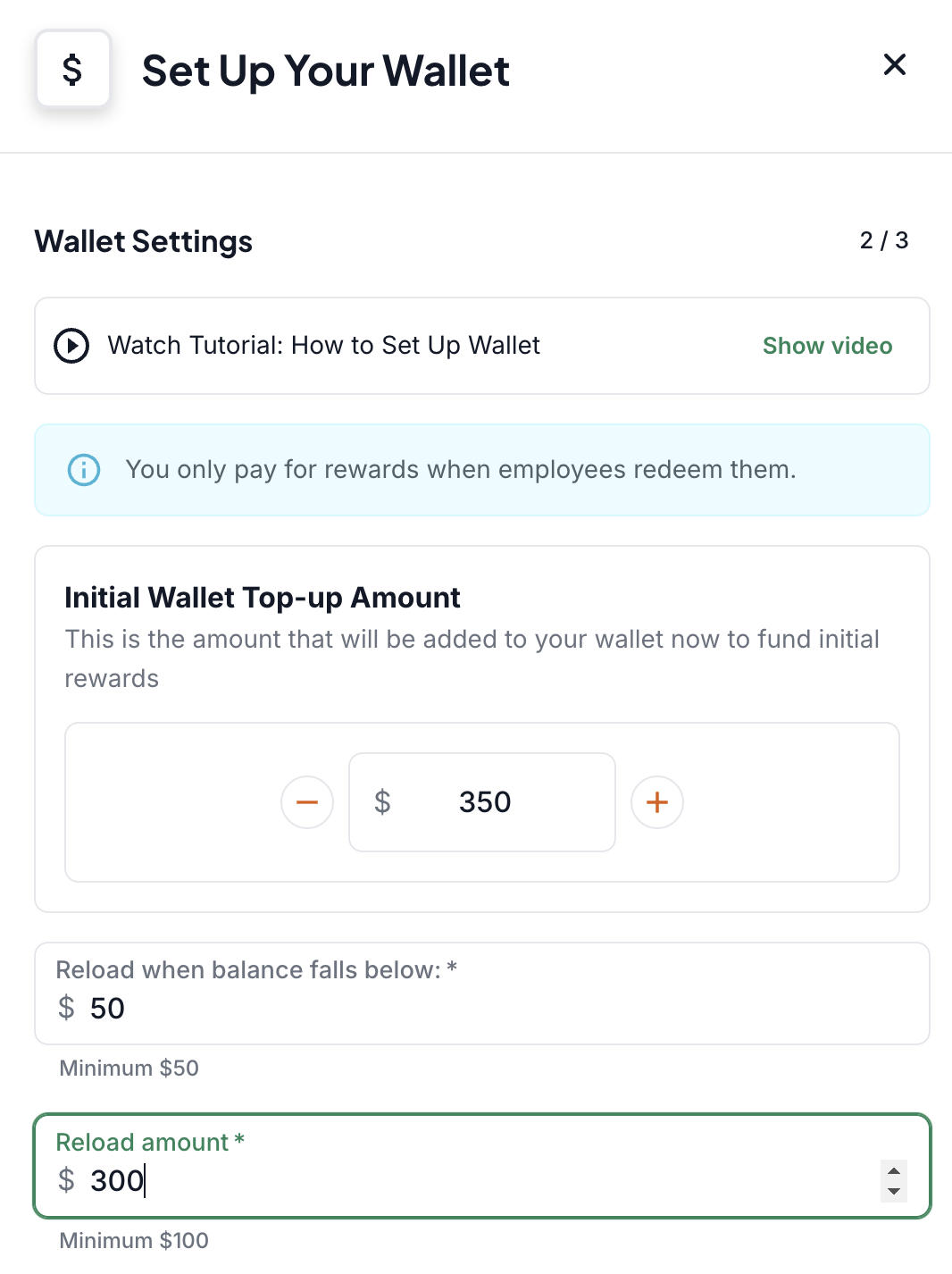
🏁 Initial Top-Up
This is the amount you load into your wallet right now to get started (e.g., $350).
It acts like a prepaid balance.
It’s not a monthly charge — you’re only spending money when caregivers actually redeem their points/carecoins.
This is the pool from which redemptions will start pulling.
Think of it like putting money on a gift card. It just sits there until it’s used.
🔁 Auto-Reload
Auto-reload helps make sure your wallet doesn’t run dry. Here’s how it works:
Reload When Balance Falls Below: This is your trigger. For example, if you set it to $50, the system will reload your wallet when your balance dips under that amount.
• Reload Amount: This is how much will be added each time it reloads (e.g., $300).
Even with auto-reload on, you’ll never spend more than your monthly redemption cap. These funds just ensure redemptions don’t get interrupted mid-month if your wallet runs low.
🧾 You’re in Control — Always
You can edit your redemption caps, wallet balance, and reload settings at any time.
You’ll never spend more than your configured redemption limit — even if more points/carecoins are earned.
You can pause rewards, add admin budgets for manual recognition, and adjust as you go.