Workflow: Manual Referrals
Last updated: April 11, 2026
🎥Tutorial: How to Submit Manual Referrals on Zingage 🚀
🤝 How to Submit a Manual Referral in Zingage
Need to reward a caregiver for a referral that wasn’t made through Zingage and automatically tracked? No problem! You can manually submit a referral and award points directly in Zingage.
🧭 Steps to Submit a Manual Referral
Navigate to Peer Referrals
Hover in the left navigation pane
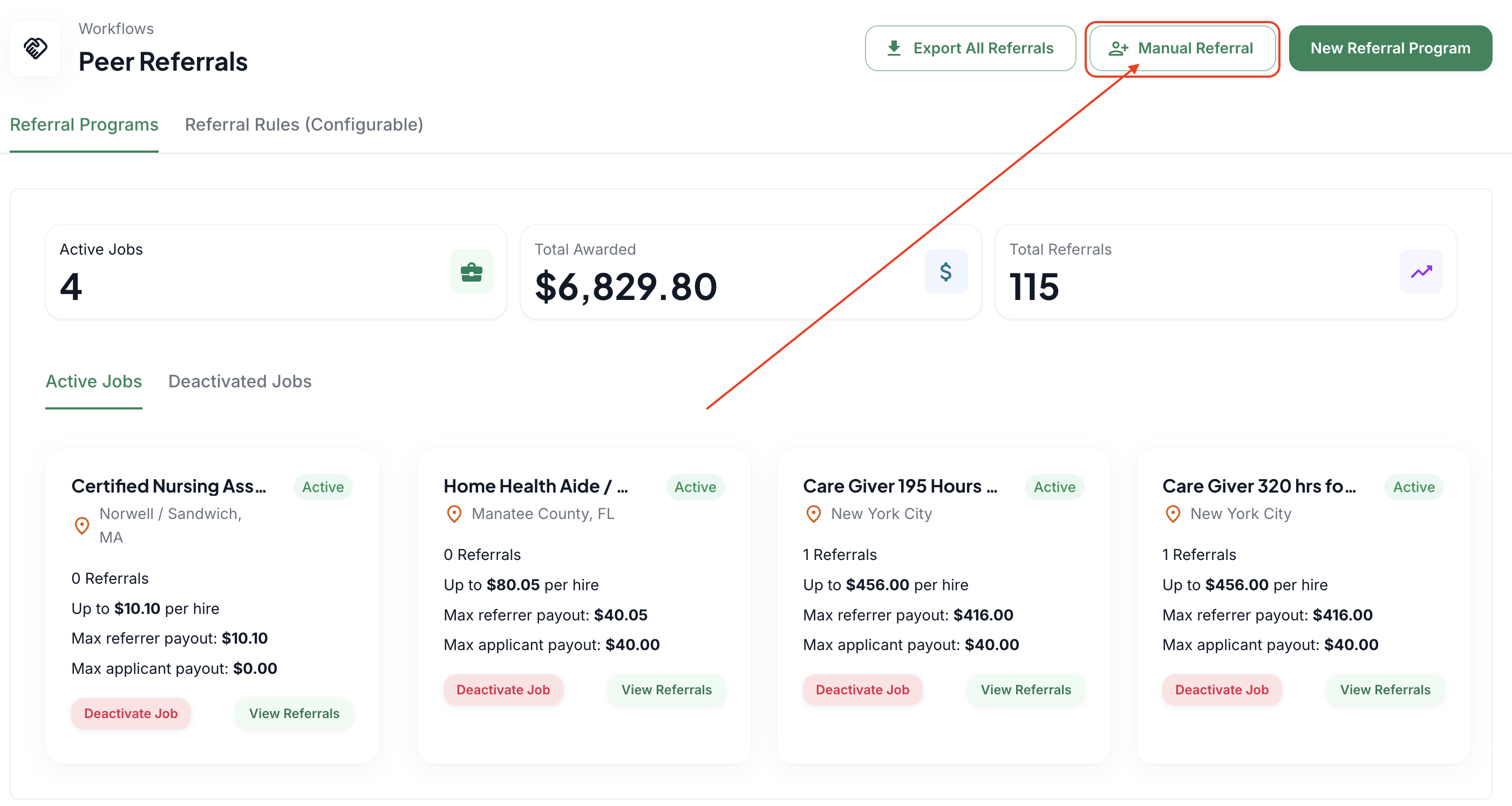
Start the Manual Submission
Click the "Manual Referral" button in the top right
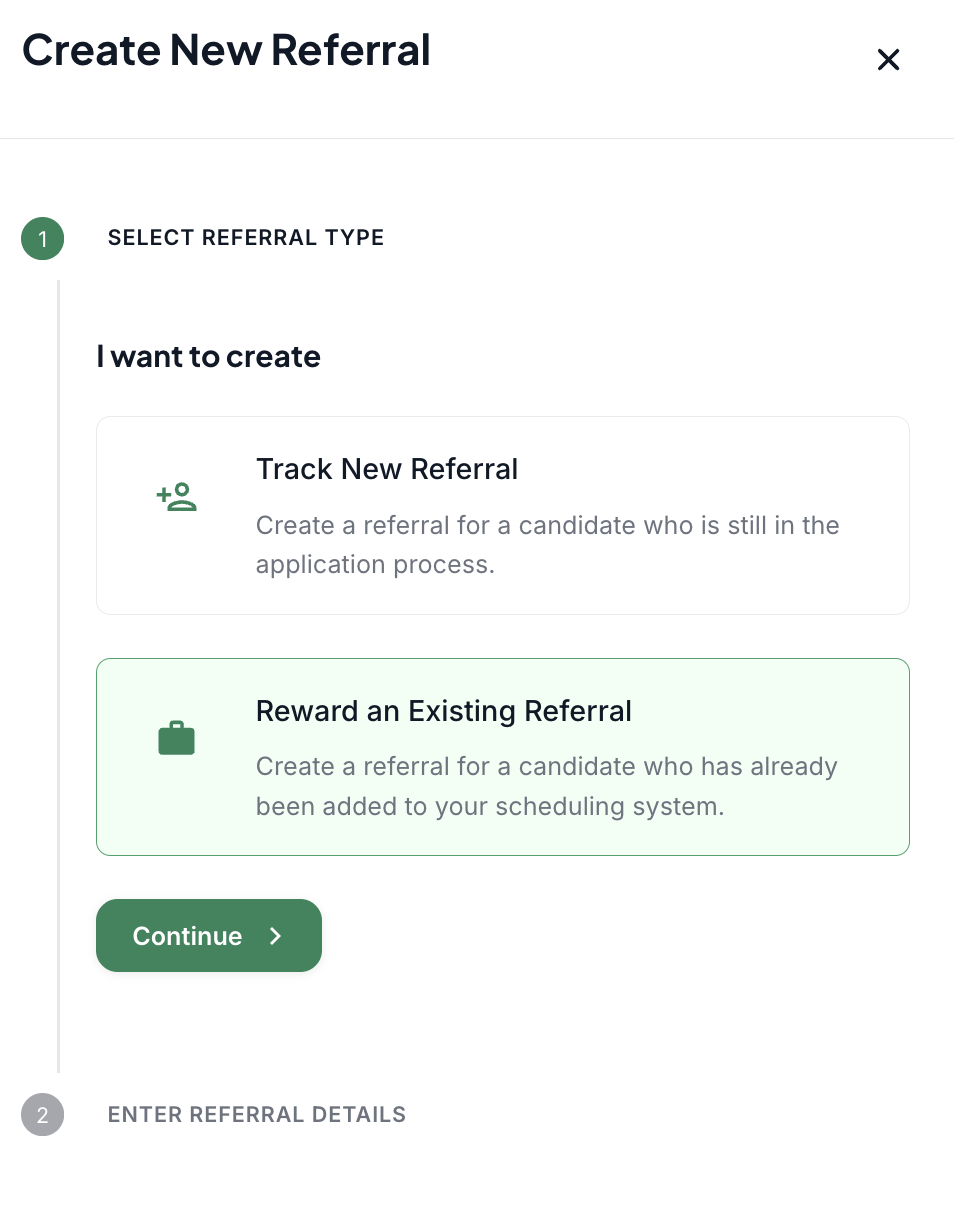
Select the referral type
"Track New Referral" is to create a referral for someone who has not yet been hired by the agency
"Reward an Existing Referral" is to create and bulk award a caregiver whose referred candidate is an active employee within the agency
and click Continue
Fill Out Referral Details
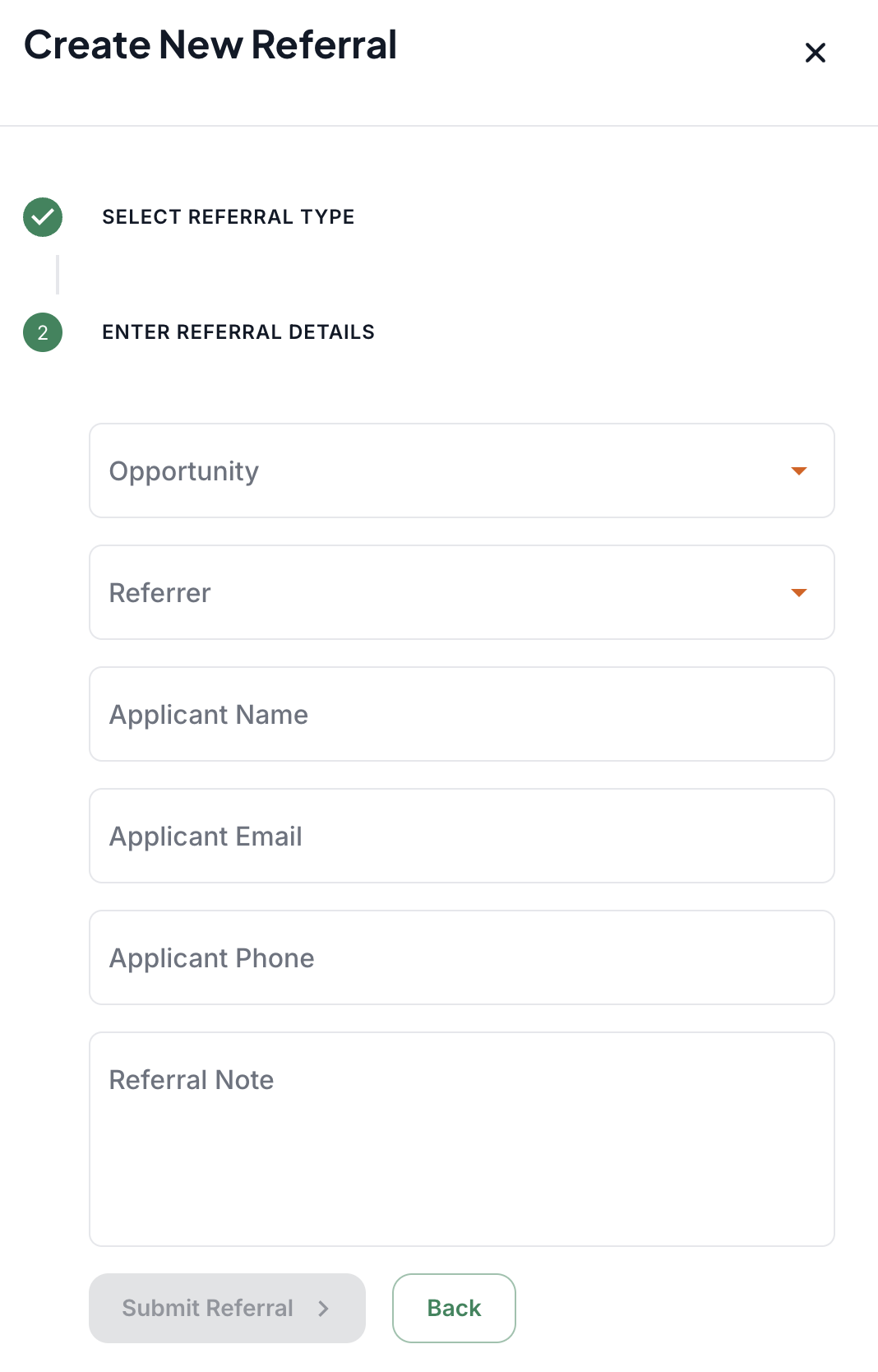
For the New Referral:
Choose the job role
Select the referring caregiver
Input the name of the applicant they referred.
Input the email address of the applicant they referred.
Input the phone number of the applicant they referred.
Input a note on the referral.
For the Existing Referral:
Choose the job role
Select the referring caregiver
Select the new applicant they referred.
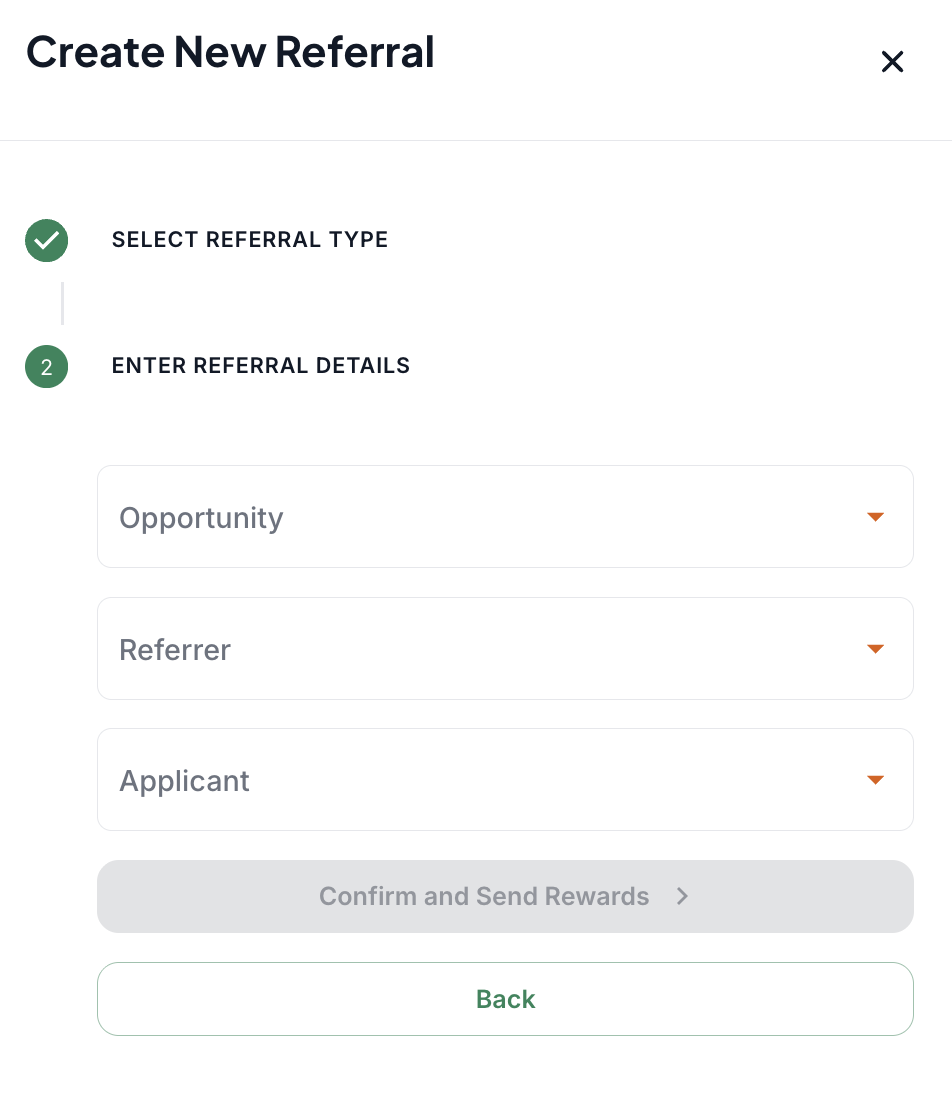
Click "Submit Referral" or "Confirm and Send the Reward," depending on the type of referral you submitted.
If you submitted an existing referral, Zingage will automatically calculate the points and dollar value based on your program's reward structure.
And that’s it! 🎉 The caregiver will receive their referral rewards automatically, and your records will stay up to date. Manual Referrals also work to backdate points for referrals months ago. Just follow the process above, and the caregiver who referred the new candidate will still be awarded for all the milestones met as long as the referrer is still active on Zingage.