Settings Menu Walkthrough
Last updated: July 28, 2026
The Settings menu controls branding, account configuration, invitations, rewards options, billing, audit history, and access to support resources.
🎥Walkthrough: Settings Dropdown Walkthrough
Personal settings
Review your profile information and update personal details when needed.
Company settings and branding
Select
Edit Brandingto upload the agency logo and background image.Review the agency display name, reward name, currency, and communication sender.
Configure a custom subdomain when available.
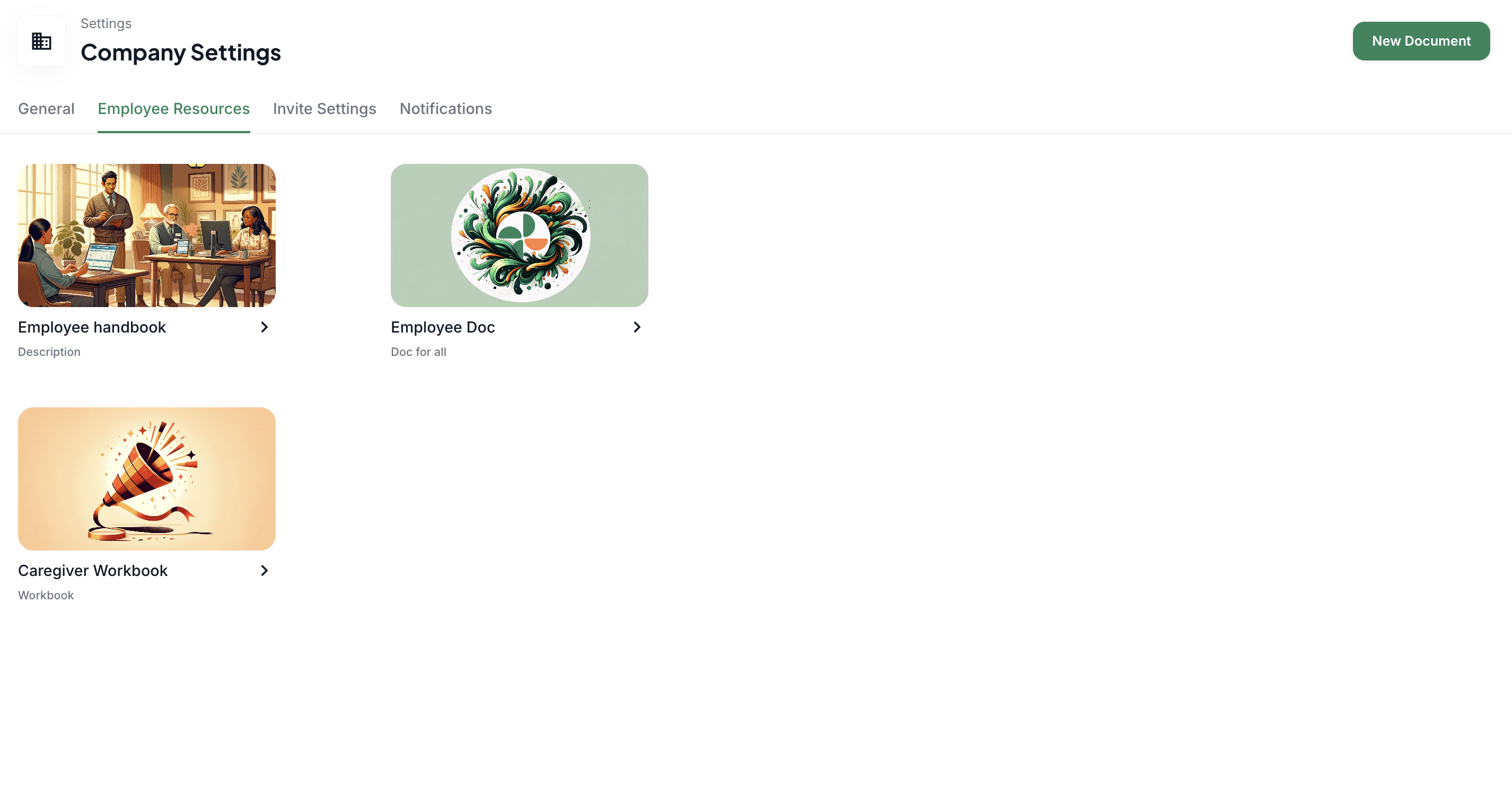
Employee Resources
This section accepts PDF versions of agency policy documents
Once uploaded, your caregivers can access these documents from their Zingage view
Invitation settings
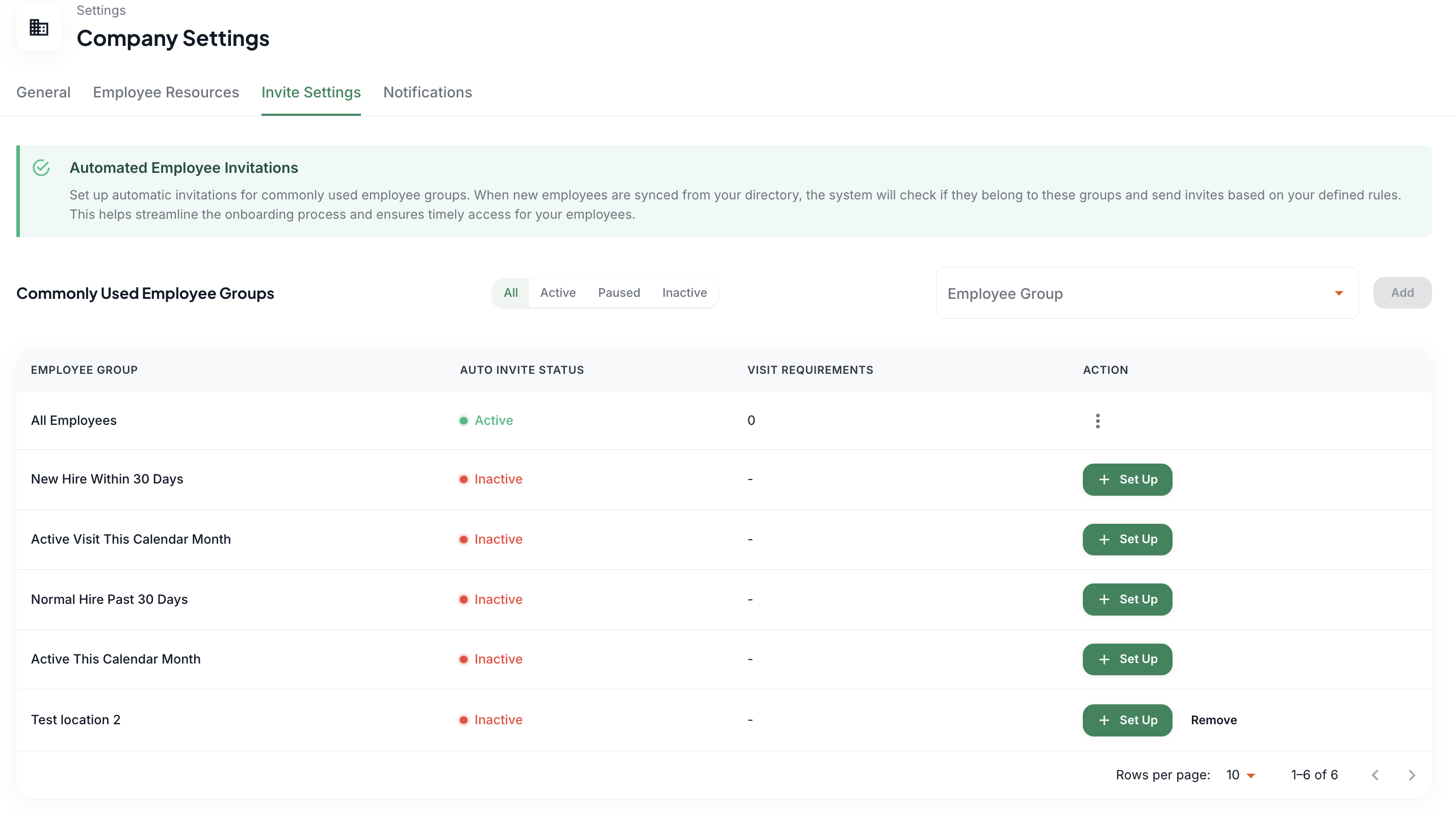
Review active auto-invite workflows.
Edit the invite message or visit requirement.
Pause or cancel an invite workflow.
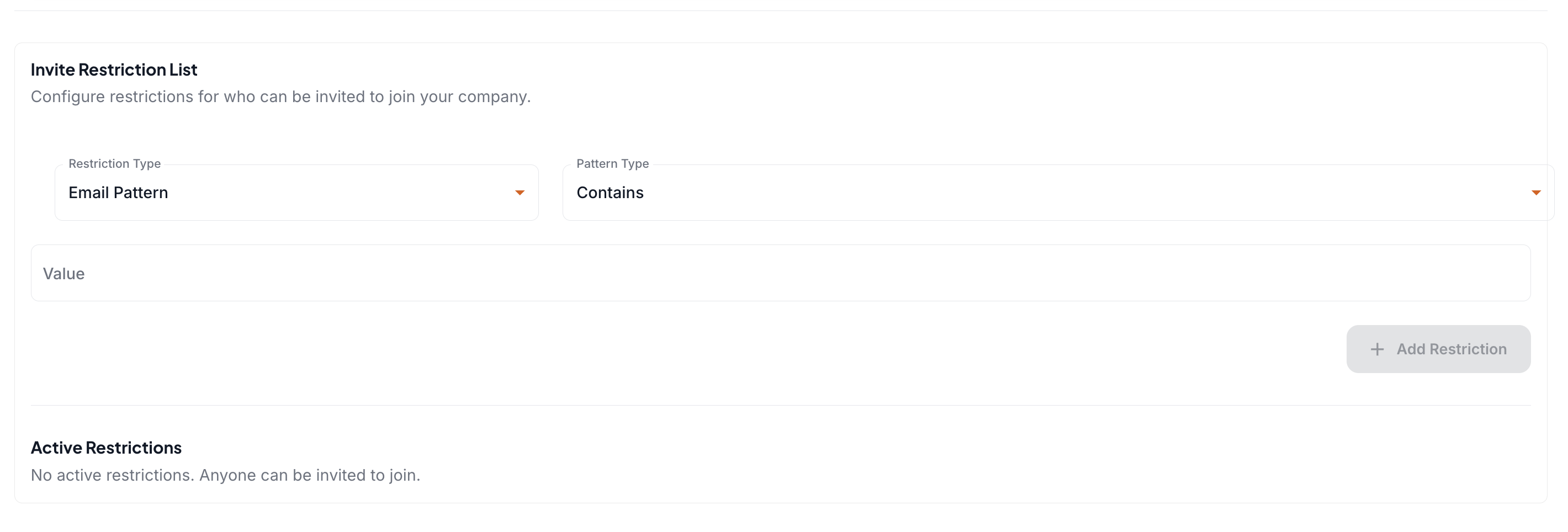
Use restrictions to prevent specified records from receiving invitations.
Reward and redemption settings
Review the rewards wallet, redemption limits, and maximum gift-card value.
Configure additional redemption options such as agency merchandise or cash when those features are enabled.
Confirm changes before applying them to an active caregiver program.
Billing Center
Settings > Billing Center
Review the payment method used for wallet reloads and invoices.
Add or update the payment method when needed.
View, download, or pay invoices from the invoice history.
Audit logs
Use Audit Logs to review changes made by users on the account.
Check the user, action, and date when investigating an unexpected configuration change.
Help and agency resources
Open Help to search the knowledge base.
Use Agency Resources for additional articles and tutorials.
Start a support chat when you need assistance.