How to Onboard/Log Into Zingage
Last updated: May 8, 2026
Onboarding to Zingage:
🎥How to Onboard to Zingage Tutorial
To onboard into Zingage:
You should have received an invitation to join Zingage from your agency. The subject of the email is "🥳 Activate your Zingage Account for Agency Name!"
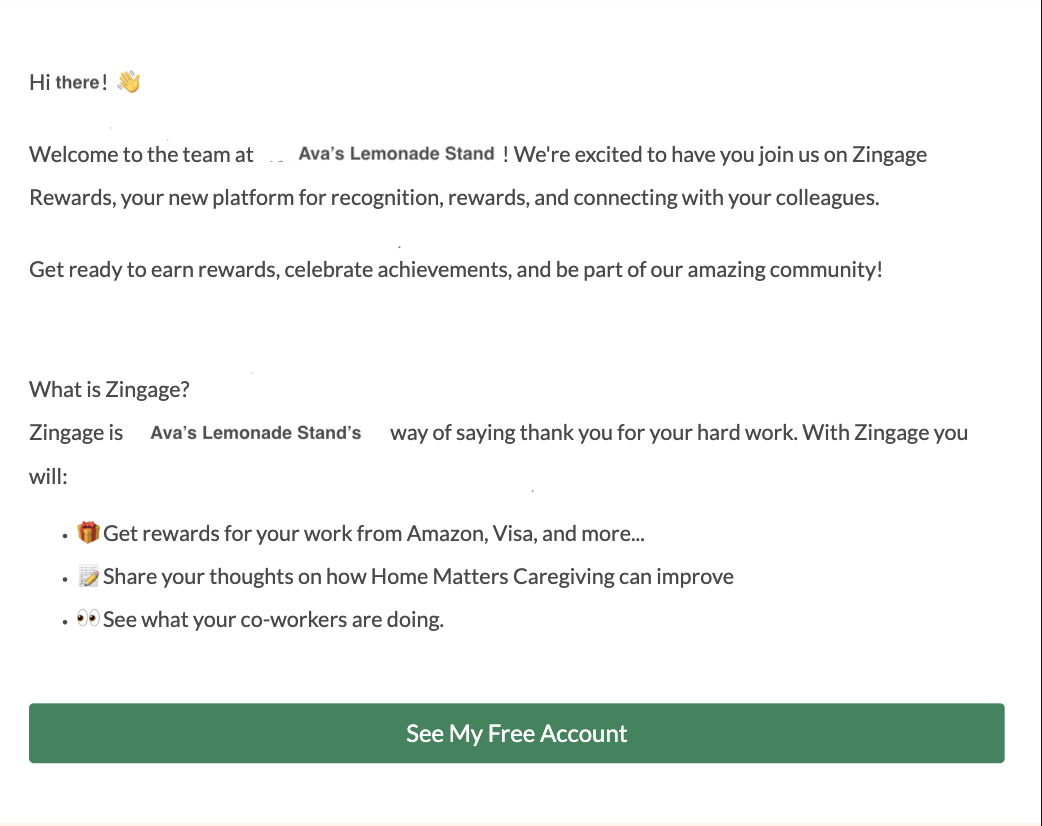
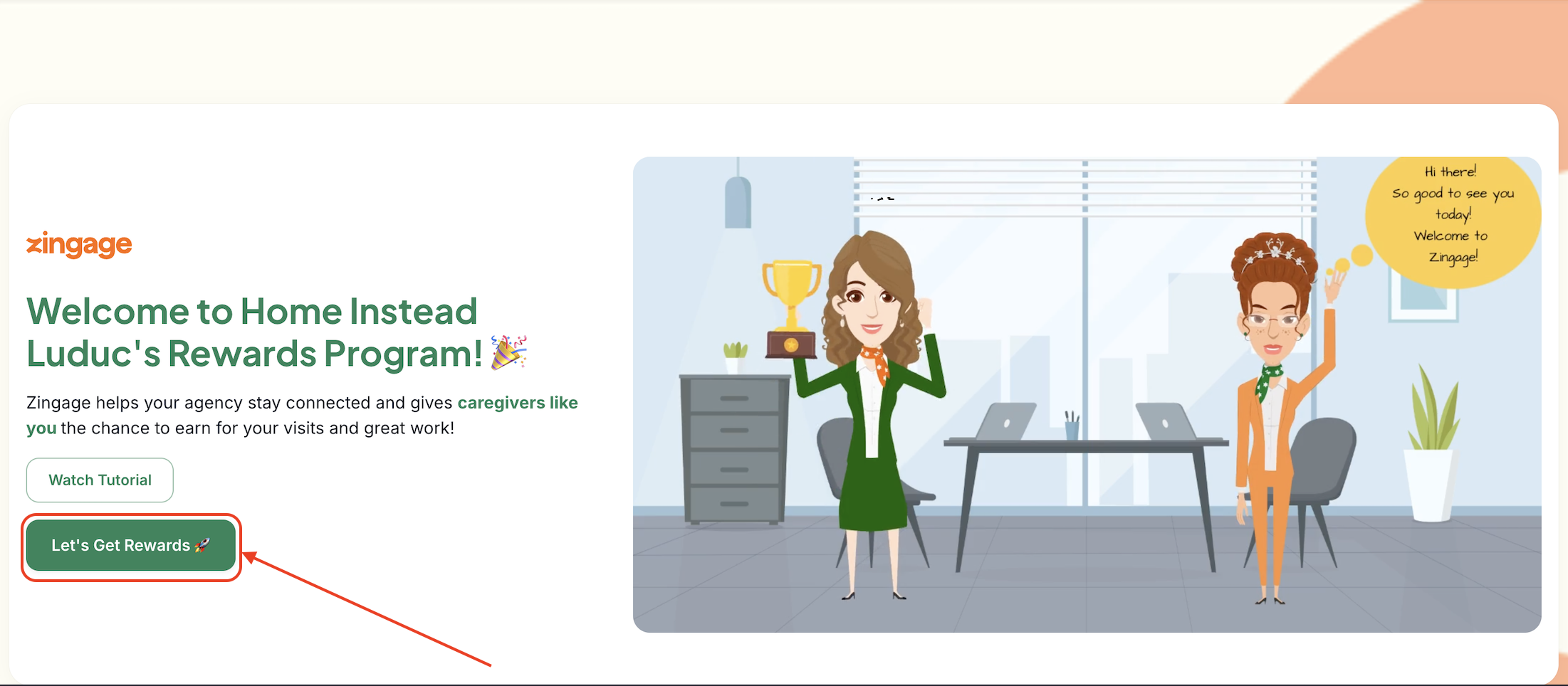
After clicking "See My Free Account," you'll be taken to the onboarding screen, where you will click "Let's Get Reward🚀" to get started!
On the next page, input your registered email address and create a password that is at least 8 characters with a mixture of letters and numbers.
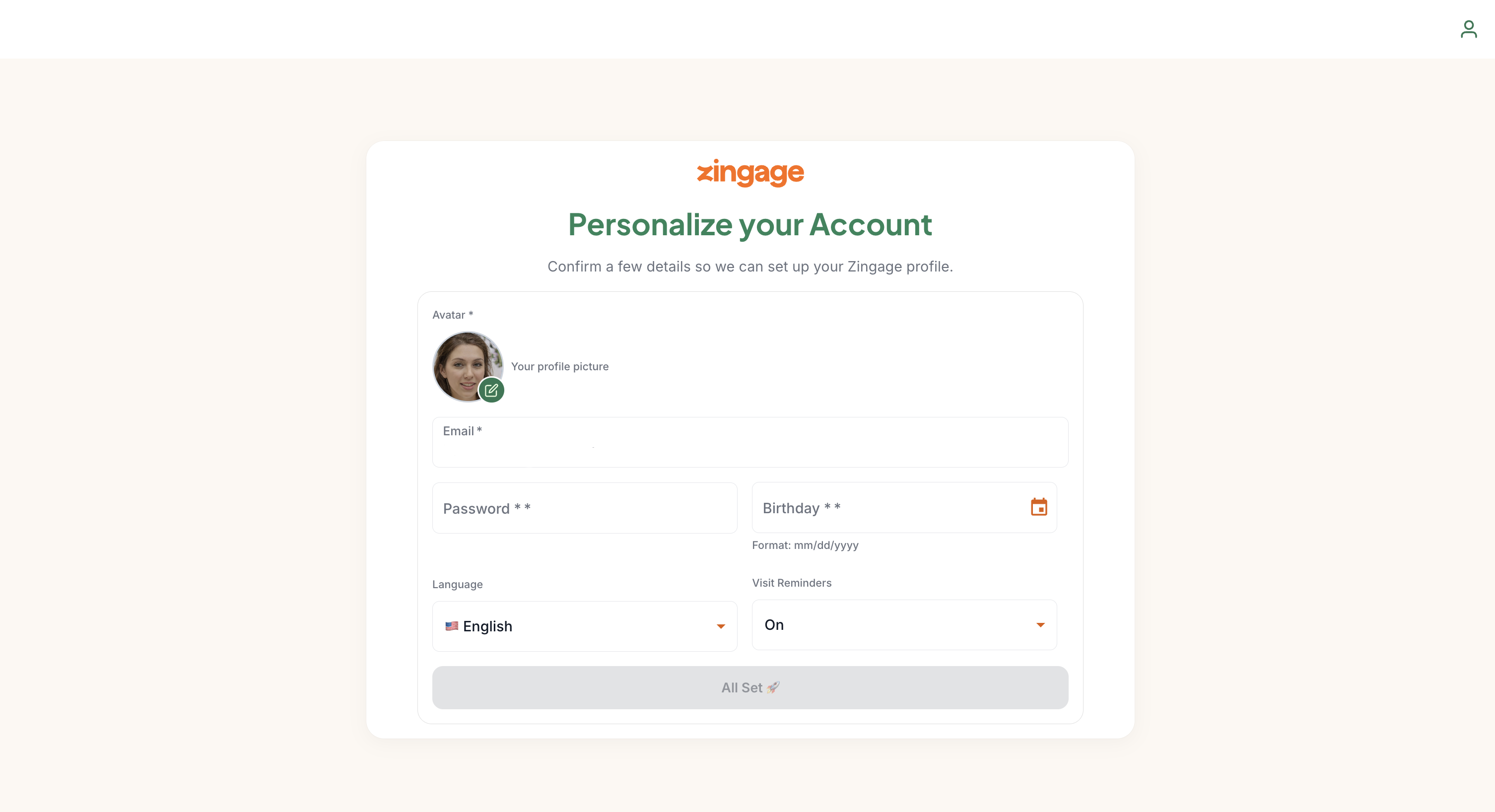
NB: We do not usually use passwords to log into the platform, but this is a secondary method of logging in and is required at onboarding, and you should save this password just in case you need it later. We at Zingage do not save passwords to the platform, so be sure to save your password in a safe place.
All Set 🚀
And that's it! 🎉
My Invitation Expired
If your invitation shows up as expired, no worries, you can still onboard by clicking the Zingage Account to onboard to your agency's Zingage account. Here's how:
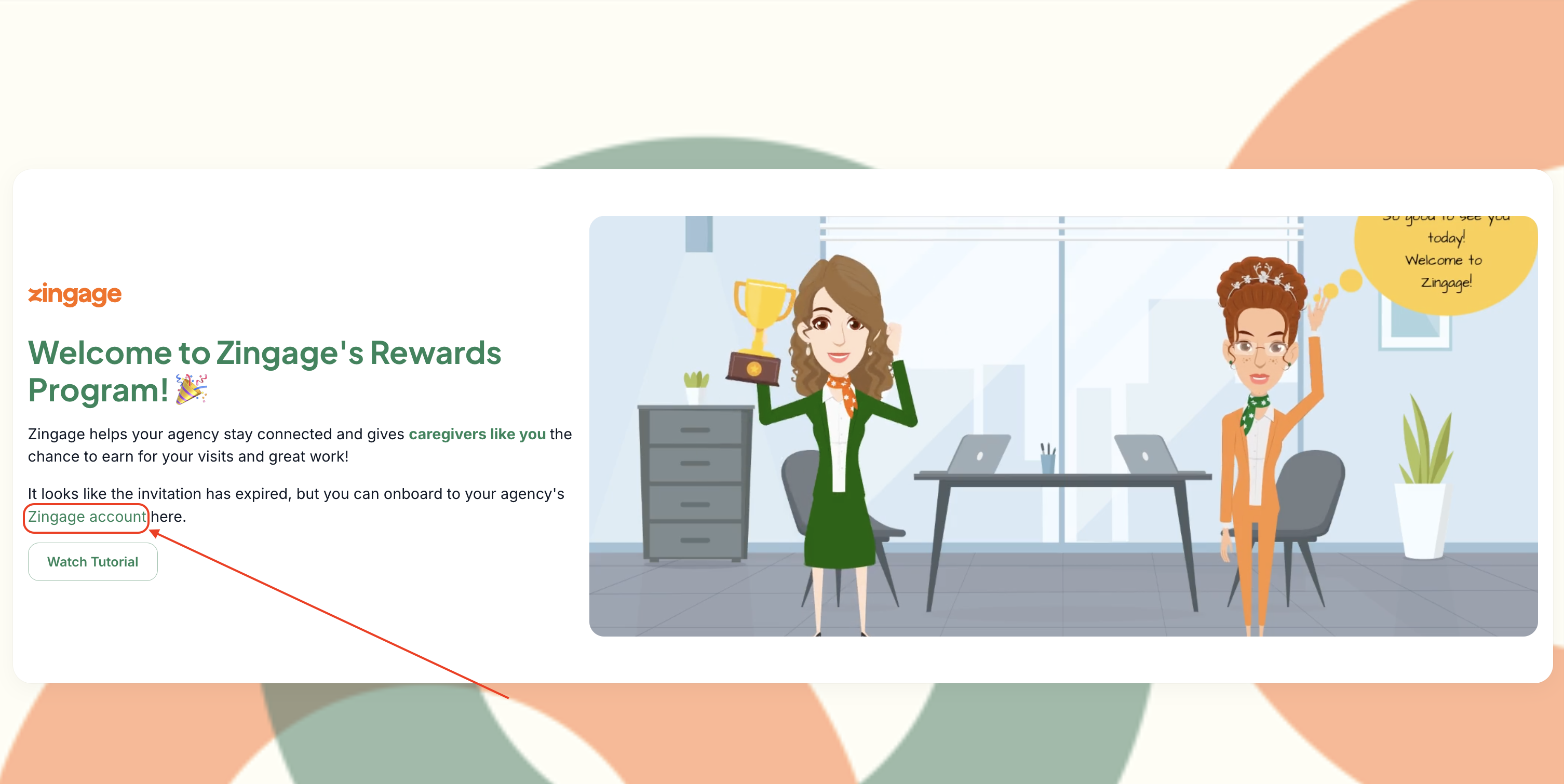
After clicking this link, complete the onboarding as normal!
Logging Into Zingage:
You can only log into Zingage AFTER you have onboarded. To log in to Zingage:
Go to https://my.joinava.com/
Input your phone number. If your current phone number gives an error ‘Your account does not exist,’ it could mean that the phone number you are using is incorrect, and you need to reach out to your agency to verify and correct the phone number.
Kindly let your managers know and request that the change be made in their system, so the change can sync to Zingage, and your information will remain the same across platforms. After the change is made, it will take 24 hours to reflect in the system, and then you can log in.
If the phone number is correct and you are still getting an error, reach out to Zingage Support.
After using the correct phone number, select the ‘Log In with Password’ button if you would prefer to use the password you created at onboarding
A gentle reminder that Zingage does not save passwords, and if your password is forgotten, you can only log in using the 4-digit code from your SMS or email.
And that's it! 🎉