Can I Post on the Company Social Feed as a Caregiver?
Last updated: December 17, 2025
The Company Social Feed is automatically managed by Zingage and your agency administrators. This means:
Some posts are automated by Zingage
Others are manually added by your admin team
At this time, caregivers cannot post, comment, or share anything on the company feed themselves.
Sharing Posts and Comments in Zingage
Posts and comments made in the Company Feed and Communities in Zingage are visible to all users who have access to those spaces. Because these areas are designed for shared communication, individual posts or comments cannot be privately shared, forwarded, or reposted outside of Zingage or on the Zingage Company Feed.
Since everyone with access can already view the same content on the Company Feed, there is no option to “share” or duplicate posts or comments from the Company Feed or Communities. Community messages are only visible to members of the Community
Communities
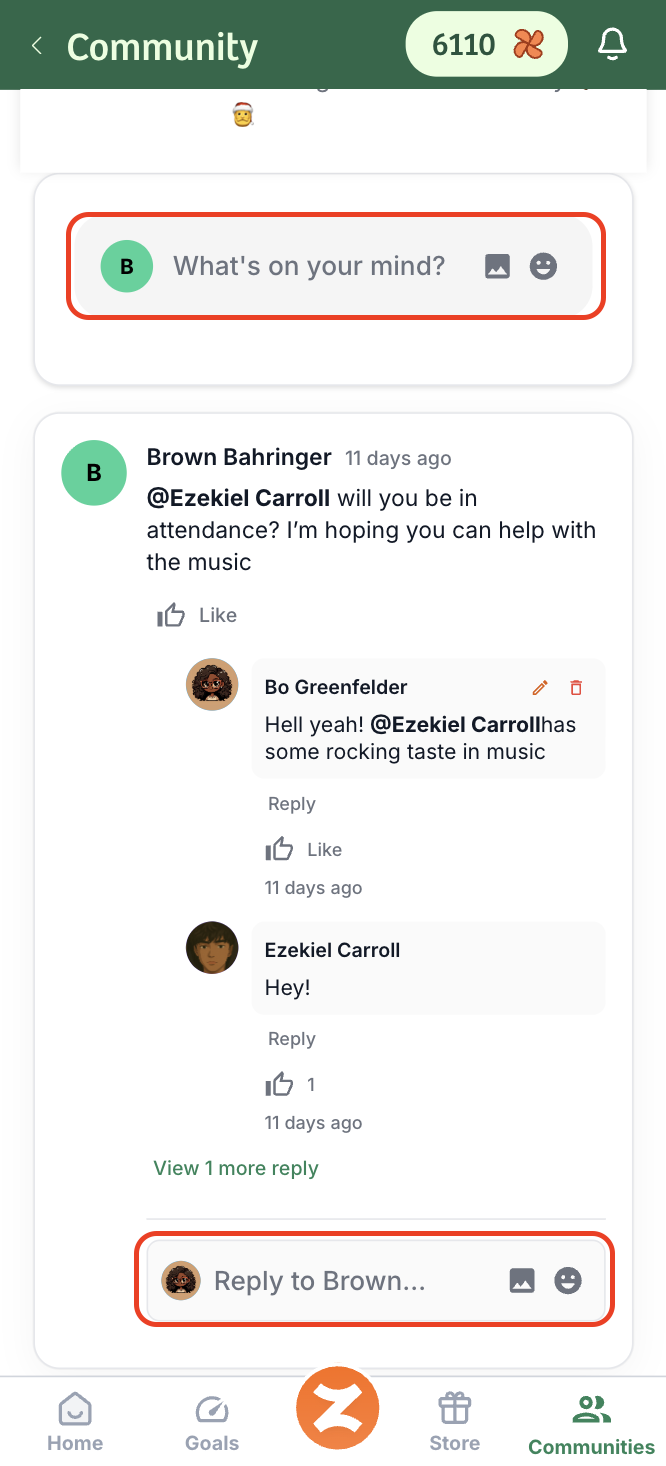
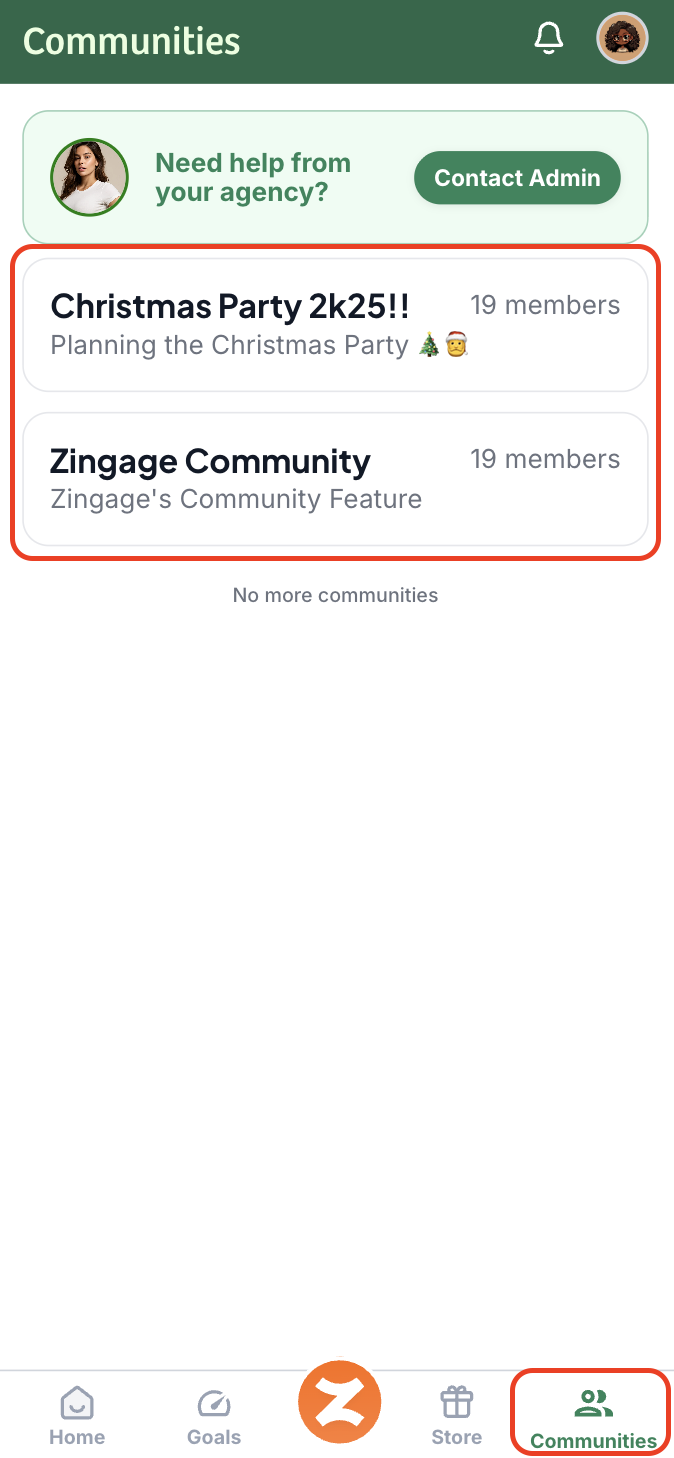
However, if your agency has enabled Communities, you can post, like, and comment on posts in any community you are part of. You can learn about communities here. Just go to the Communities tab and access the community, and start writing.
⚠ Be sure to keep all your posts compliant and respectful so you won't get flagged.
To post, write what's on your mind, to like, hit the thumbs up button, and to comment, type in the reply box under an existing post: