Using Amazon Gift Card Rewards on Amazon and Troubleshooting Tips
Last updated: October 1, 2025
If you're having trouble using your Amazon gift card rewards, follow these steps to successfully use your rewards:
Step 1: Activate and locate your gift card
Make sure your gift card is activated by clicking the link you received in your email or by checking the My Wallet tab on Zingage
Step 2: Use the correct claim code
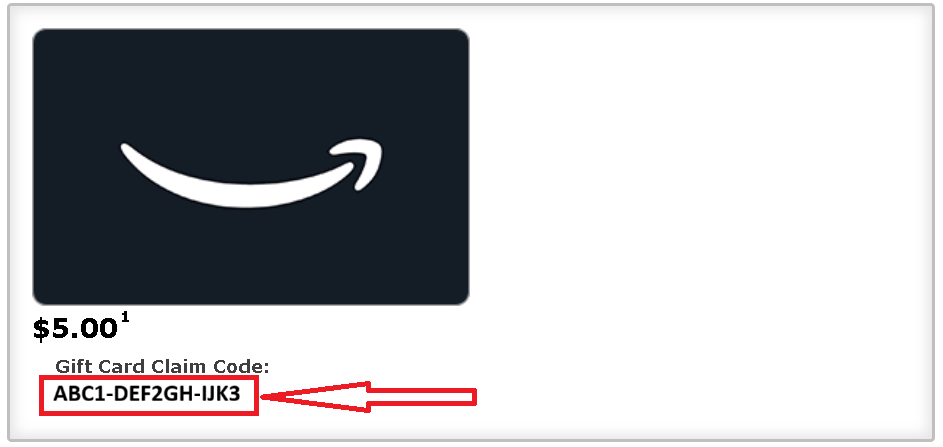
Make sure you're using the actual gift card claim code (not the Reward ID). Copy and paste the code to avoid any typos. The claim code is 14-digits in a XXXX-XXXXXX-XXXX format:
Step 3: Redeem on Amazon
You have two options to use your gift card on Amazon:
→Option A: Add to your Amazon account balance
Log into your Amazon account
Enter your gift card claim code
Check your gift card balance to confirm it was added
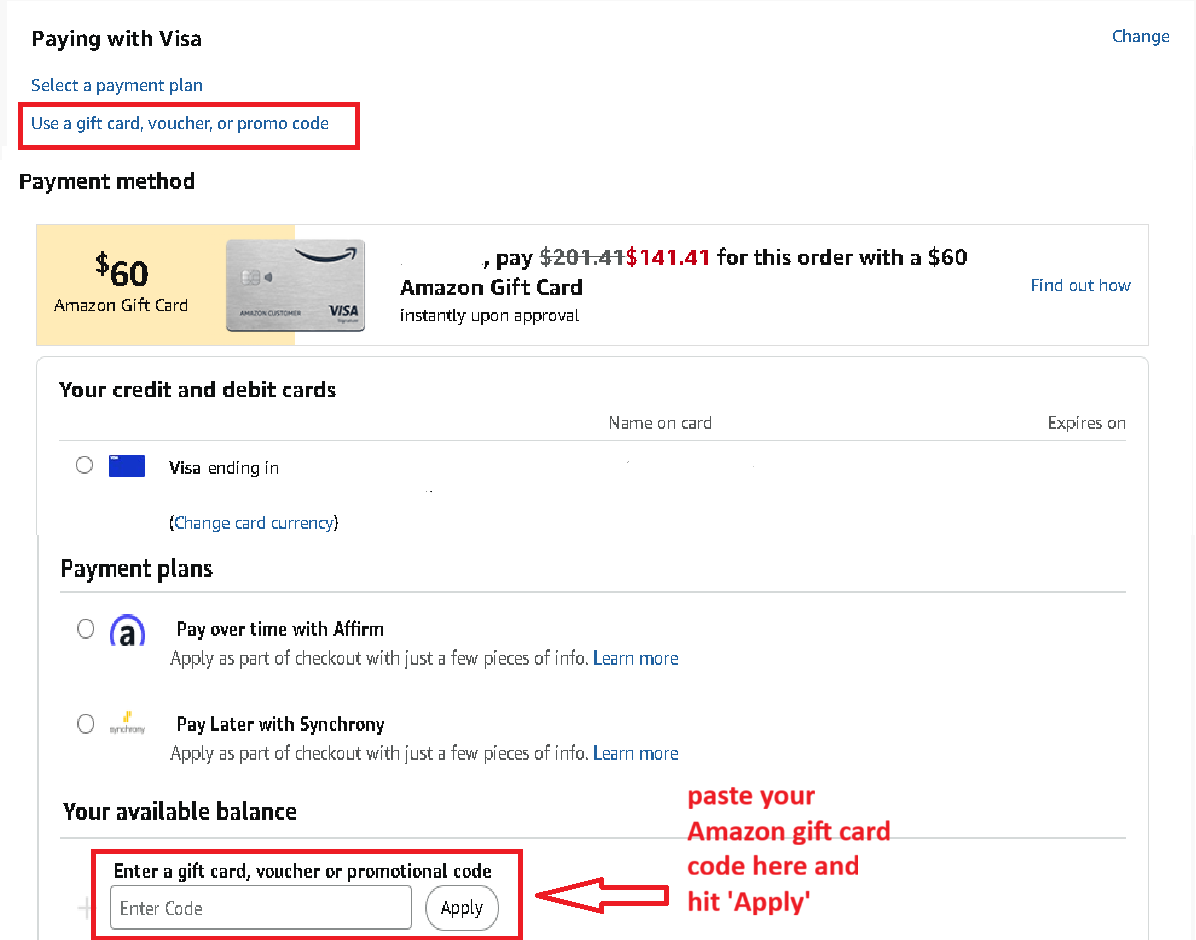
→Option B: Apply during checkout
Add items to your Amazon cart and proceed to checkout
Select your shipping address
In the payment method section, enter your gift card claim code
Troubleshooting
If you encounter error messages such as "card is invalid," "already used," or notice incorrect balance information:
Take a screenshot of any error messages you receive
Contact Zingage support with the specific error details
If the issue appears to be on Amazon's end, reach out to Amazon support for assistance.