How to Switch Accounts on Zingage
Last updated: November 19, 2025
Caregiver
If you're a caregiver working for more than one agency and these agencies are partnered with Zingage, it's easy to switch between your accounts. Here's how:
Log into Zingage
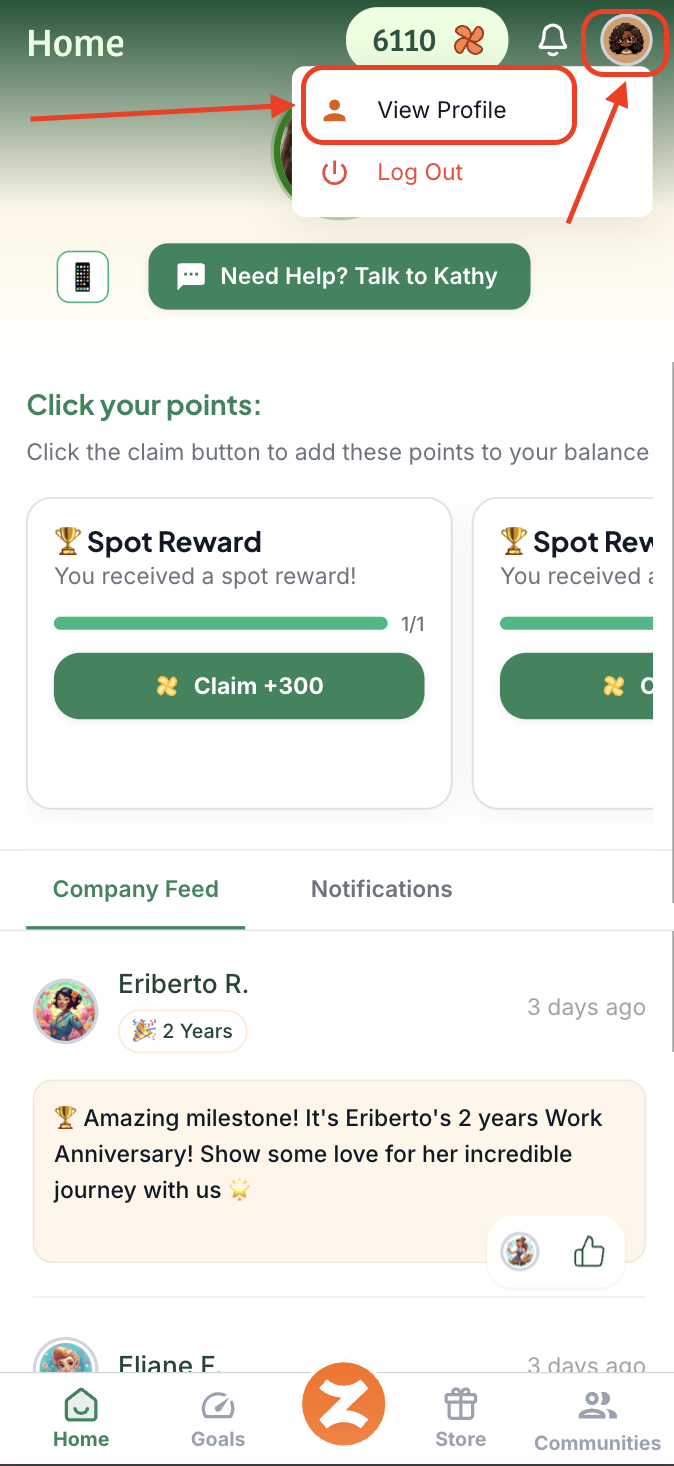
Tap your avatar or initial icon in the top right of the screen and hit 'View Profile'
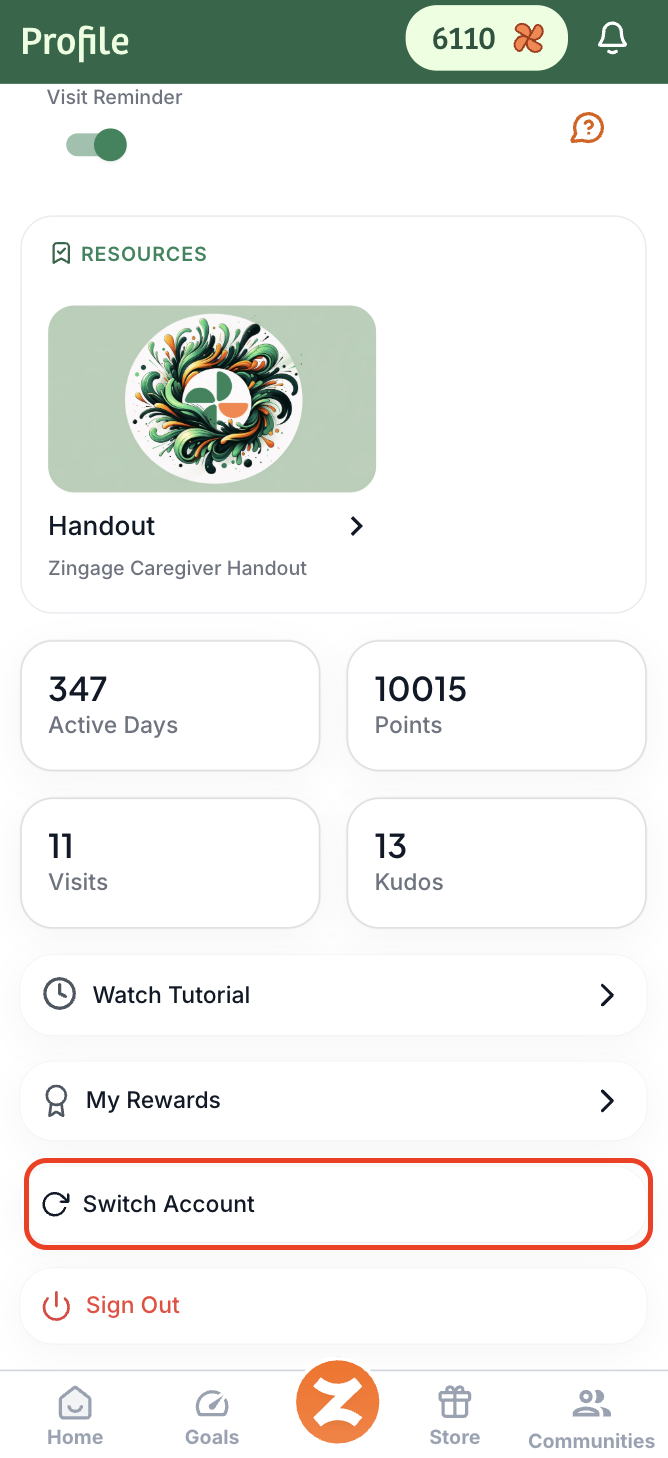
Scroll down and tap 'Switch Account'
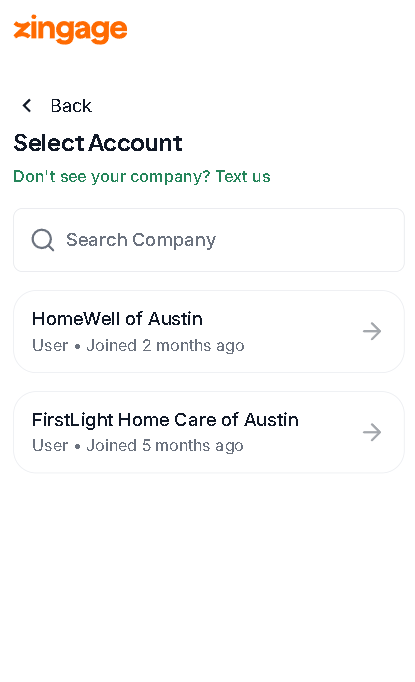
Choose the other agency account you'd like to view
And that’s it — you’re in! 🎉 You can repeat these steps anytime to toggle between accounts.
Admin
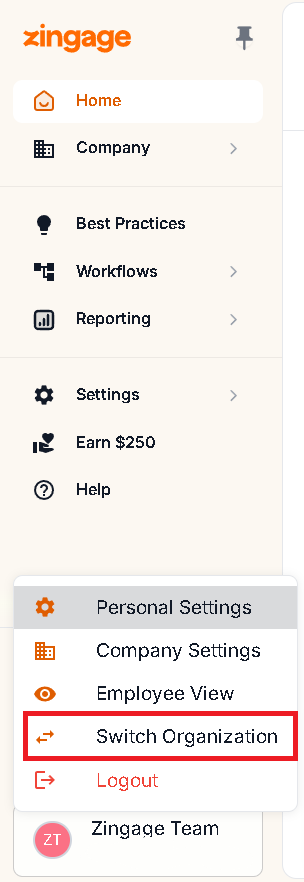
If you're an administrator, you can hover in the left Navigation and click your icon or name at the bottom and select Switch Organization: