Agency Merch and Cash Rewards
Last updated: May 26, 2026
On Zingage, you can now purchase agency merchandise based on what your agency has listed!
🎥 Watch the Agency Merch and Cash Rewards Feature Tutorial
⚠ If your agency has enabled this feature, you will be able to buy listed agency merch or exchange your points for cash. Otherwise, you can only redeem your points for gift cards.
Here's how it works:
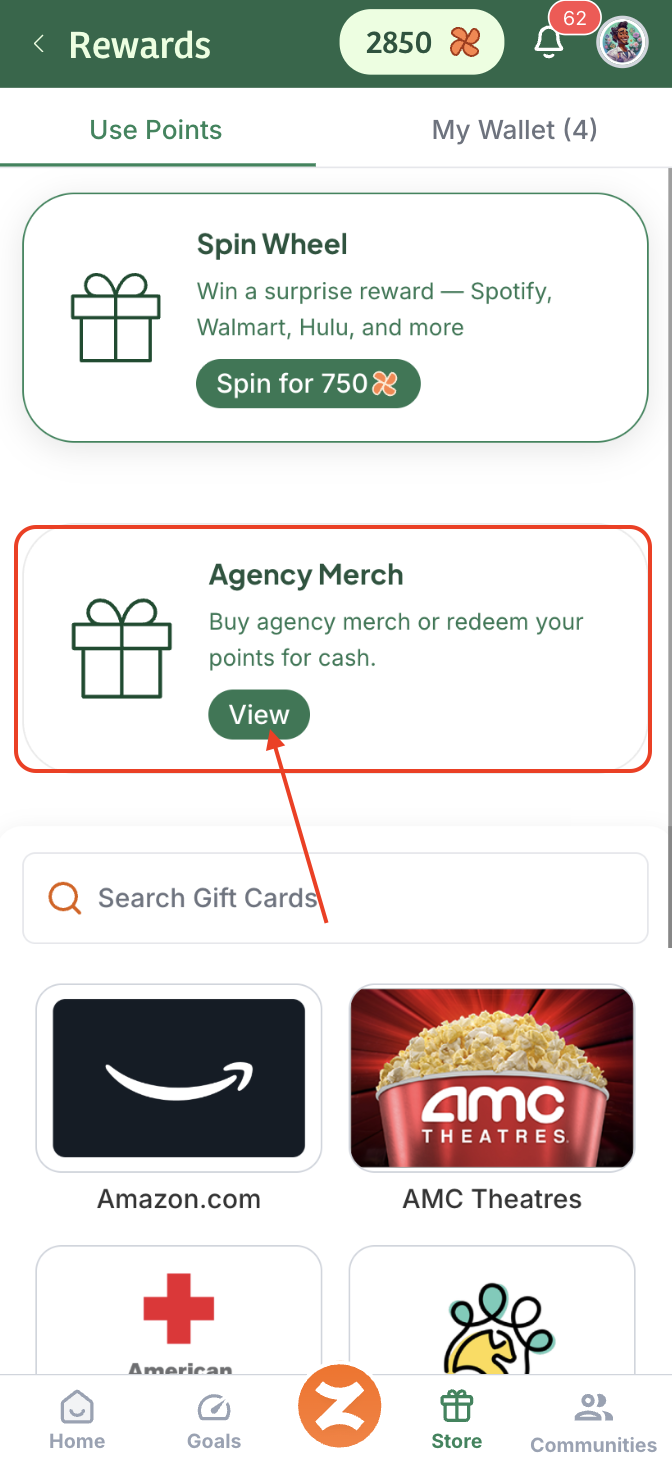
Once your agency has enabled this feature, on your Store tab in Zingage, you can click the View button for the Agency Merch:
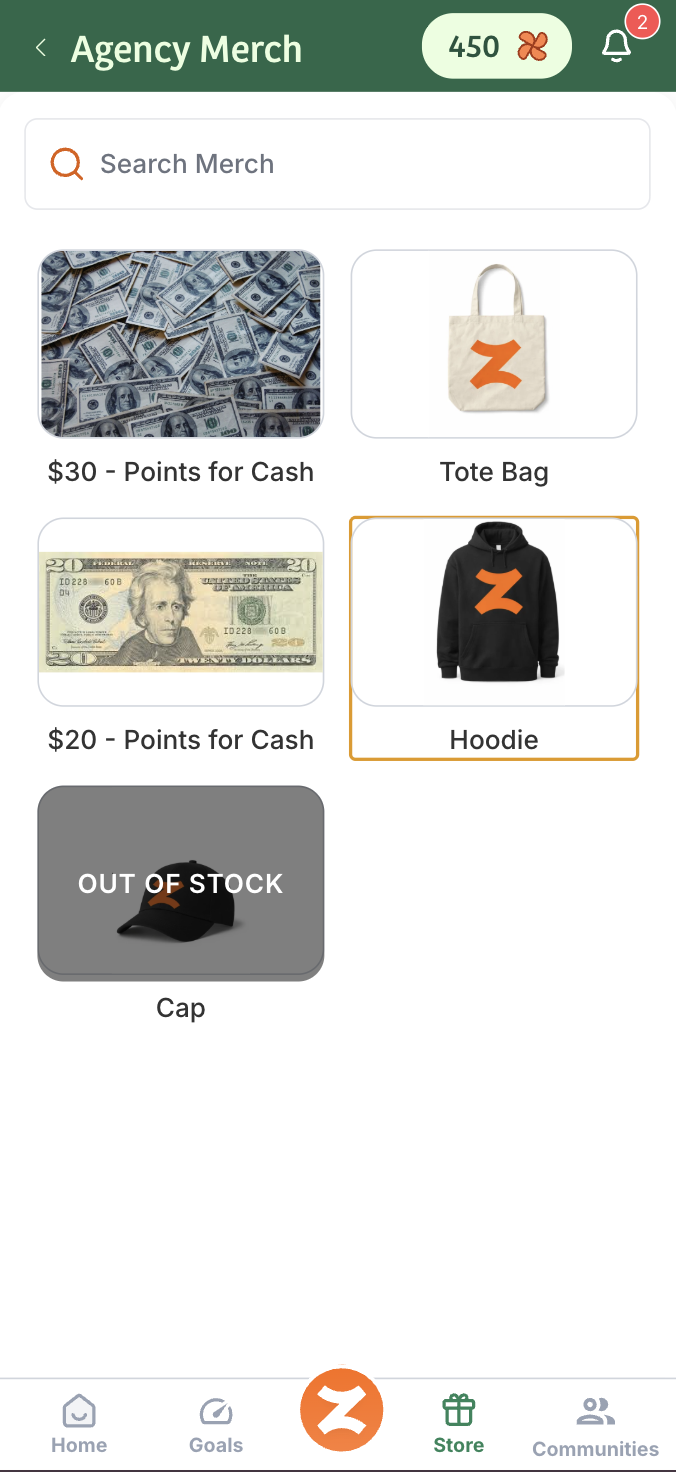
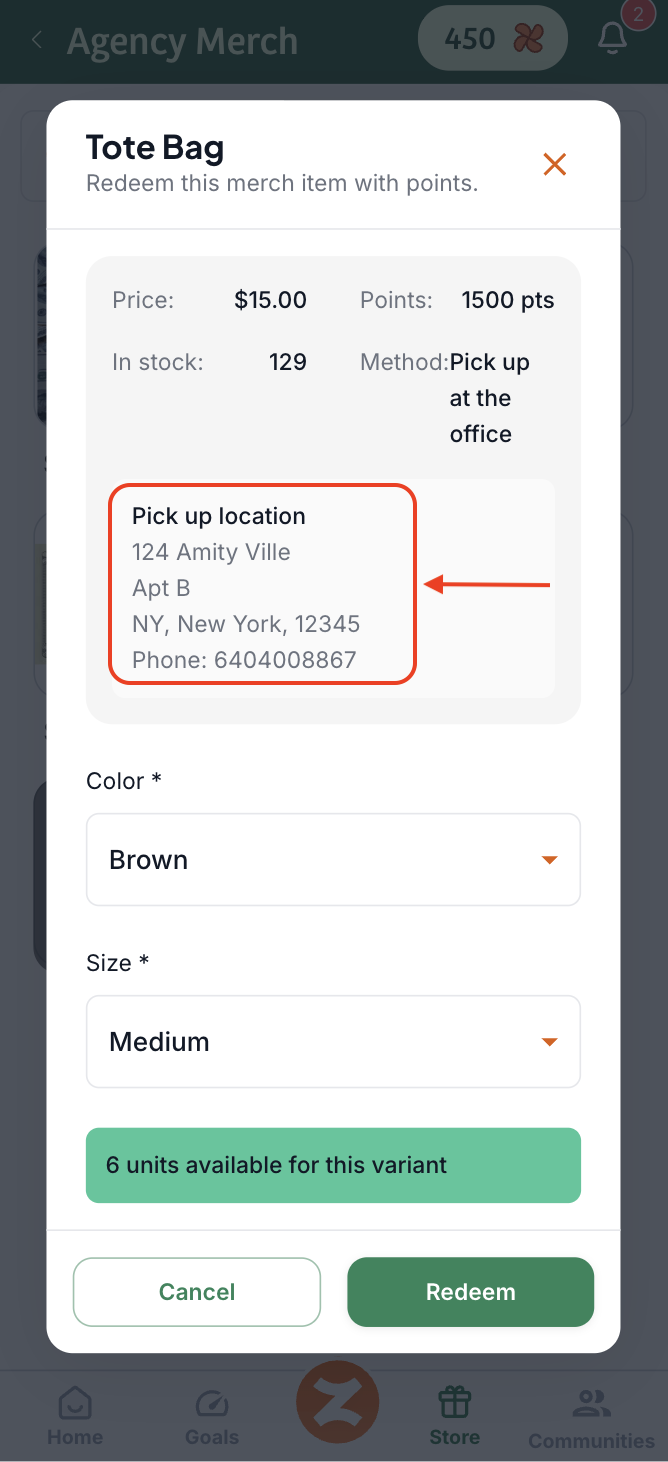
If you would like to purchase merchandise, you can select the merch and select the variation you'd like: Size, Color, etc. Be sure to pay attention to the Pick up Location and Phone Number
If you'd like to exchange your points for cash, select the listing with the value of cash you'd like to get.
You can then select the way you'd like to receive the cash reward. This depends on how your agency would like to fulfill the reward on their end.
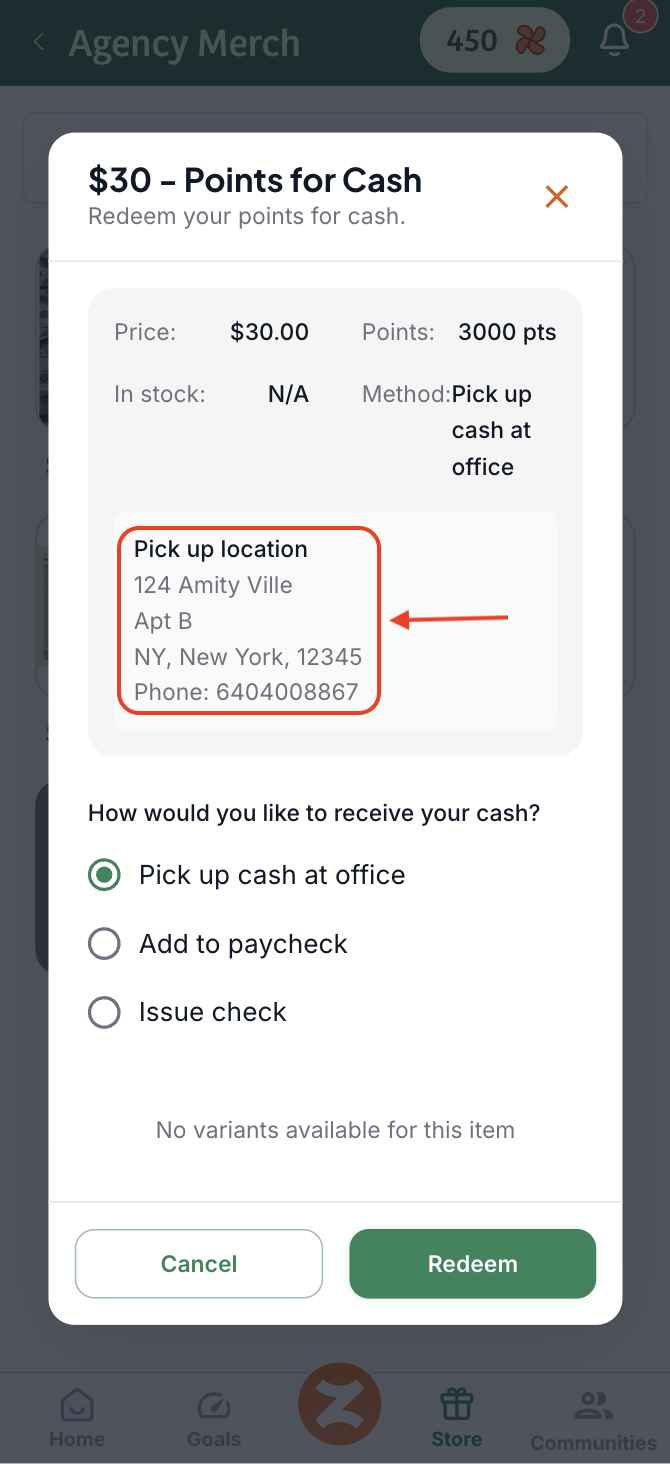
And redeem.
Once you redeem, the cost of the merchandise or the selected cash reward amount will be deducted from your points balance. You can find the redemption in the My Wallet section of your Zingage view:
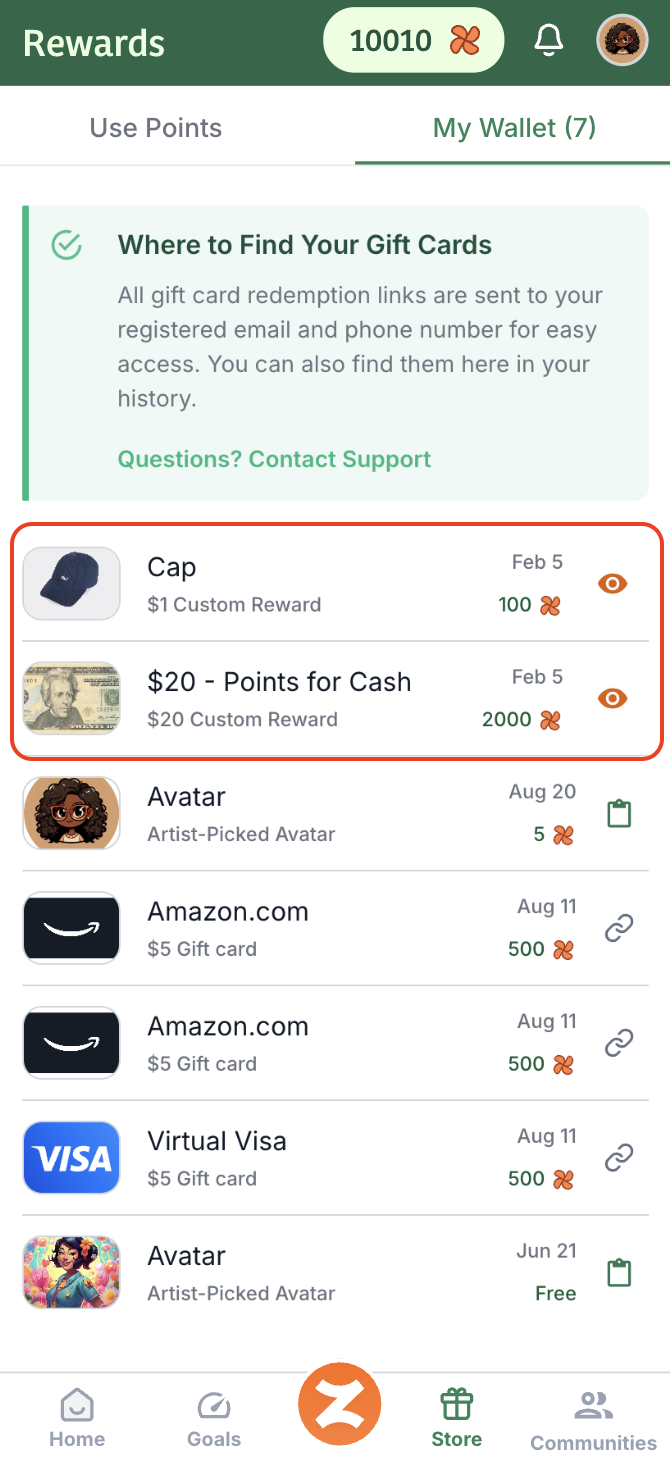
Once the redemption is processed, your agency admin will be notified.
Once your agency has prepared the reward for you, they will notify you that it's ready to be picked up or that the order is completed.
Caregivers will pick up their Merch or Cash reward at the Office Location.
FAQ's:
I bought merch or requested cash, and I have not gotten it.
If you requested cash or merchandise and you did not receive it, kindly contact your agency directly so they can look into it, since they fulfill these orders on their end. You can find an admin email in Communities > Contact Admin > Copy Email and shoot them a message for your email address.