Cashing Out Your Rewards: Bank Transfer & Venmo
Last updated: November 18, 2026
You can now cash out your Zingage rewards with a cash transfer instead of a gift card. You redeem your points the same way you always do. The only difference is the option you pick.
Which options can I use?
Region | Cash options |
|---|---|
United States (USD) | Bank Transfer, Venmo |
Canada (CAD) | Bank Transfer, PayPal International |
How to redeem
There is a 6% fee applied to Bank Transfers and Venmo Transfers
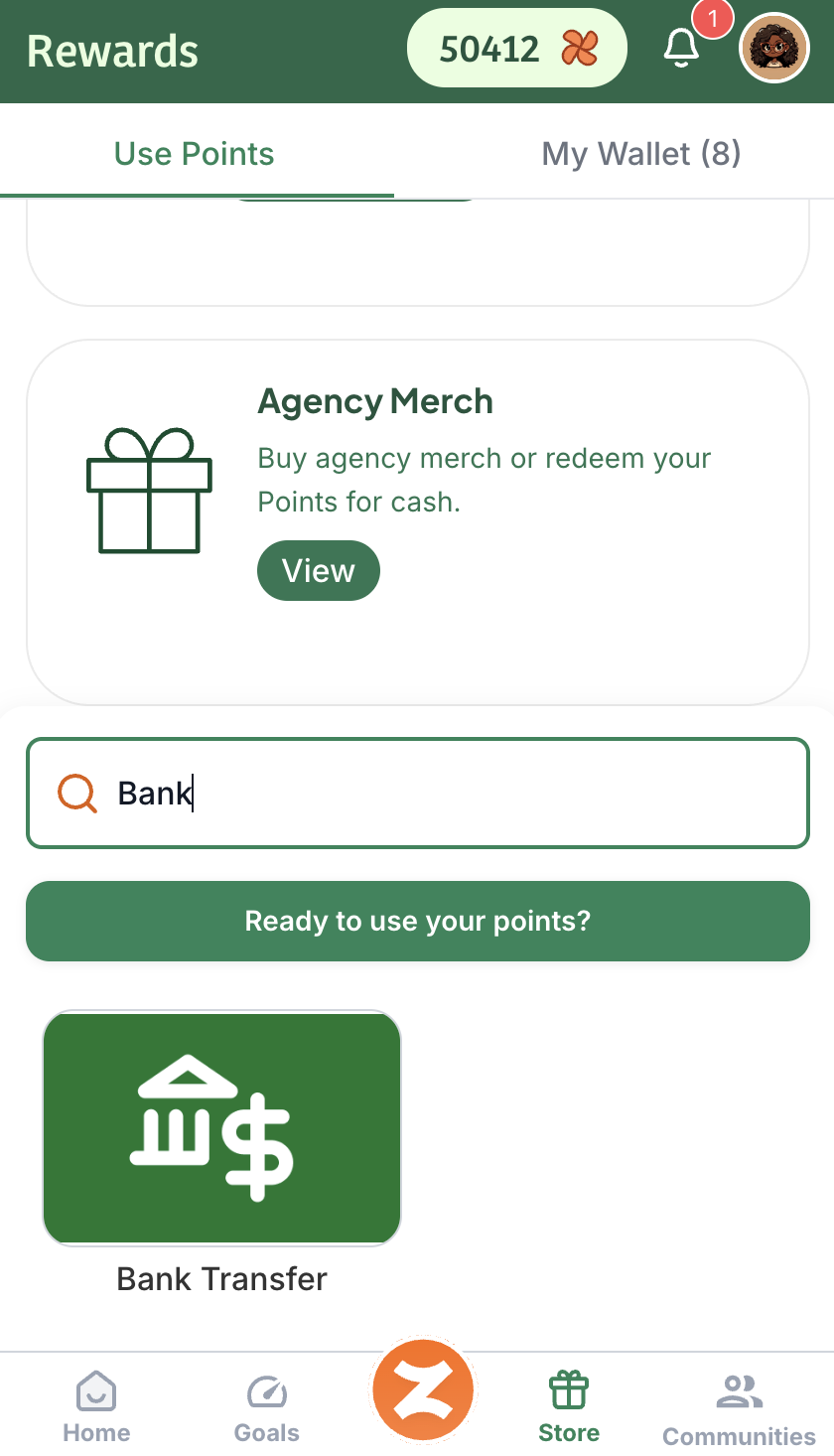
To find the cash transfer options, search Bank Transfer or Venmo in the Store or scroll to find them:
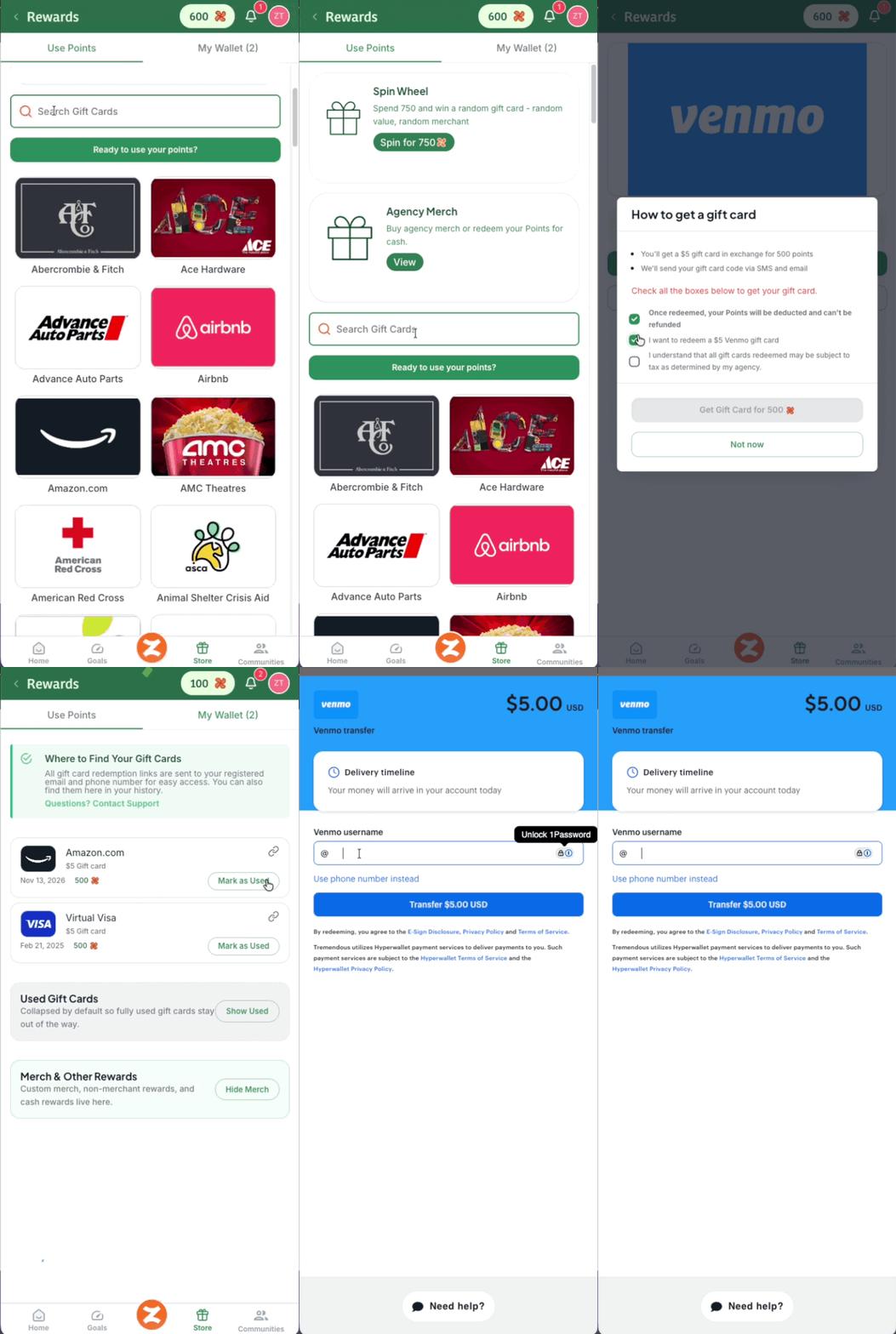
Redeem your points in Zingage as usual and choose a cash option. How to Claim Your Points and Redeem a Gift Card on Zingage.
Open the redemption link you receive.
Enter your details and finish redeeming. Each option has its own steps, listed below.
🏦 Bank Transfer
With Bank Transfer, you can send your funds to a bank account or to your PayPal, Cash App, or Venmo account.
How long does it take?
US: 2–4 business days
Canada: 1–2 business days
💸 Venmo (US only)
Open your redemption link.
Enter your Venmo username or phone number.
Enter it a second time to confirm it’s the right account.
Funds arrive in minutes.
💰 Cash App (US only)
No Longer Available Due to Third-Party Restrictions and Failure to Receive Payout
💳 PayPal International (Canada only)
Important: PayPal gift cards don’t always transfer automatically into your PayPal account or balance. If yours doesn’t show up, you can add it yourself.
How to add your gift card to PayPal:
Log in to your PayPal account and go to your Wallet. You can do this on the PayPal website or in the app.
Go to Payment Methods and look for the option to add a card or bank account.
Select Add a Card.
Set the gift card as your payment method.
Need help?
If you have trouble redeeming, or your funds haven’t arrived within the times above, contact Zingage Support.