How Do I Apply a Profile Photo on the Zingage App?
Last updated: June 30, 2026
You can now add a photo of your choosing. Profile photos are different from avatars.
🗝A Few Key Points:
Adding a photo to Zingage as your profile photo will cost you 5 points per photo, just like avatars before.
Make sure your photos are respectful and appropriate.
To confirm, we no longer provide avatars, but you can add a photo to be your avatar. Here's how:
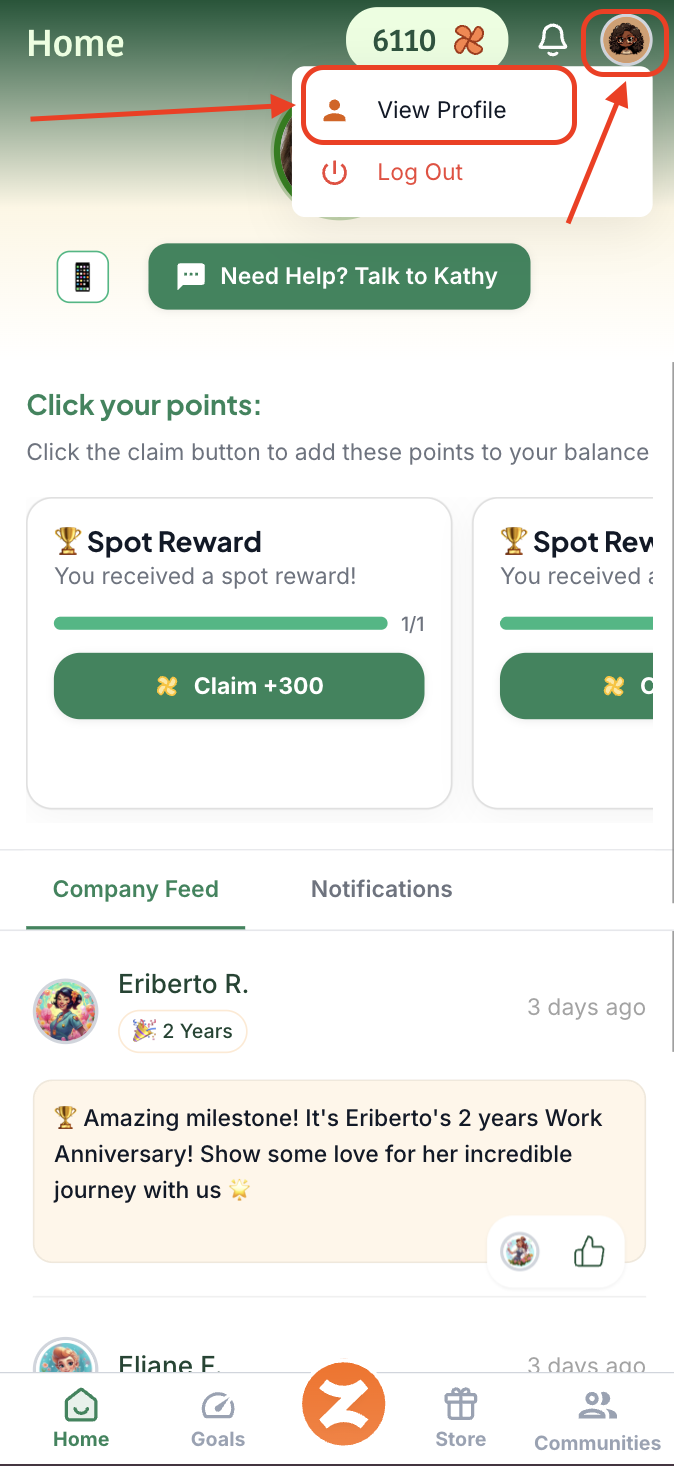
Click your avatar icon at the top of the page and hit "View Profile"
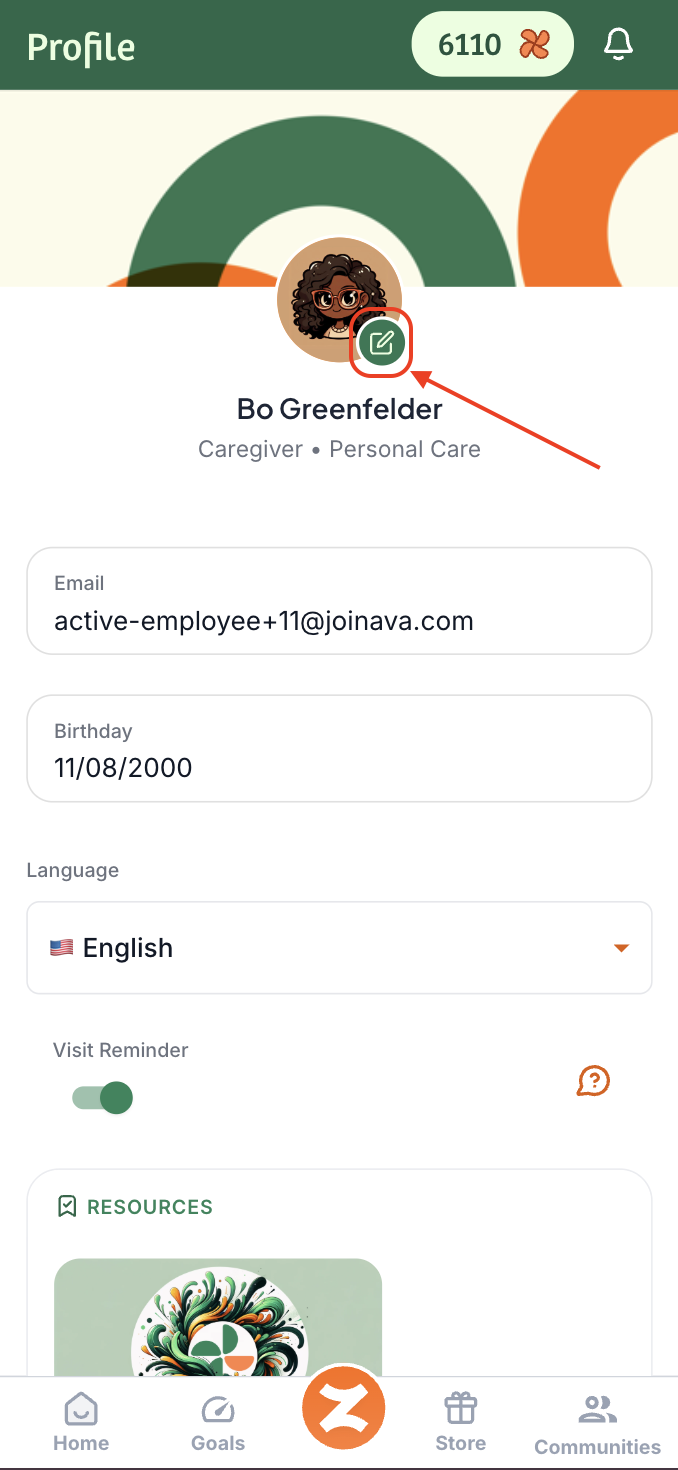
Tap the ✏ Edit icon on your profile initials or existing Avatar
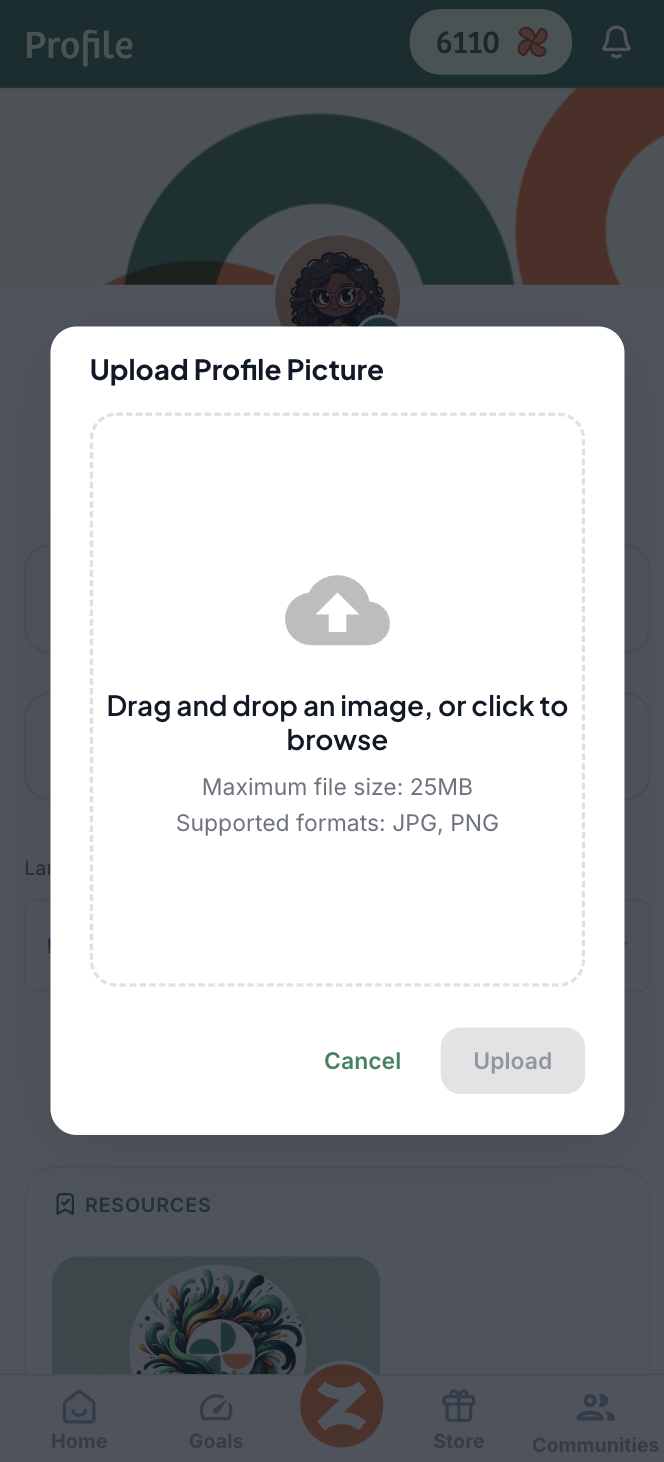
You will be prompted to select a photo, so click into the box and select a photo from your gallery or files - something appropriate and respectful.
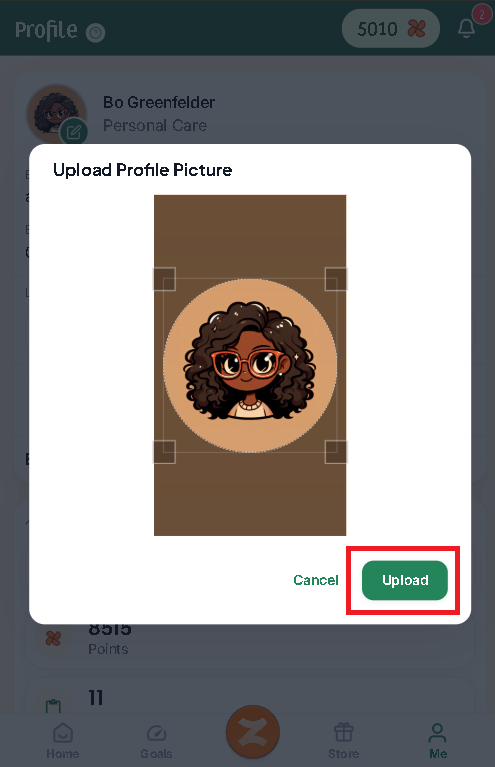
After selecting your photo, adjust the photo area to be displayed and click upload
And that's it! 🎉