How Do I Use My Gift Card?
Last updated: November 19, 2025
To use your gift card, you'd need to activate it. To activate the gift card, go to the Rewards tab on the app and go to the My Wallet view on the app. Click the link icon next to the gift card to access it and follow the instructions to access the claim page. Here's an example of the claim page for a digital gift card:
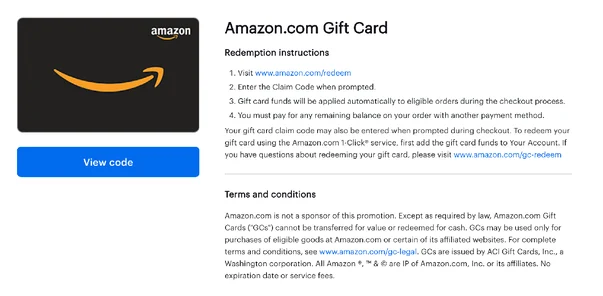
Now that your gift card is activated, it's ready to be used. To use the gift card;
For digital gift cards: Copy the gift card code and paste it during checkout at the selected merchant’s online store.
For physical locations (in-store): Show the gift card code (or a printed copy) at the store. For cards like the Virtual VISA, to use your card in-store, you’ll need to add it to a mobile wallet like Apple Pay, Google Pay, or Samsung Pay. Once it’s added, you can tap to pay at any store that accepts contactless payments (just like you would with a physical card or phone).
Here’s how to get started:
Open your gift card link.
Click the option to add the card to your mobile wallet.
Follow the prompts from your wallet app to complete the setup.
Once that’s done, you're all set to shop in-store at most major retailers that support tap-to-pay! You can also follow the steps on the gift card to know how to use it in a store, for example, the gift card page could look like this with the steps to the side or bottom:
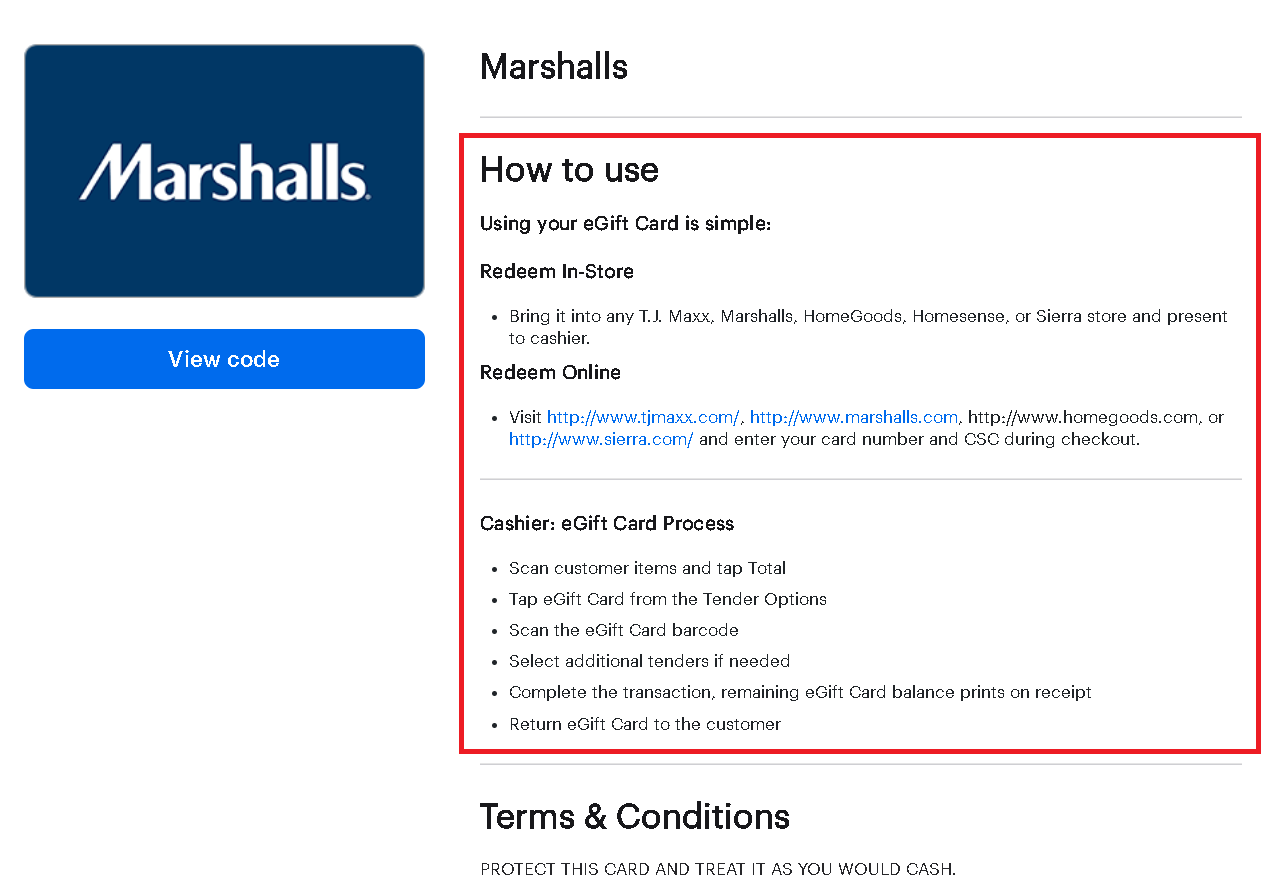
You can print the gift card page or screenshot it on your phone and give the cashier or clerk the gift card number to apply to your purchase. You can also hit View Code and then Open Redemptions Page, where you will see a barcode that the cashier can scan. Just a quick note that NOT ALL GIFT CARDS HAVE BAR CODES:
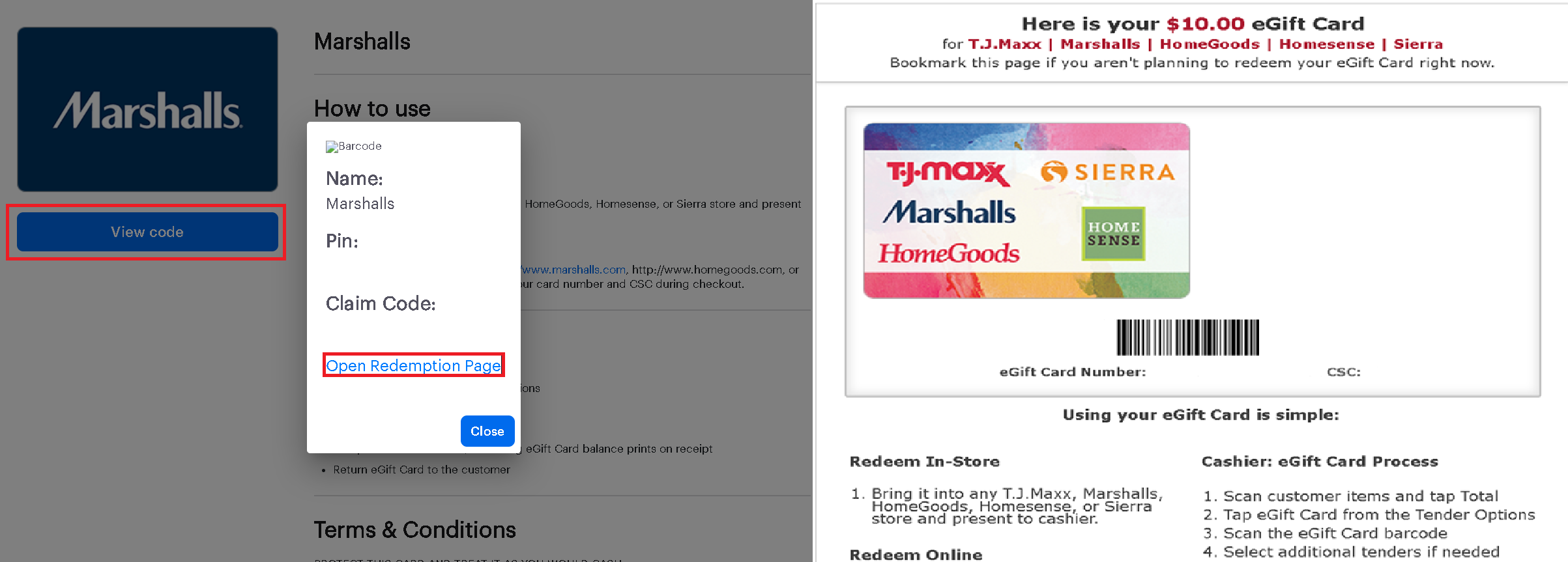
Note:
Each merchant may have specific steps for redeeming a gift card. Be sure to follow the instructions provided on the gift card page.
Some gift cards can be partially used. You can check the remaining balance by revisiting the link or directly on the merchant’s website.
Purchases will only go through if your gift card amount is enough to cover your entire purchase.
Be sure to check the gift card expiration date