How Do I Submit a Referral on Zingage?
Last updated: July 27, 2026
Referrals on Zingage are a great way to earn some extra points. They work by an active caregiver submitting the referral to their agency through Zingage, and based on the referral program settings (set up by the agency on Zingage), the referring user and sometimes the referred user will receive points for that milestone met.
To automatically earn points for your referrals, you must submit your referral through Zingage. If your referral was not made through Zingage, please contact your agency to discuss earning points for your referral. Since they have the record of the referral, they'd be the best ones to help with sending you points.
Referral links are not provided for referrals on Zingage. You can submit your referral through the app view.
To submit a referral on Zingage, you can view this video tutorial or follow the steps below:
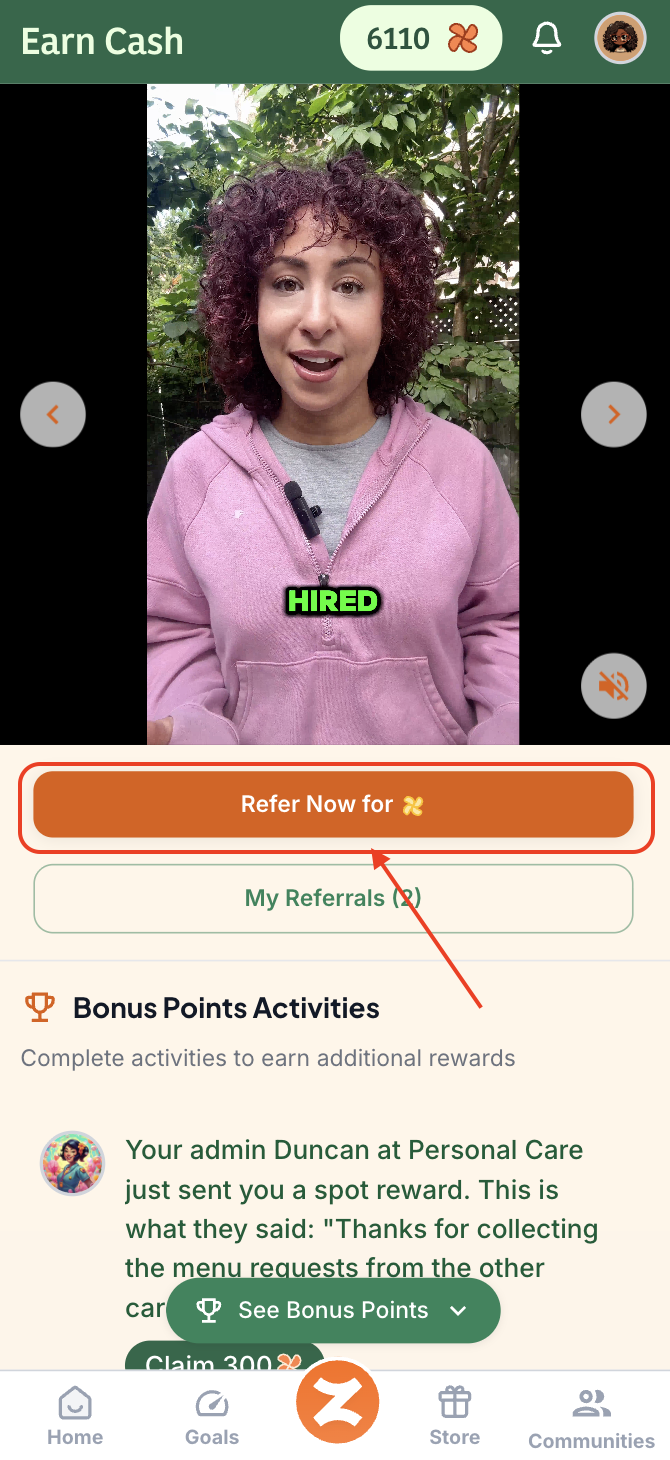
Click the orange 'Z' button on your app. (Depending on your agency, it might be your agency's logo at the bottom of the page between the Goals and Store tabs)

Click the "Refer Now For Points." This button lets you add the user's information and then submit the referral
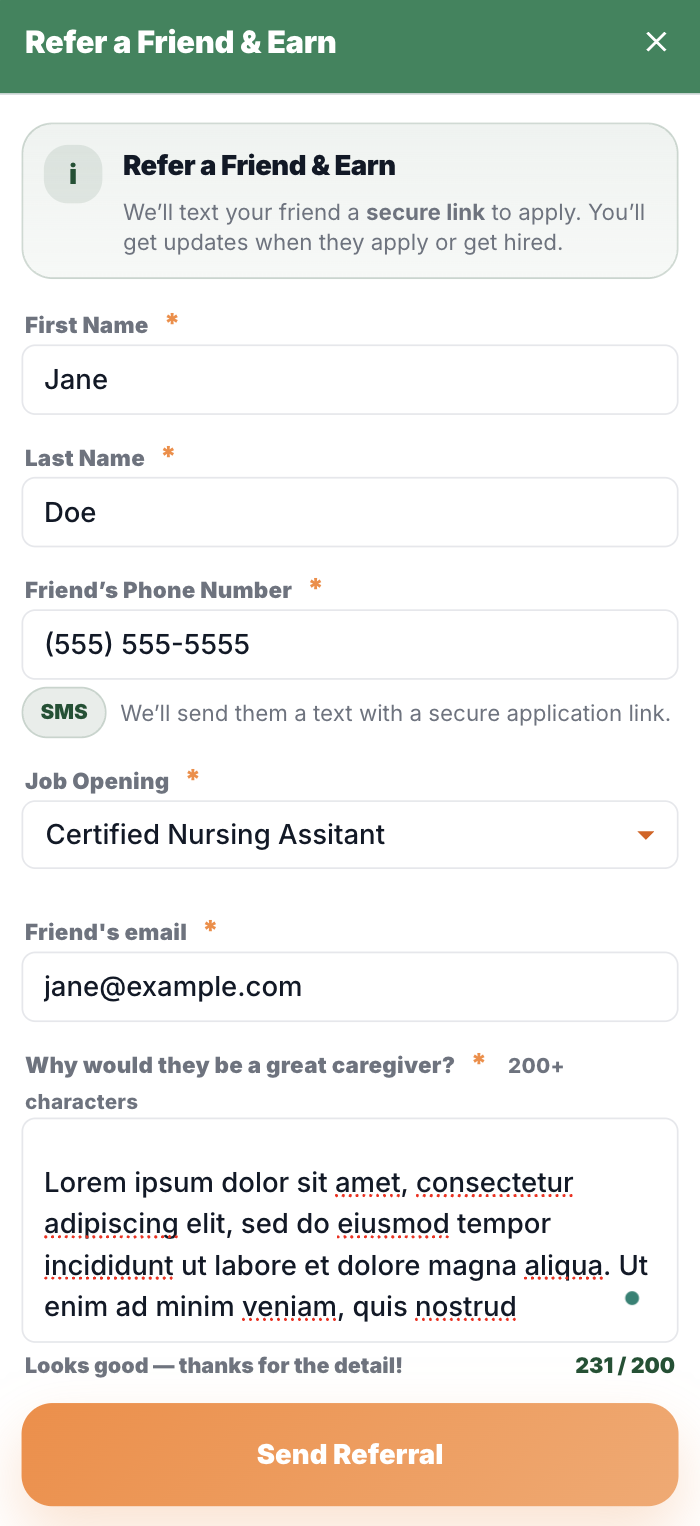
Fill in the information the form requests and submit the referral.
When the referred candidate receives the confirmation, they will submit their application.
❓FAQ’s about the Referral Process:
When Do I Get My Points?
Referral bonuses are usually awarded after your referral is officially hired and completes onboarding; timing can vary by agency and referral.
If you haven’t seen your referral bonus yet, and the user has already been hired, check your referral status and check with your agency to confirm the hiring and why it hasn't changed on Zingage.
The form won't let me send the referral
Please make sure that you type in a first name, last name, and phone number in the format (123)456-7890, select the referral job, add an email address, and add a reason for your referral that is at least 200 characters long. After that, the "Send Referral" button will be available to click to submit your referral.
How Can I Track My Referrals?
Go to the Referrals section by clicking the orange Z at the bottom of the app view. (Depending on your agency, it might be your agency's logo at the bottom of the page between the Goals and Store tabs)
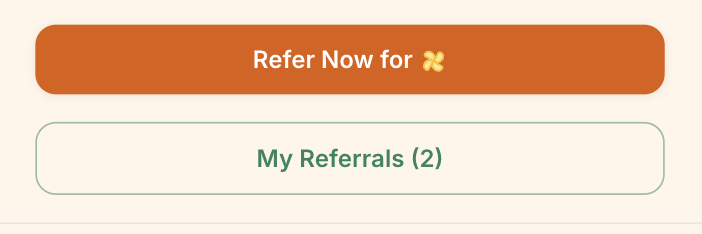
Click the My Referrals Button:
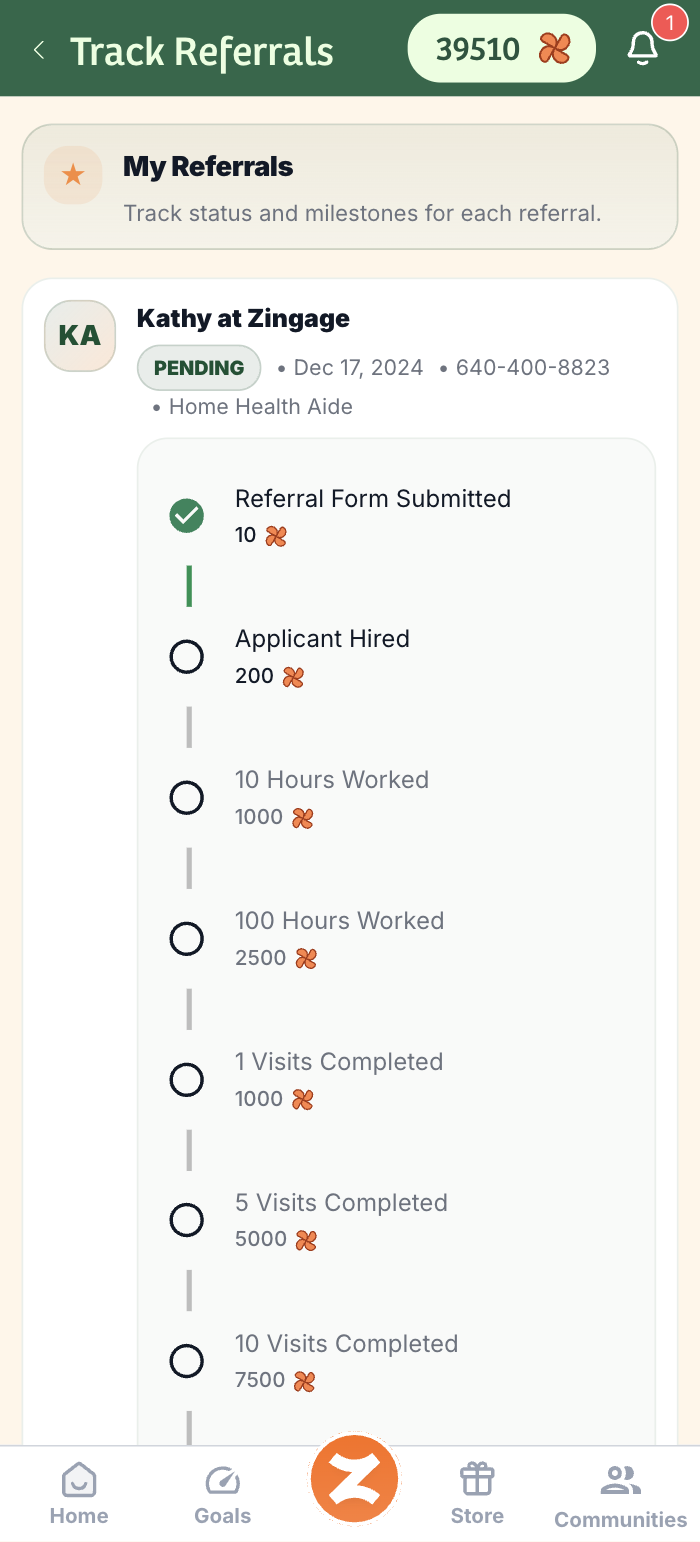
You’ll be able to check the status of each invite like this:
❗Tips & Reminders
You must use Zingage to refer the new hire; otherwise, we cannot award or associate the referral to you. If you referred directly to your agency, kindly contact your manager to discuss the points for that referral.
Your agency determines the referral milestone bonus amount and eligibility, so details may vary.
Why didn't I receive the full points for my last referral?
If the referral was made within 2 days, then the system will update in 2 days to add your points. Be sure to check Goals > Points History and claim your points there.
If the referral was made later than that time, then reach out to Zingage by filling out this form.
I entered the wrong information on the referral. What can I do to fix this?
Reach out to Zingage by filling out this form.
I referred someone to my agency. Can I add that referral to Zingage?
If you referred a user to your agency but you did not refer them through Zingage, you'd need to contact your agency directly to ask if they could add the referral to Zingage so you can earn points for it. Just a heads up that if the referral gets added to Zingage, you will not see it on your app view.
My referral is not moving or progressing through the milestones
Zingage automatically reflects the status of the referral in your agency's hiring platform. To find out more information on your referral, kindly contact your agency.
How can I refer clients on Zingage?
Zingage does not facilitate client referrals. At this time, you can only refer caregivers to your agency through Zingage. To discuss client referrals, kindly contact your agency directly.