How to Claim and Redeem Points for Gift Cards, and Use Gift Cards
Last updated: July 17, 2026
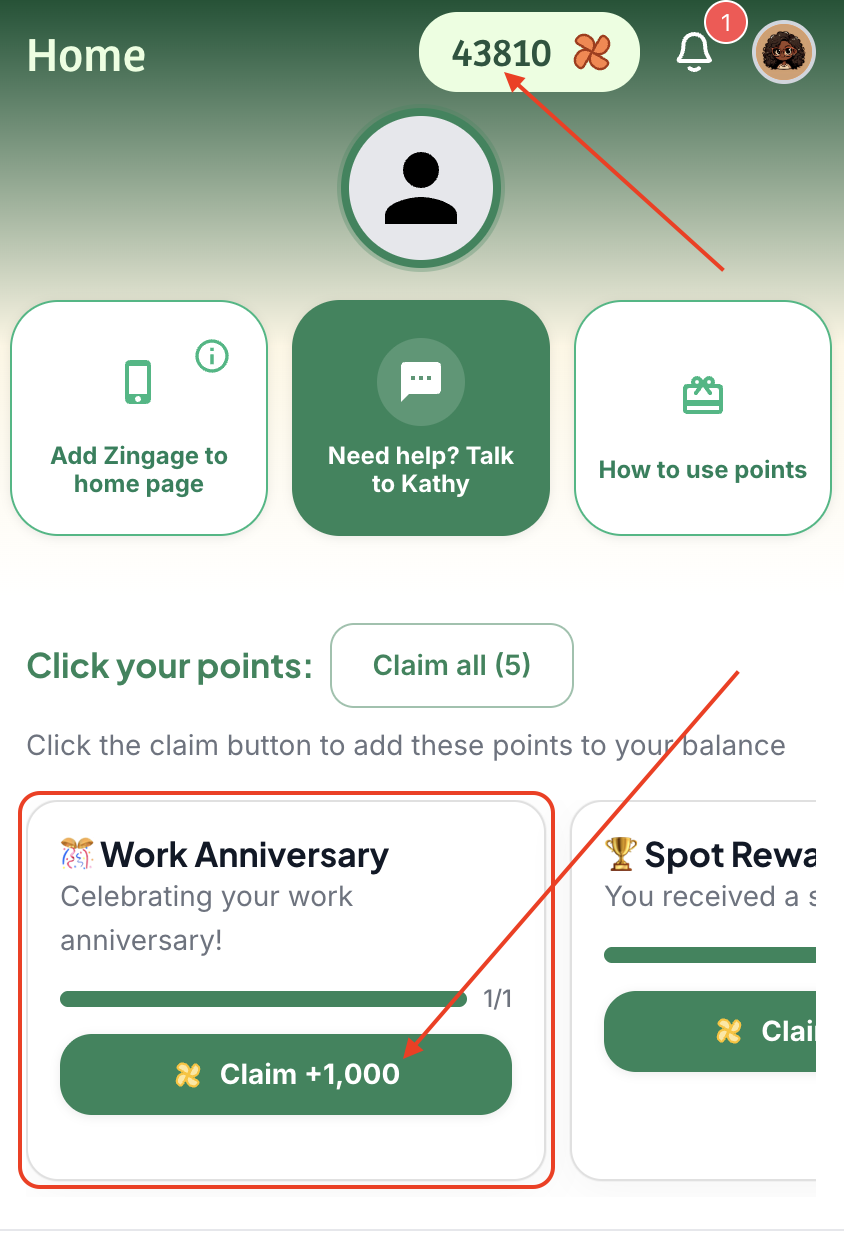
Claiming Your Points on Zingage
🎥 Watch Video Tutorial Here: How to Claim Points & Redeem Gift Cards
Step 1: Log in to the Zingage platform
Step 2: Locate your spot reward on the main homepage
Step 3: Click the Claim button
Step 4: Wait for the confirmation (confetti animation appears and reward is removed from homepage)
[Step 5: Refresh your browser if points don't immediately appear in your balance]
Redeeming a Gift Card on Zingage
If you're wondering how you can cash out your points or money on Zingage, we can help here. While Zingage is a points-based system and we do not award money or cash, redeeming a gift card in Zingage is quick and simple. This 🎥Tutorial shows you how to redeem. You can also find this tutorial on Zingage by clicking the "How to use points" button on the Home tab or by clicking the "How to get a gift card" button on the Store tab:
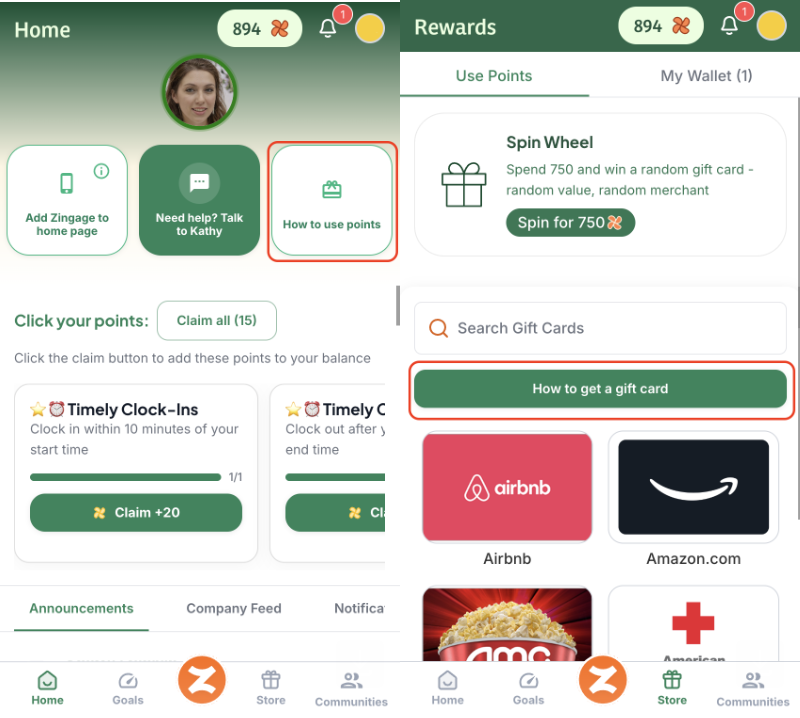
You can watch the tutorial or follow these steps below to successfully redeem a gift card:
Navigate to the Store tab (right next to the orange 'Z' button at the bottom of the screen, depending on your agency, it might be your agency's logo at the bottom of the page between the Goals and Store tabs). You can browse through all available gift cards or use the search bar to look for a specific merchant (e.g., Amazon, Walmart, Target, etc.).
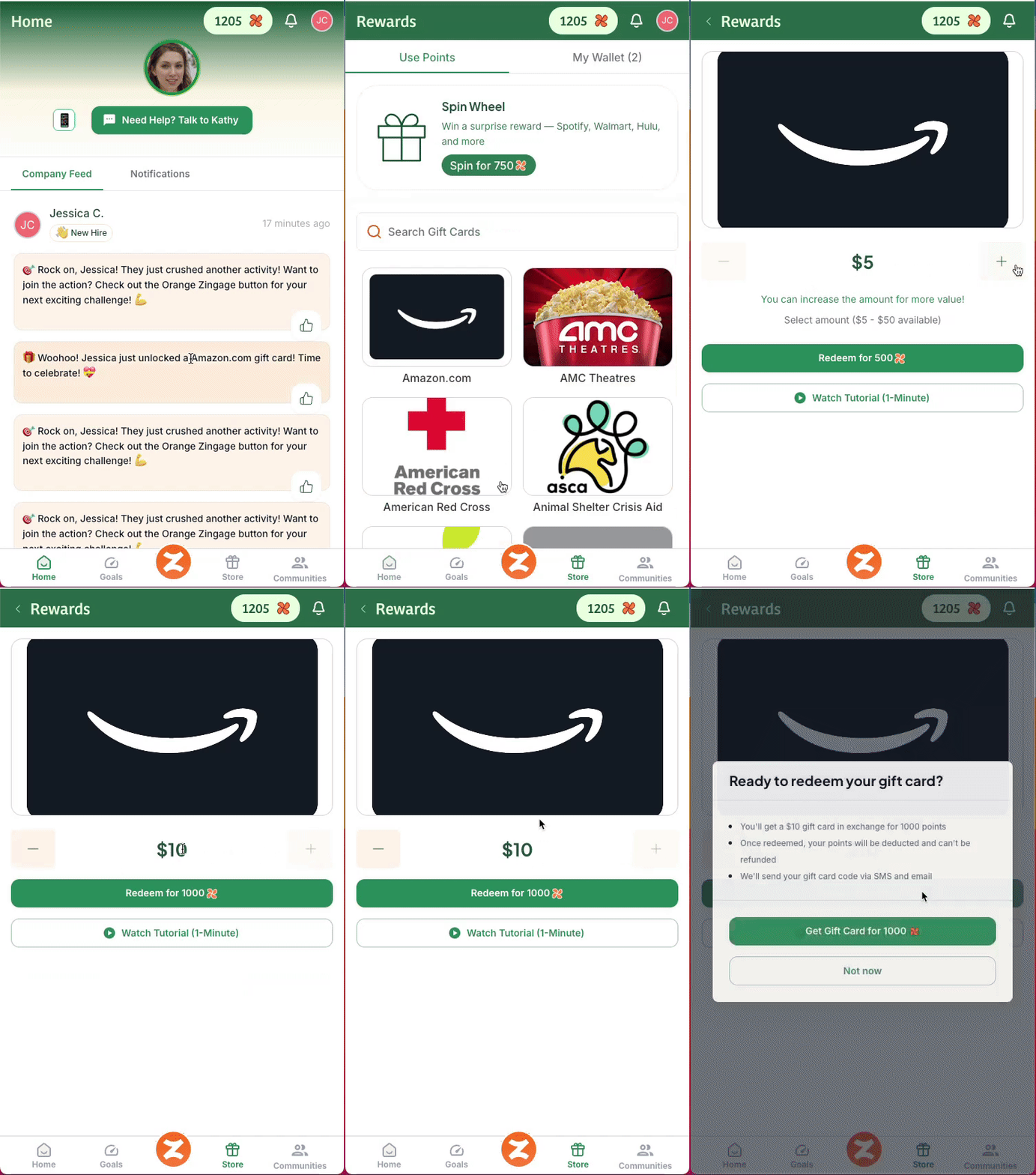
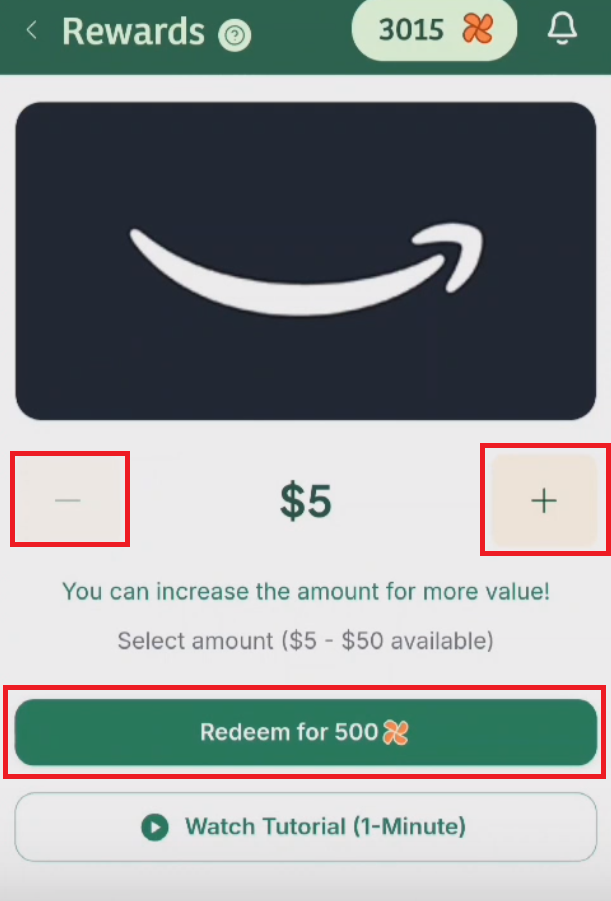
Once you’ve chosen a gift card, use the plus (+) button to increase the value if you have enough points, or the minus (–) button to lower it.
Completing Your Redemption
Step 1: Answer the prompt question about going above and beyond in your care work
Your response will generate a Community Update post on the Company Feed for other caregivers and admins to see.
As a caregiver, you cannot edit and delete your response to the community update after redeeming your gift card. Be sure to keep your response respectful and compliant.
Step 2: Click Share & Continue after finishing your answer
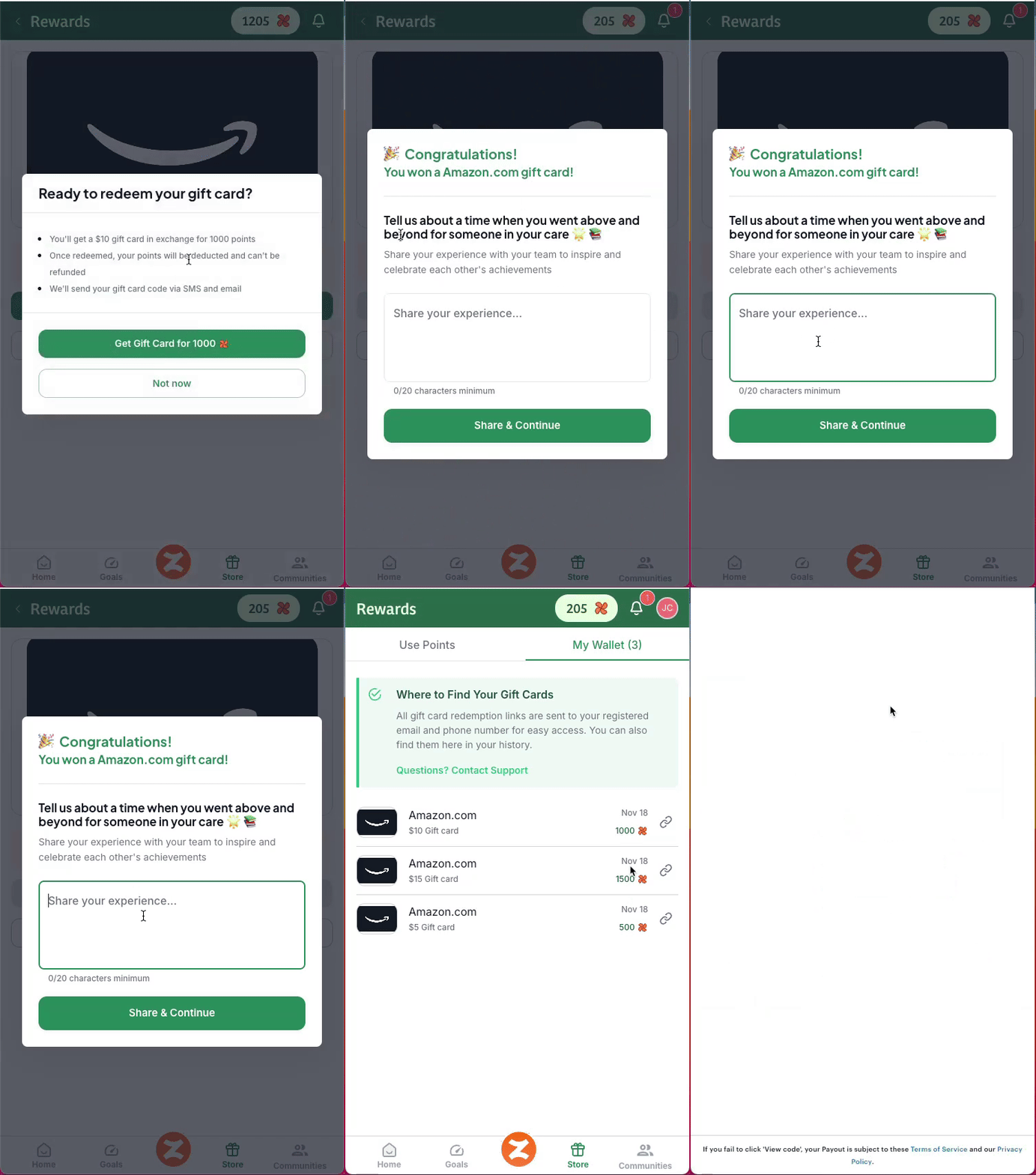
Your gift card is ready to use immediately after you redeem it! 🎉
Wanna know how to redeem your points for cash? Check out our Agency Merch and Cash Rewards article!
Accessing Your Gift Card
Step 1: Find your gift card using either method:
Go to My Wallet to view all past redemptions
Click the Notifications icon and select View Redemption Link
Review your email inbox, where your Gift Card link will be sent
Step 2: View your gift card code and use it to make your purchase
✅ Tip: You can come to the My Wallet section anytime to access your gift cards!
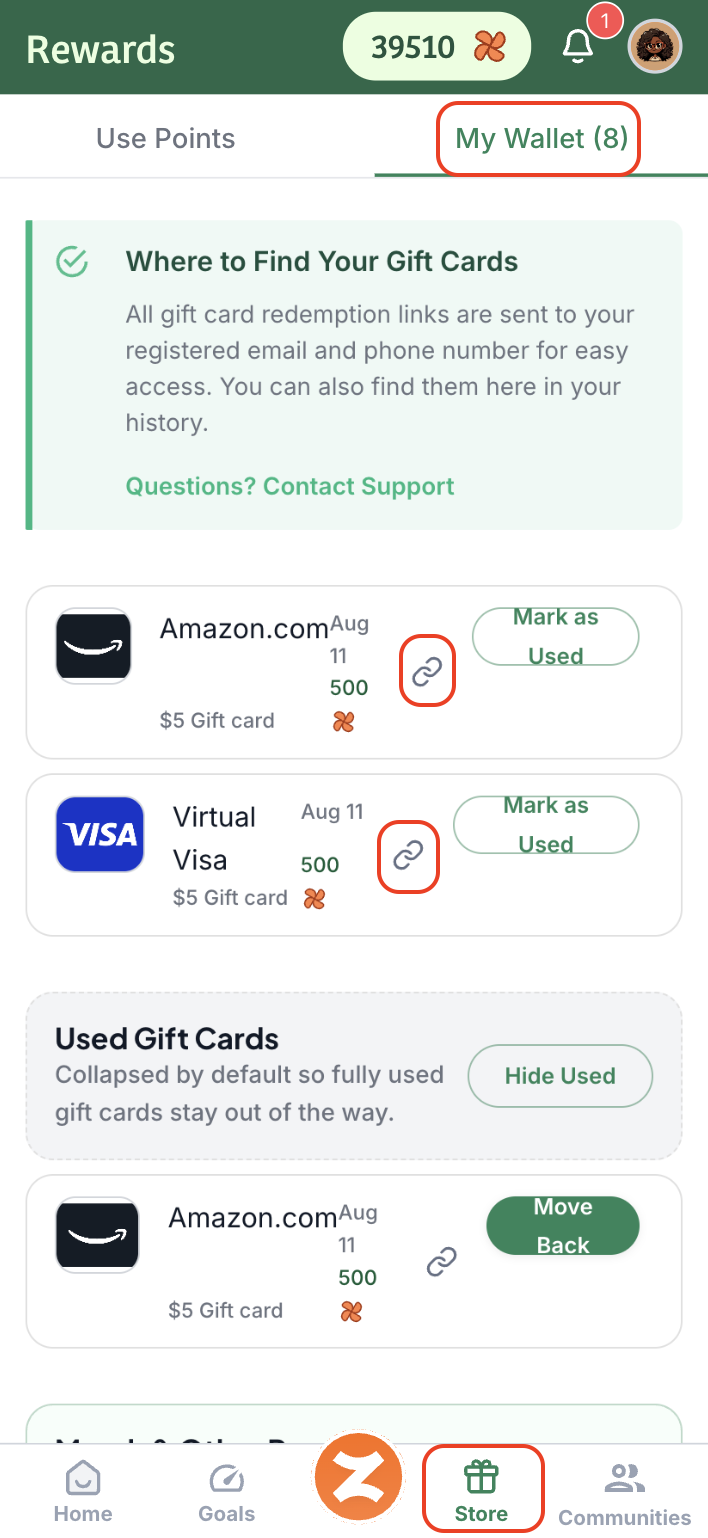
Using Gift Cards
In-Store
When using your gift card in a physical store:
Access the gift card page from My Wallet
Click 'View Code' then 'Open Redemption Page'
Show the barcode to the cashier to be scanned
For cards without barcodes, such as the Visa gift card, add the gift card to your mobile wallet (here's how) to use it in store at Tap to Pay.
Online
To use your gift card for online purchases:
Copy the claim code from your gift card page
During checkout, enter the gift card information as your payment method
For Visa gift cards, you'll need to select CREDIT CARD as the payment type, enter the card number, CVV, and expiration date
Important Tips:
Make sure your purchase amount is less than or equal to your gift card balance
Some gift cards can also be used through merchant mobile apps (e.g., Target, Walmart)
Gift cards must be activated before first use
Gift card balances from one gift card CANNOT be transferred to another gift card.
Troubleshooting
If you experience issues redeeming or using your gift card:
Try logging out and back in, or refresh your page
Verify the gift card has been activated
Check that you are entering the correct claim code or card information
Ensure your purchase amount doesn't exceed the card balance
If you continue experiencing issues, please submit a support ticket through the help center with specific details about the error you're encountering.